Streaming for All – Netflix Audit
Netflix is a worldwide platform, but is it accessible to everyone?
Challenge
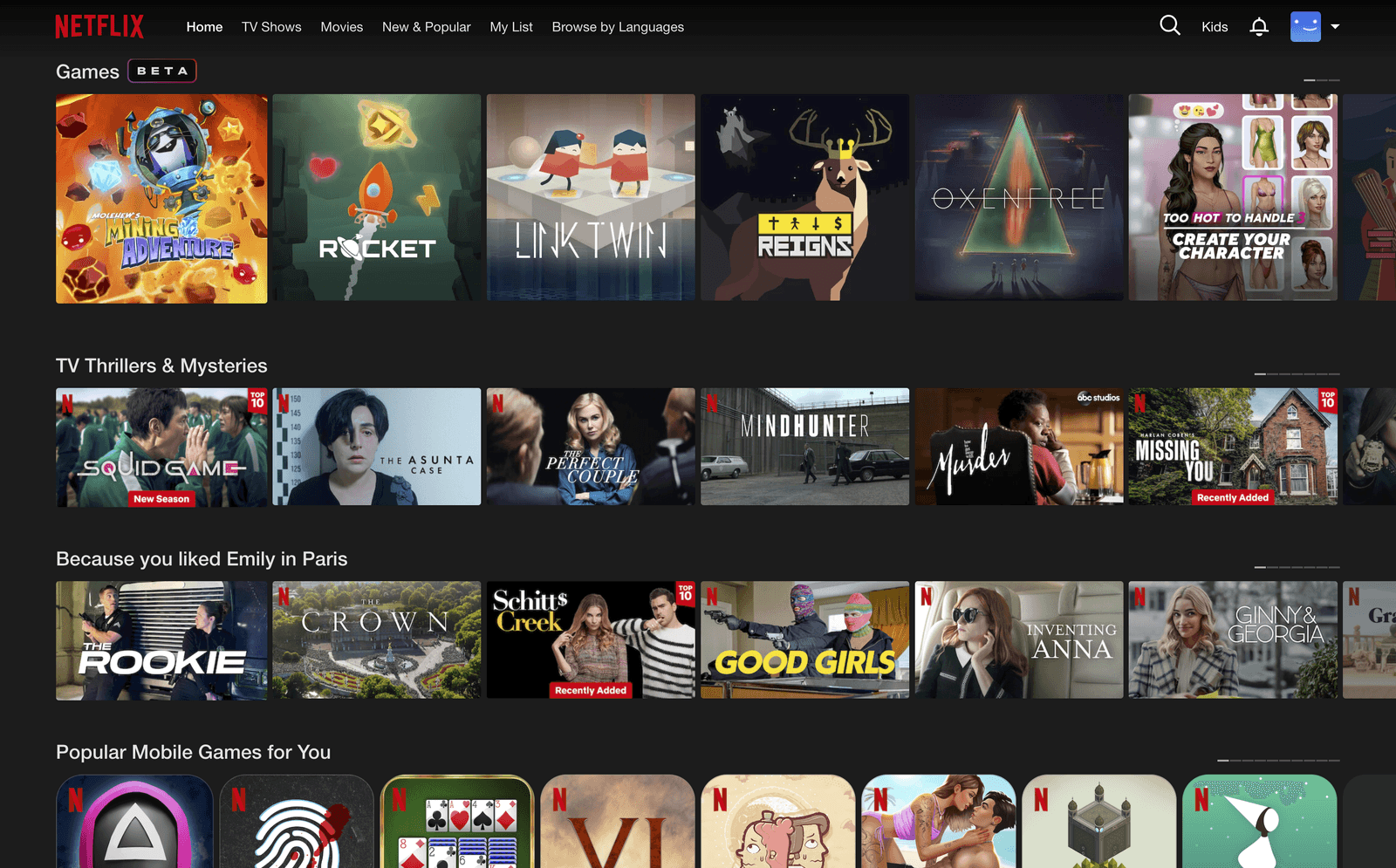
For our Business of UX class, my group of six carried out an audit of Netflix. We chose it because it's a widely used platform we're familiar with, and we were curious how a worldwide product holds up on the UX level: what good, bad or missing features we could find.
Each of us researched a chosen area individually, then we talked through each one together, kept the points we agreed on, added information for each other and finalised the audit. The audit was made between March and June 2024 in Germany.
My part
I inspected the accessibility of Netflix, putting myself in the shoes of disabled people and looking at how they can use the website and mobile app.
About Netflix's goals
As a first step we looked for the sentence stating their goal on their website (Netflix, 2025):
We also looked at their strategy (Netflix's View: streaming entertainment is replacing linear TV) and how they want to achieve their goals. Three points connect to my accessibility evaluation:
- PersonalisationPromoting the right content to the right member.
- SimplicityMaking the platform straightforward and giving the customer relief through simplicity of use.
- Continuous improvementListen, learn and improve rapidly, adding more content, languages and a better experience over time.
Accessibility evaluation
I approached the experience from the perspective of users with disabilities, aiming to understand their needs and frustrations. I also did desk research using articles, accessibility guidelines and the Netflix Help Center for deeper context.
Visual accessibility
Colour blindness, loss of visual acuity, visual impairment.
Strong points
- Customisable subtitles and closed captionsSize and contrast can be changed at will.
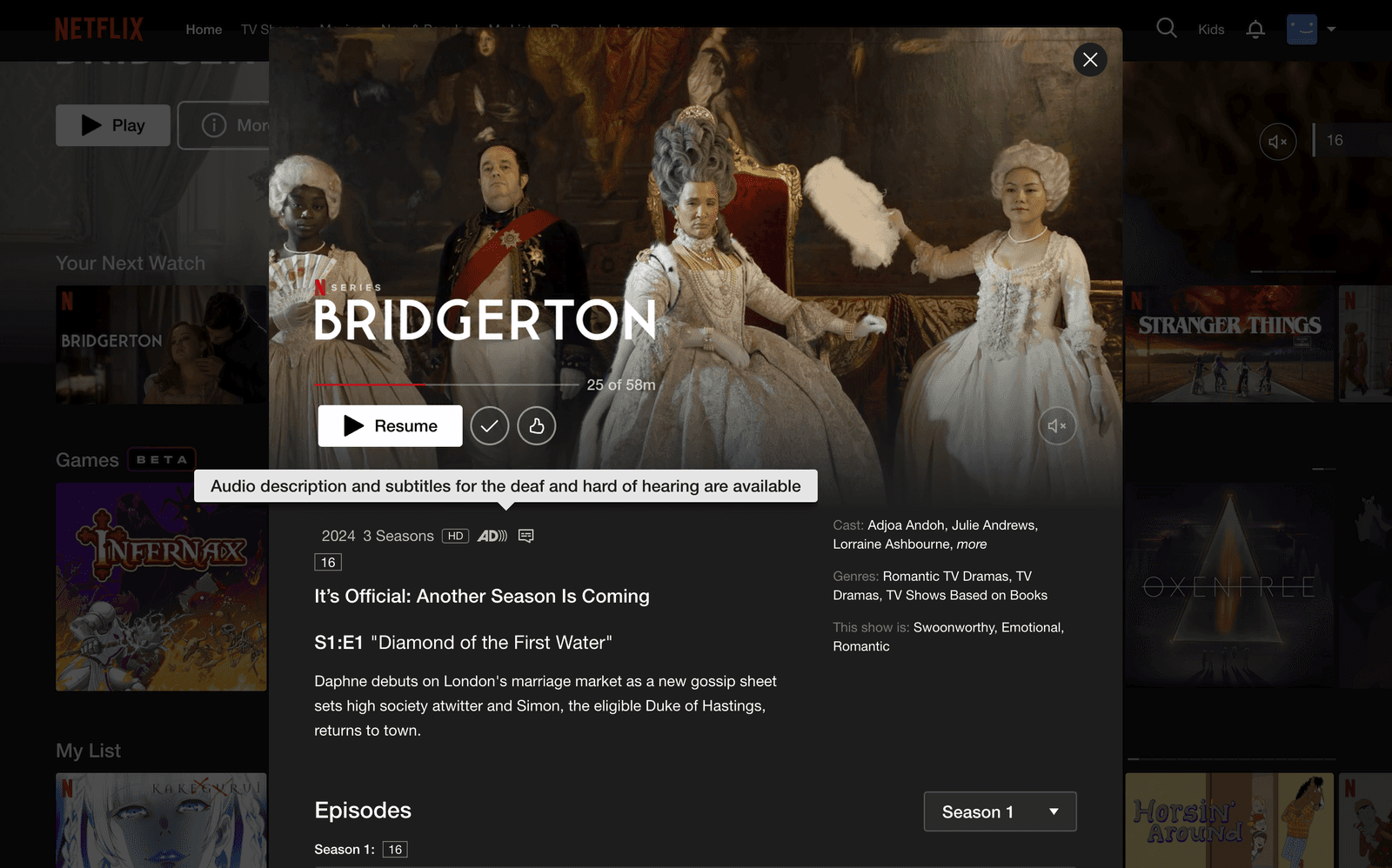
- Audio descriptionKey visual elements are narrated while watching.
- Screen reader compatibilityVoiceOver, TalkBack, JAWS.
- Voice commandWith external devices (Alexa, Google Assistant) or a smart TV.
Issues
- No font size change on desktopOn mobile, the setting can be made in the phone's accessibility settings.
- Inconsistent availabilityNot all content has audio description and subtitles in all languages, and there's no filter to see which content has them.
- Navigation challengesComplex menus are difficult to navigate without a mouse or remote.
Hearing accessibility
Hearing loss, deafness.
Strong points
- Subtitles and closed captionsAvailable most of the time, placed relative to the person talking, and include inarticulate sounds.
- Assistive listeningCompatible with assistive listening headsets, hearing aids, headphones and neck loops.
Issues
- Limited sign language contentOnly through a Chrome extension (SignUp), which hides a big part of the screen.
Physical accessibility
Limitations on a person's physical functioning, mobility, dexterity or stamina.
Strong points
- Remote control and voice commandsCompatible with Amazon Alexa, Google Assistant and smart TVs.
Issues
- Limited gesture support on mobileGestures might not fully cater to users with motor disabilities; more customisation or alternative controls may be needed.
- Desktop navigation is harderThere is no keyboard navigation on the home page.
Mobile app: it requires delicate motion, and buttons and sliders are often small and need precision.
Cognitive accessibility
Intellectual disability, autism spectrum disorders, dementias and more.
Strong points
- Search and discoveryIt's easy to search and find content. Predictive search and personalised recommendations take away the overwhelming process of looking for something.
- Playback speedCan be changed when a user can't keep up with the content's speed.
- Dubbed contentEasier understanding in the viewer's mother tongue.
Issues
- Overwhelming home page on desktopGives a hard time to people with cognitive difficulties.
- Limited dubbed contentEspecially for languages with fewer users or smaller countries.
Conclusion
"We are here to entertain the world, one fan at a time," says Netflix, but my conclusion is that its accessibility still has room to grow, especially in subtitled and dubbed content, and in desktop navigation for people with physical disabilities.
I learned that even a great, very popular product has room to improve. Looking at a product in a different way and noticing small details you normally wouldn't pay attention to was key in this project.
My team was great: we listened to each other and gave feedback, bringing many different views on the same platform, as everyone catches different details. Next time I do something like this, I'll run user testing and interviews rather than talking with people around me.