Gentle Touch – Empowering Seniors in the Digital Age
A print-and-digital learning kit that helps older adults build real, transferable confidence with their smartphone, one small, gentle step at a time.
Challenge
Older adults are expected to take part in a highly digital world, but most solutions built for them stop at simplification: bigger buttons, fewer options, a device with the "hard parts" removed. For my BA thesis, I wanted to try something different: instead of hiding the phone from the user, teach them how it actually works.
Results
The goal of the project is a training tool that helps older adults adopt new technology confidently, encourages curiosity, and builds skills they can actually transfer, not dependency on one single product.
The problem
Like many people with elderly parents and grandparents, I have seen how they may not understand modern technology, are afraid to use it and have no idea where to start.
In an increasingly digital world, no one taught them how to adapt to it, and they are left alone without many opportunities they can't access.
Discovery & Research
I grounded the project in both literature and real conversations:
- 15studies read
- 7competitor analyses
- 3in-depth interviews
- 66–84age range
Mental models & frameworks
Three models (TAM, UTAUT and CREATE) kept pointing at the same thing: technology adoption isn't just about usability. It's about motivation, confidence, and whether support is actually available when something goes wrong.
I mapped the barriers older adults face into four groups:
- Cognitive barriers
- Physical barriers
- Psychological barriers
- Motivational barriers
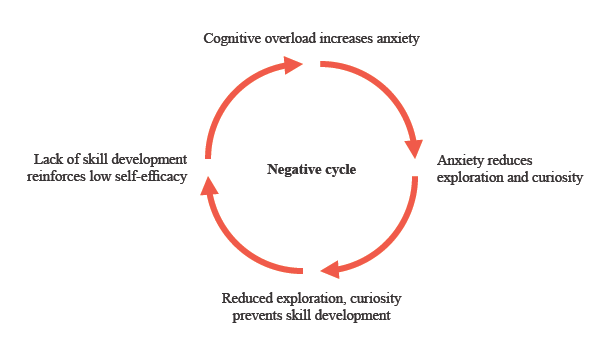
Among many other factors, one of the most important findings is that they reinforce each other in a loop: cognitive overload raises anxiety, anxiety kills curiosity, and low curiosity means skills never get the chance to build.
Benchmarking existing solutions
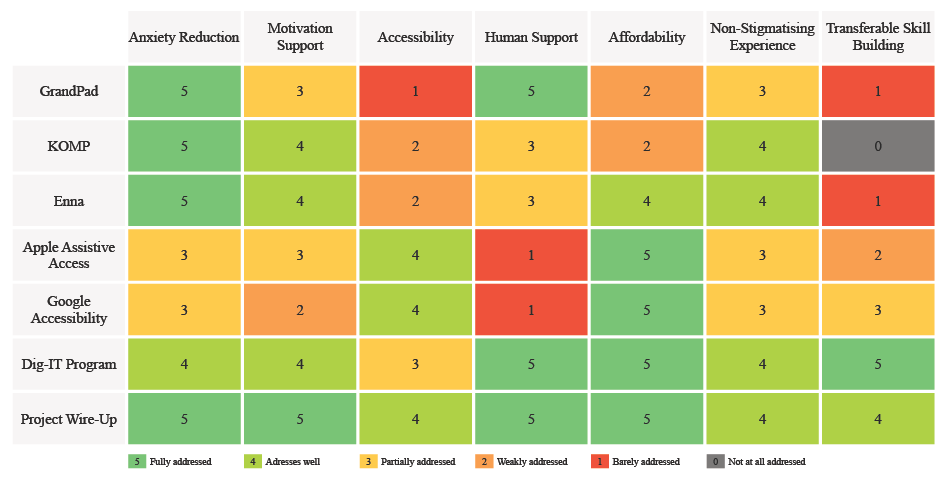
I analysed existing software, learning programmes and hardware designed to support older adults with technology (GrandPad, KOMP, Enna, Apple/Android Assistive Access, and digital literacy programmes like Dig-IT and Project Wire Up). The comparison focused on accessibility, learning approach, guidance, motivation, and opportunities for independent exploration.
It showed a clear gap: solutions either simplify the device or teach the skill, almost never both. Fewer focus on building confidence, transferable skills and curiosity. These findings shaped Gentle Touch as a learning experience rather than simply a simplified interface.
Interviews
The interviews showed that older adults are not a homogeneous group. Their confidence, motivation, previous experience and learning preferences can be very different. Social connection was the strongest shared motivation, while personal support provided an important feeling of security.
- “I don’t dare to start, to touch it.”Anxiety leads to avoidance, and avoidance stops skills from ever building up.
- “I’m 84 years old, so maybe that’s why.”Negative self-perception: blaming age instead of the design of the technology.
- “Well, I’m not such an old lady that I can’t do it!”High self-efficacy: this participant sees errors as a challenge and keeps trying until she wins.
Not one of them asked for formal training or tutorials. Step-by-step guidance, repetition and practising on the device itself worked best, and above all, a real person to ask when something goes wrong.
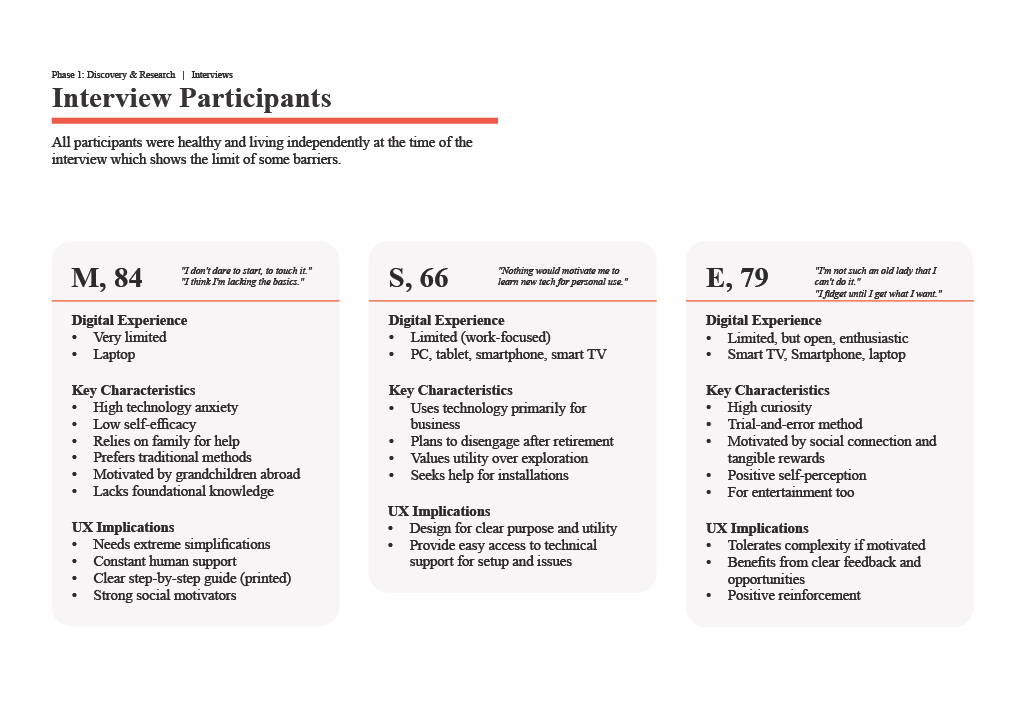
The three interviewees showed three different personalities and levels of self-efficacy, which made it the perfect opportunity to create three archetypes and personas.
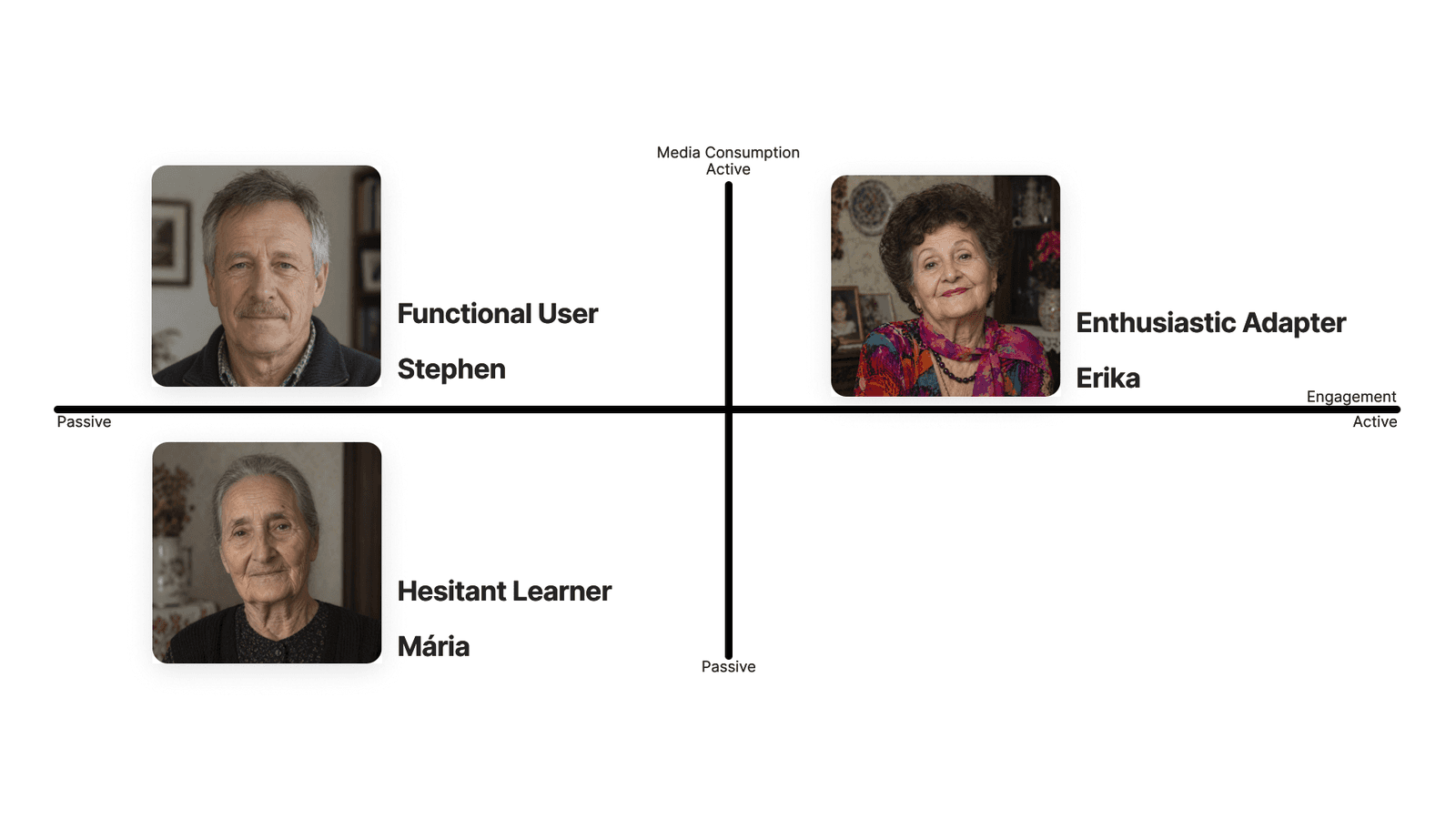
Making journey maps surfaced the moment that mattered most: the point of first failure. Every participant hit a wall at some point, and what happened right after (help arriving instantly, or having to wait days) shaped whether they kept trying or gave up for good.
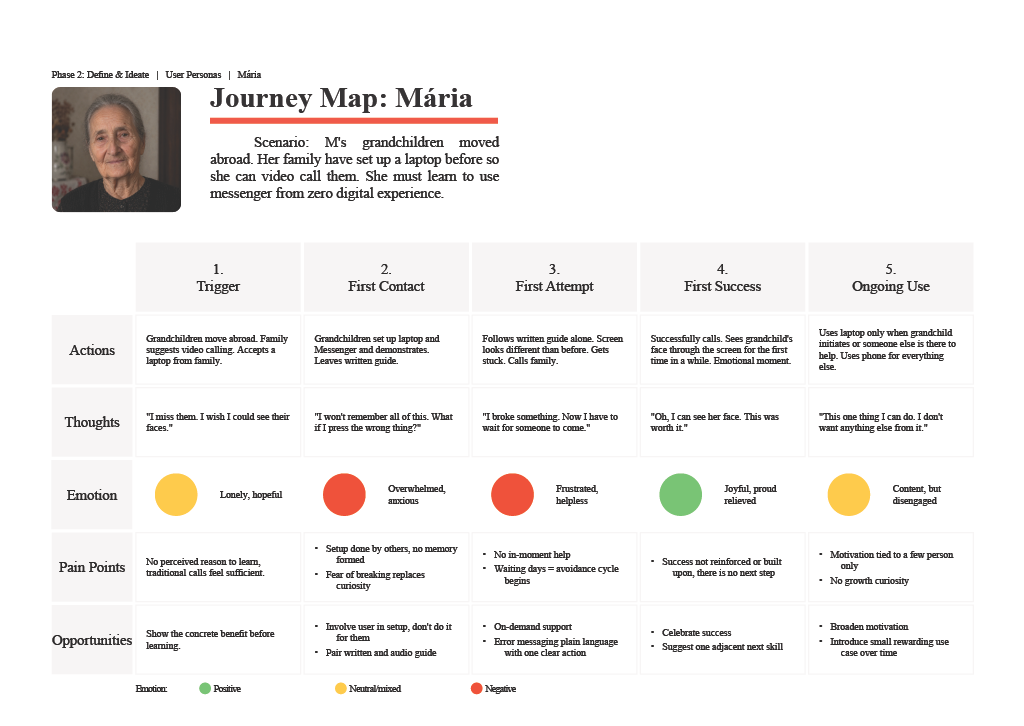
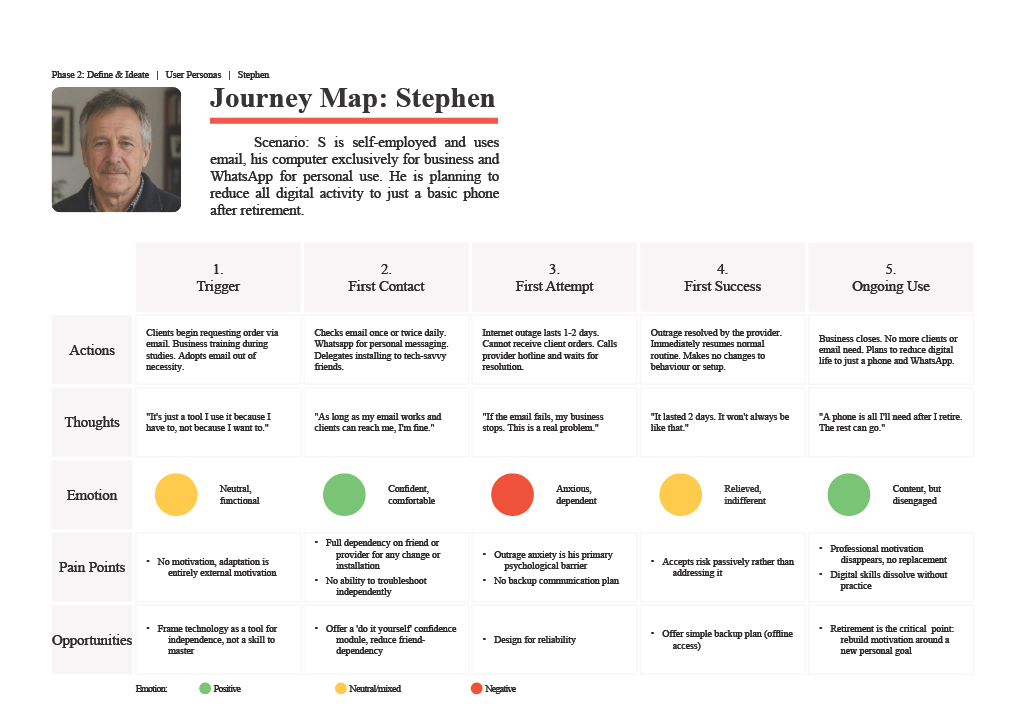
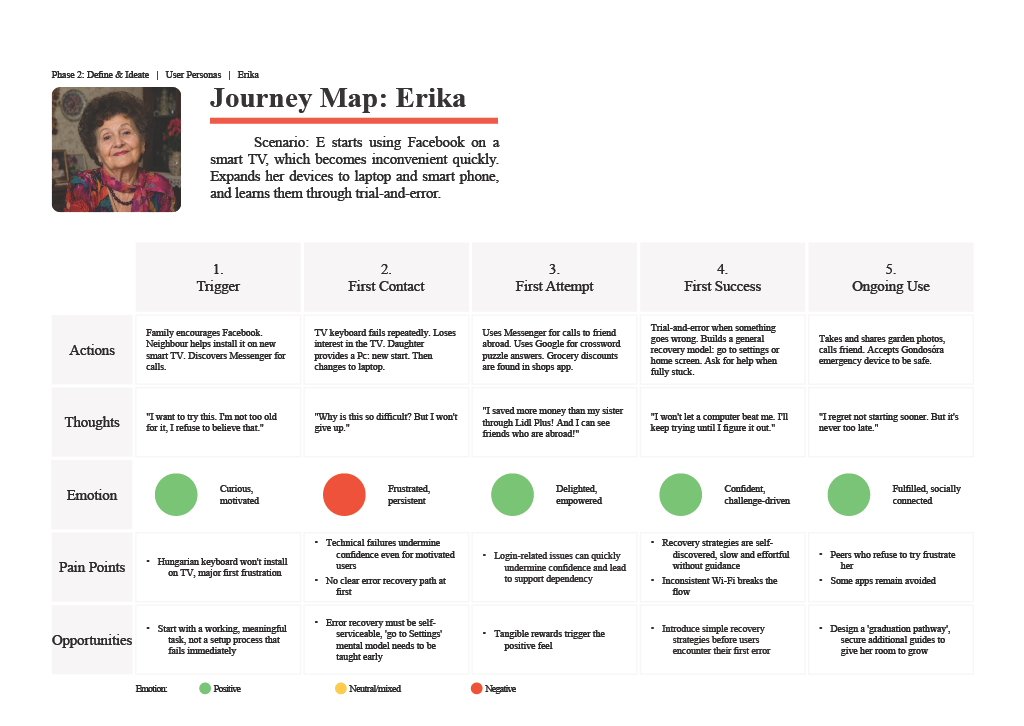
Journey maps showing the blocking points of using modern technology
Define & Ideate
Physical access to a device is rarely the barrier anymore; skills, confidence and the will to try are. I translated this into a small set of design principles that shaped everything after:
- Familiarity before complexityStart from what's already known, not from zero.
- One task at a timeReduce cognitive load: one screen, one goal.
- Safe explorationNothing the user does should feel like it can "break" anything.
- Reinforce successSmall wins, celebrated, build self-efficacy over time.
- Transferable learningTeach the logic, not just the steps, so it still works on the next device.
And one decision shaped the whole product: this wouldn't be new software. It would be a way of teaching people to use the device they already have, while connecting a physical, tactile experience with a digital one.
Design & Prototype
Gentle Touch became two connected pieces.
From sketches to paper
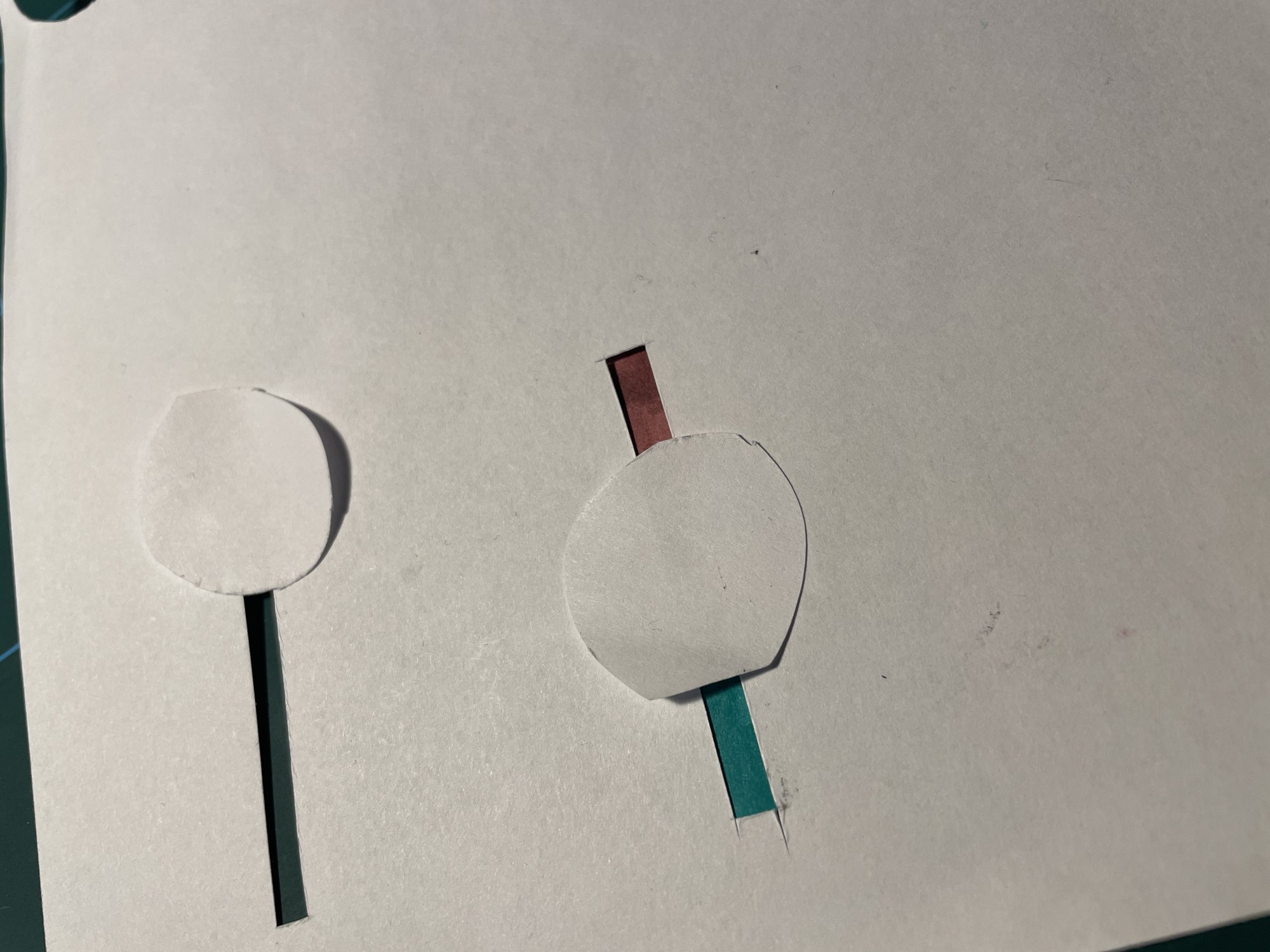
I sketched every part before designing it: the guide page with a colour-coded header and screen pictures, the feature and digital practice screens, and flashcards. For the tactile exercises I tested ideas on paper: a strip of paper between the pages to swipe, a rubber band to zoom, bubble wrap to tap.
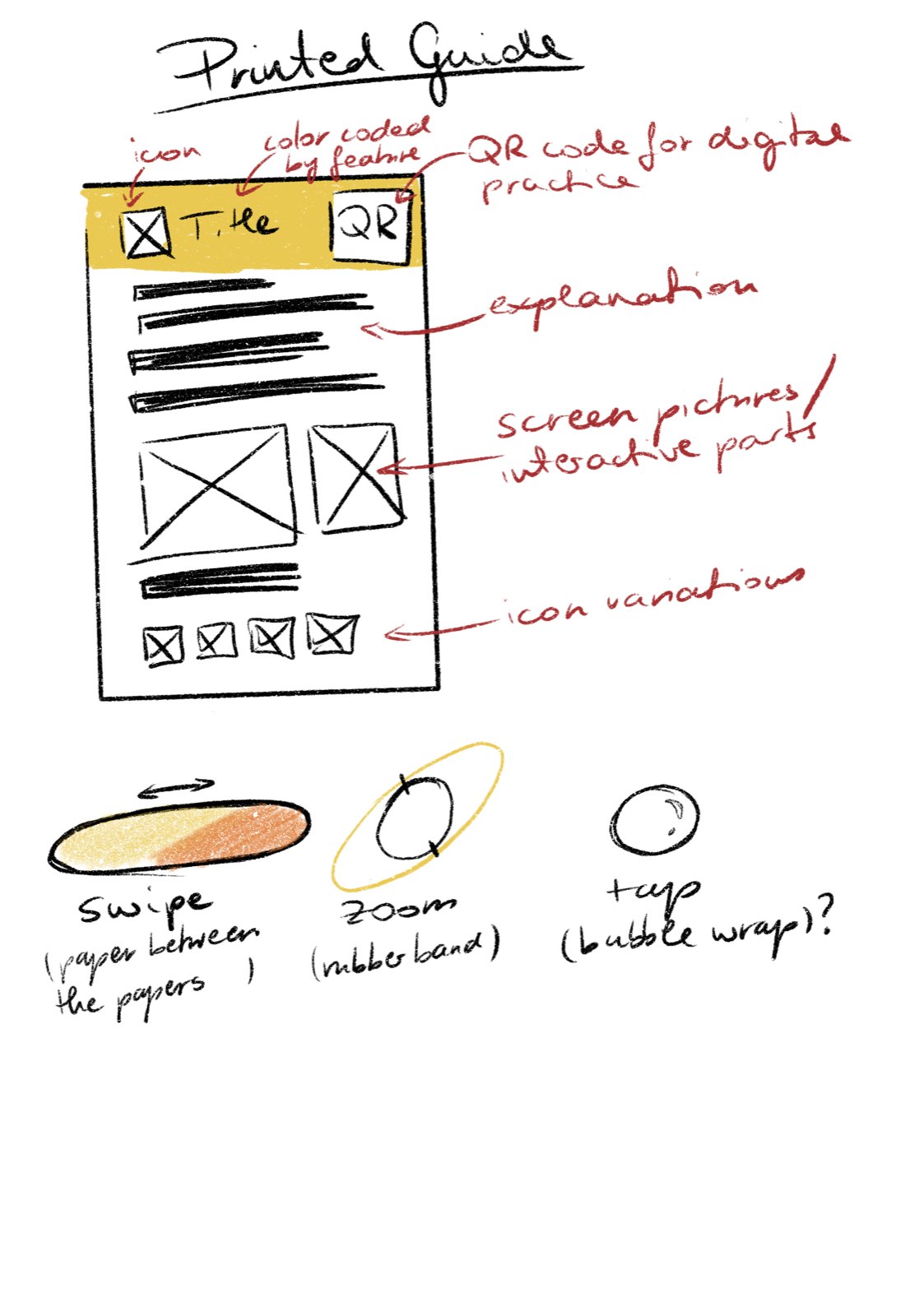
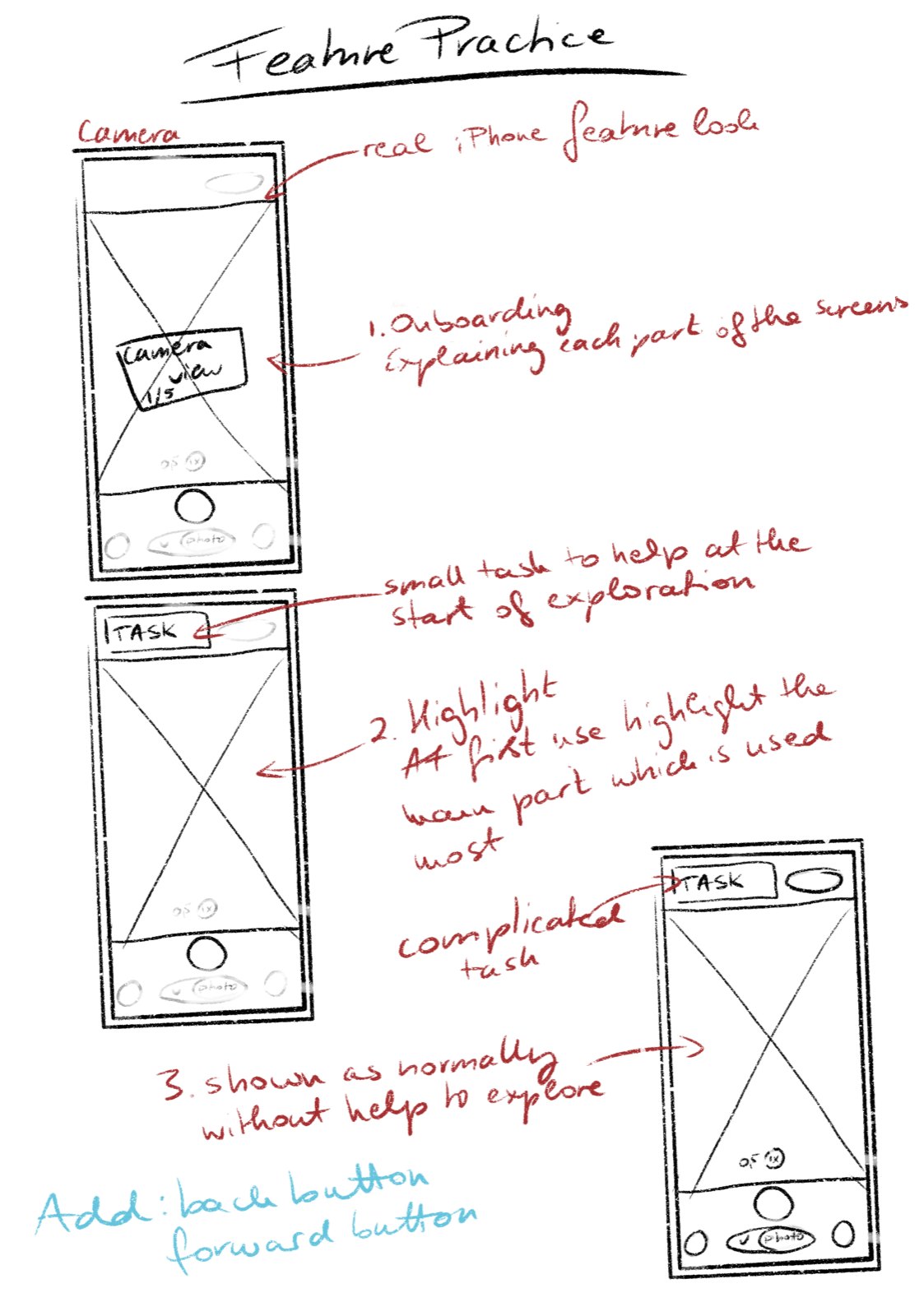
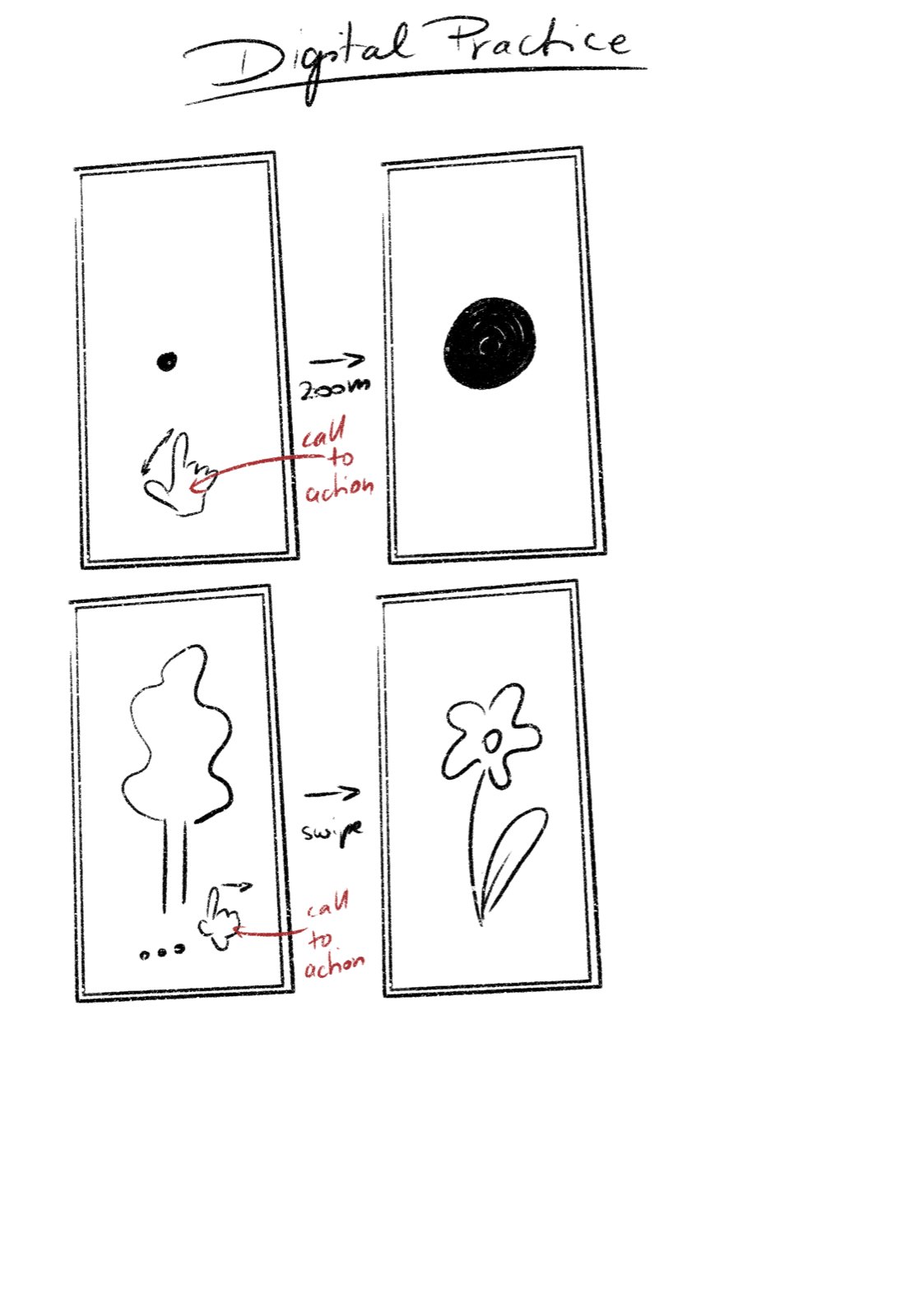
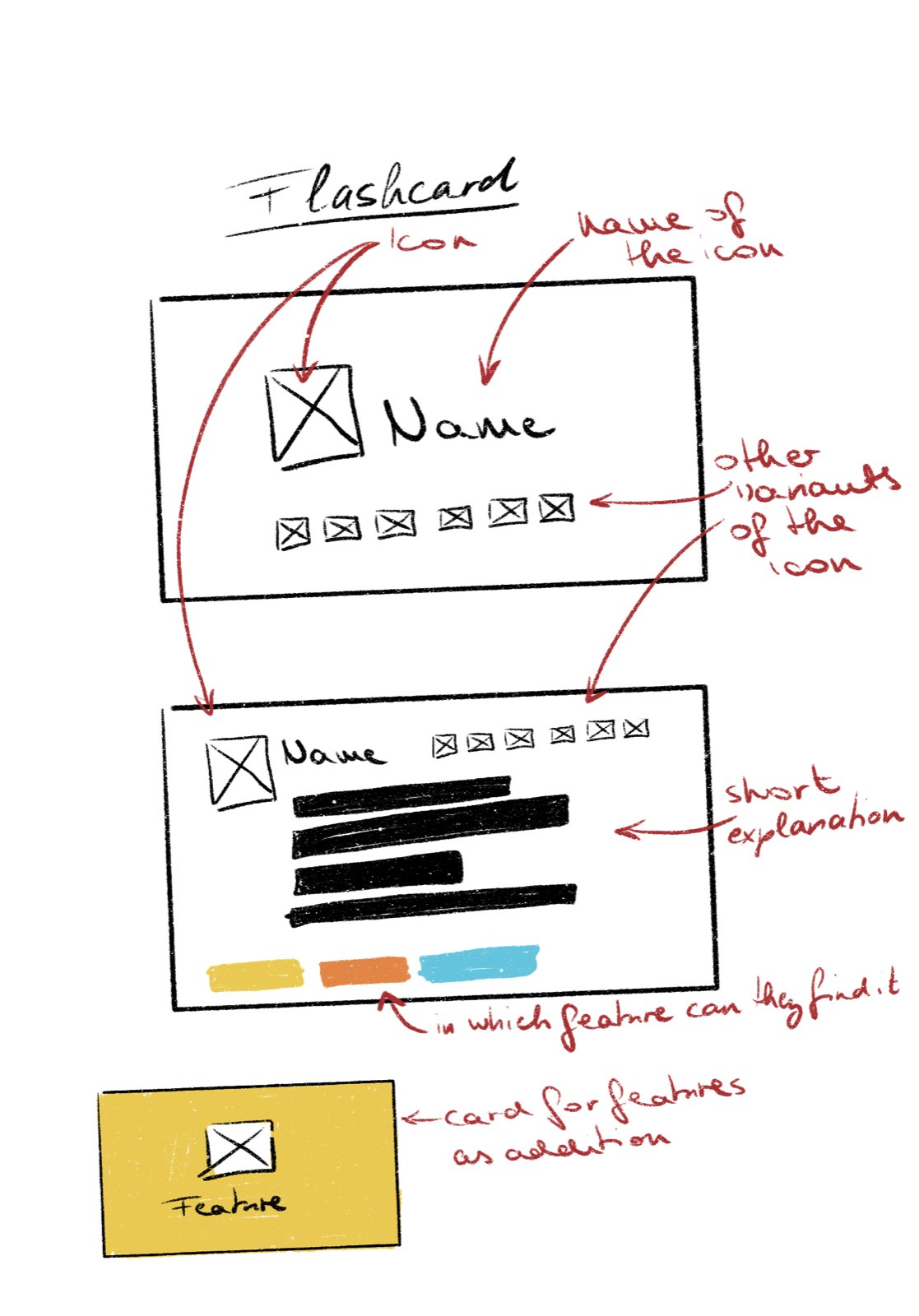
Sketches: printed guide, feature practice, digital practice and flashcards
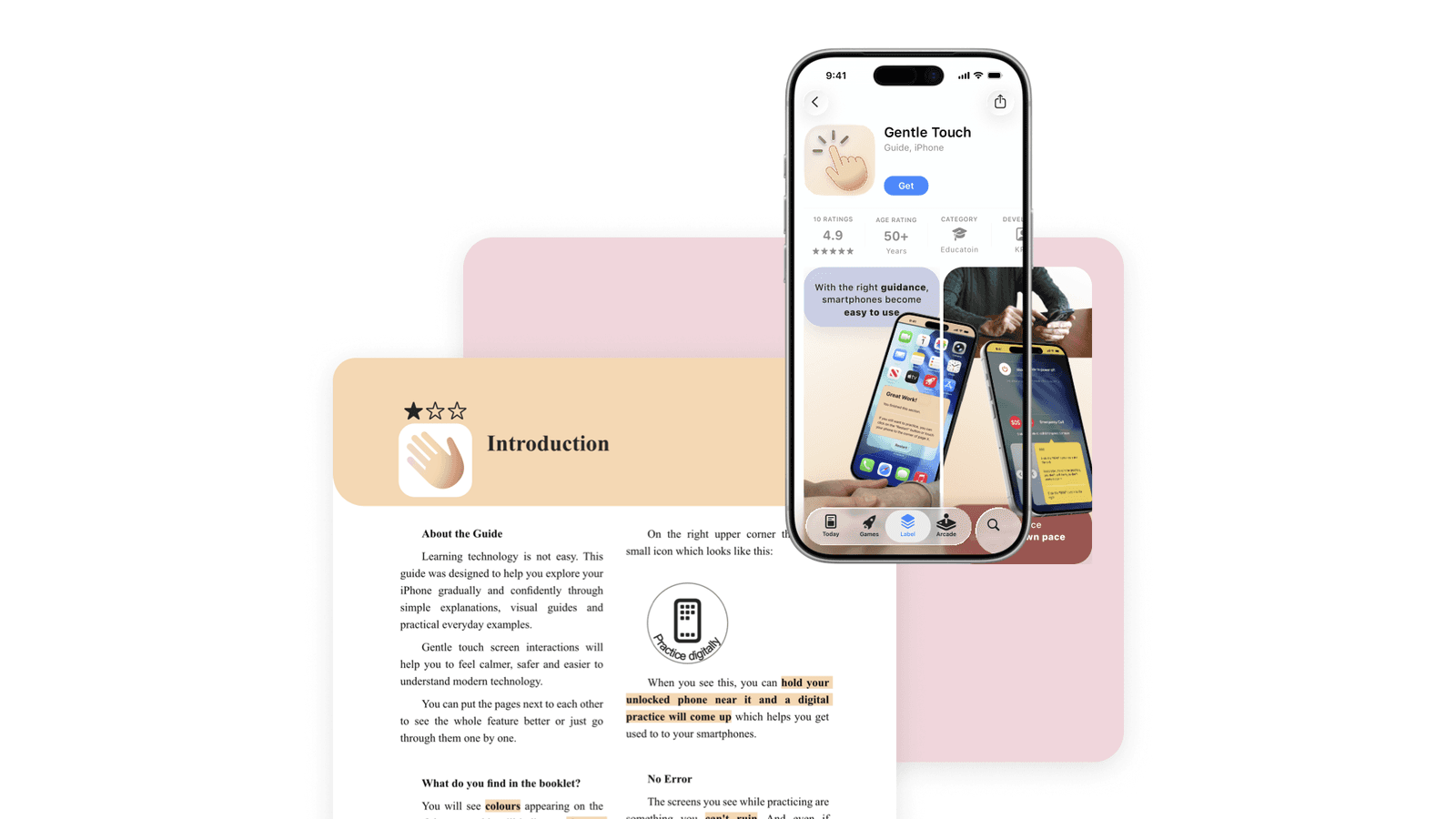
A printed guide
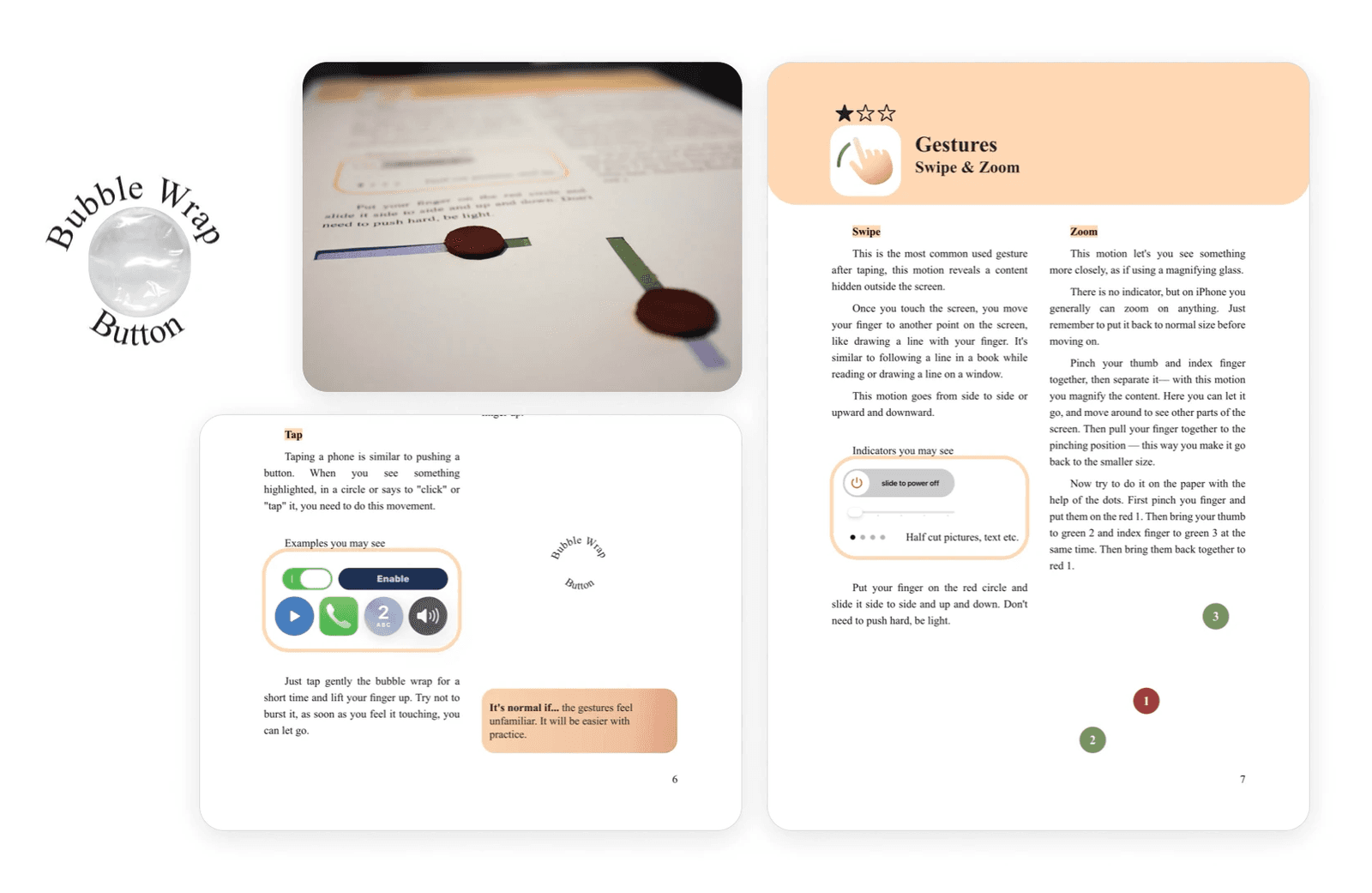
A colour-coded A4 booklet, one topic per page, star-rated by difficulty. Before ever touching a screen, the reader practises the motion on paper: a swipe becomes sliding a finger along a printed line, a tap becomes gently pressing a bit of bubble wrap under the page.
The goal is to connect familiar physical pages and practice with the digital practice. The pages use analogue metaphors to grasp the logic and function of each app, feature or gesture.
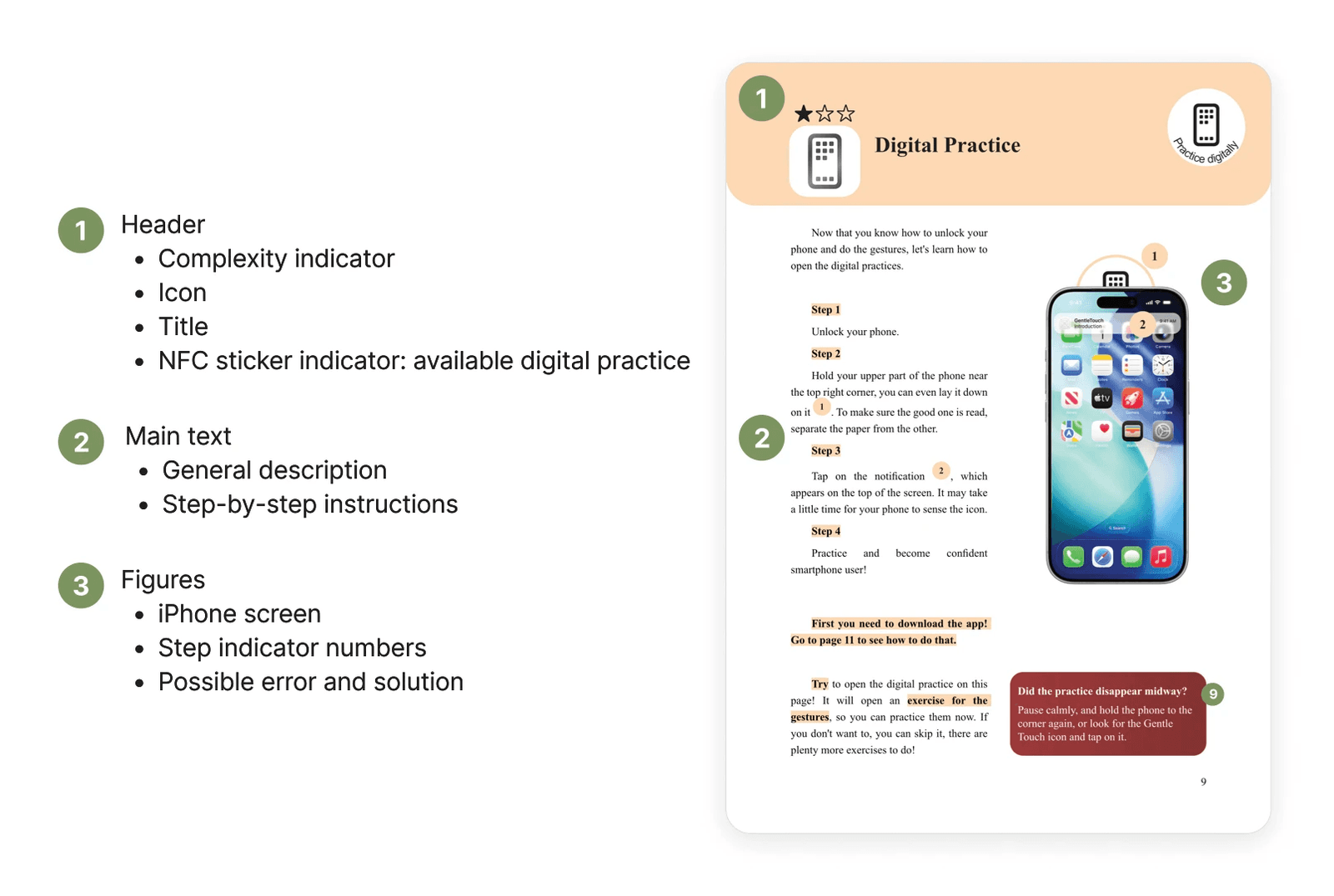
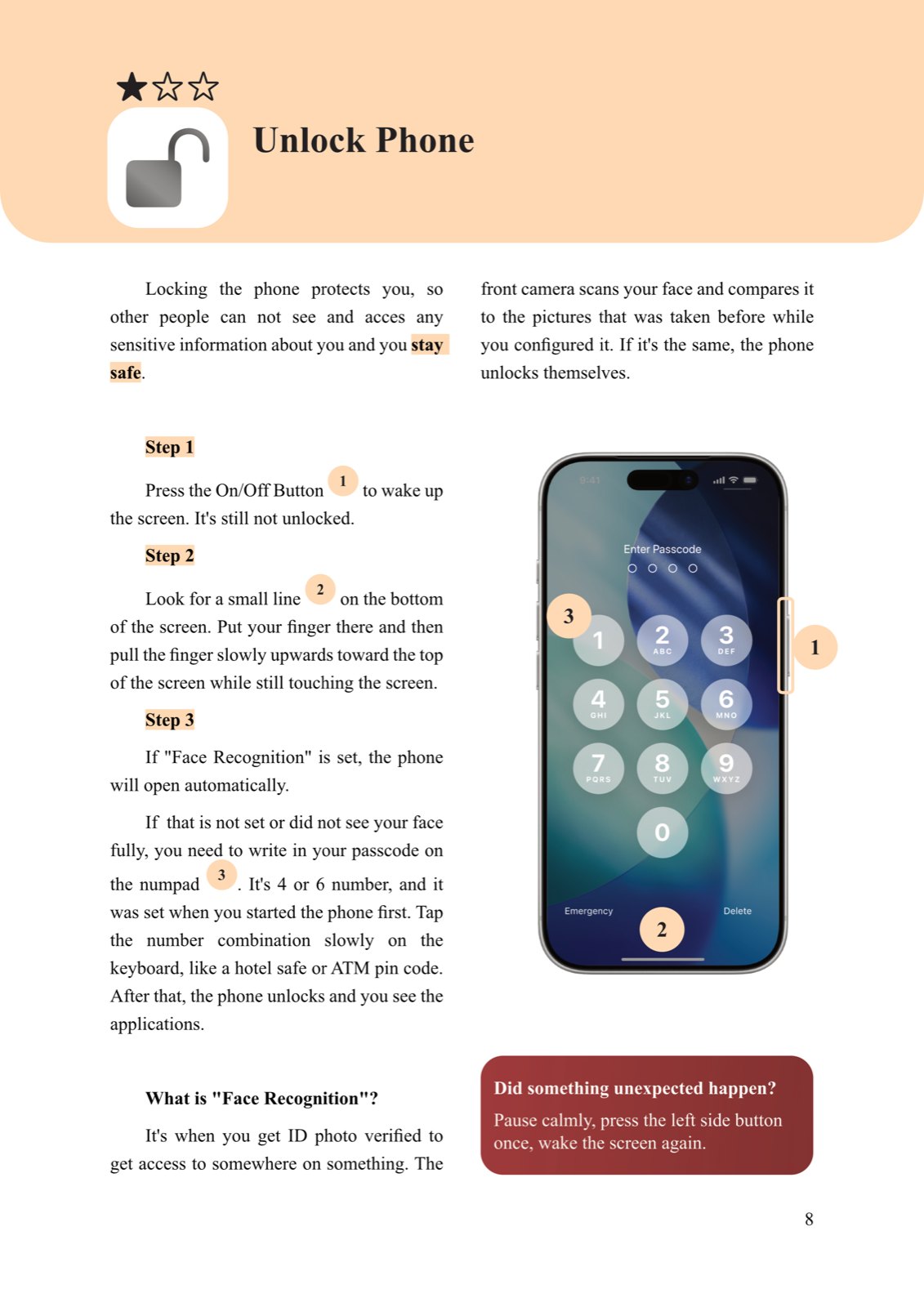
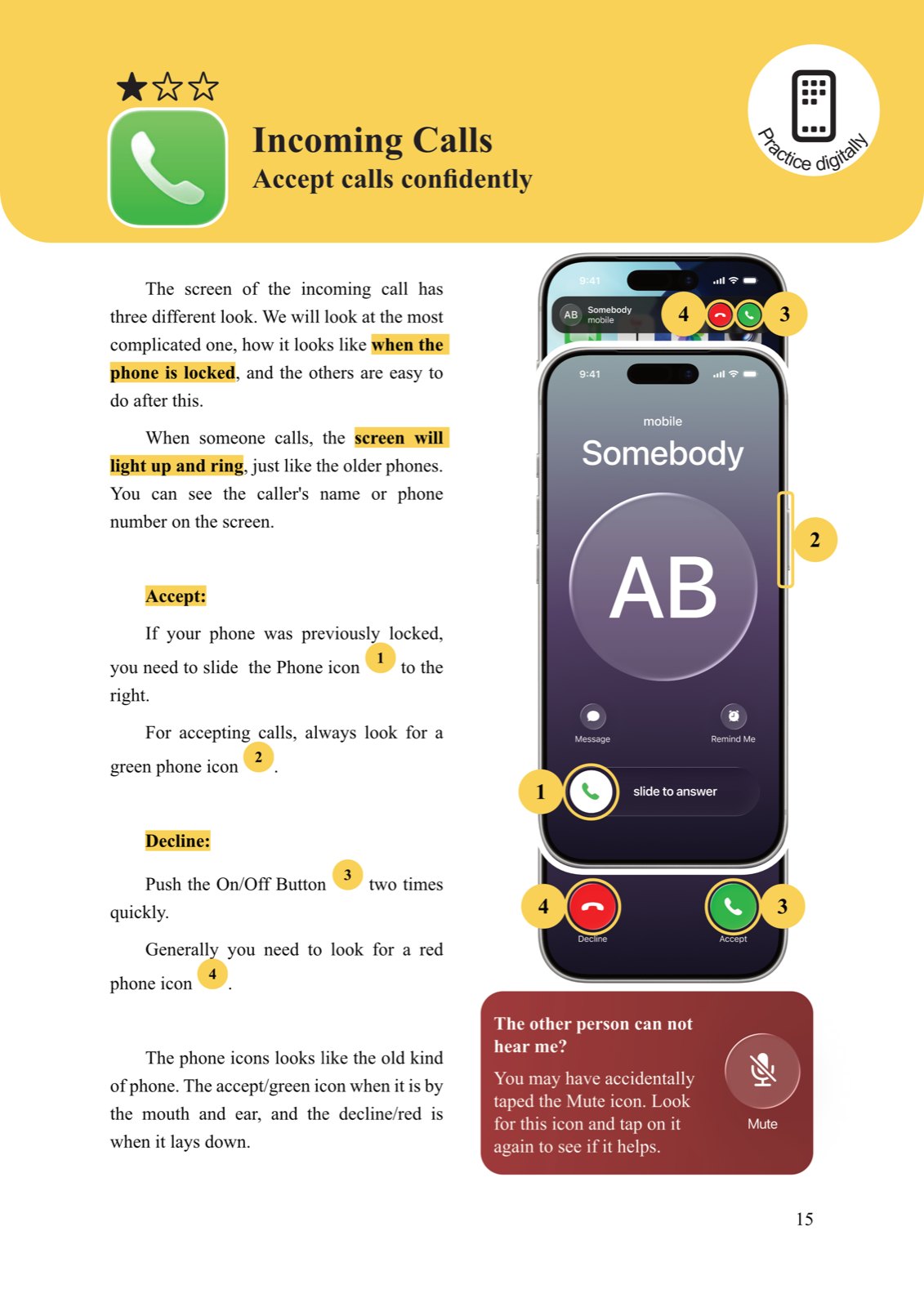
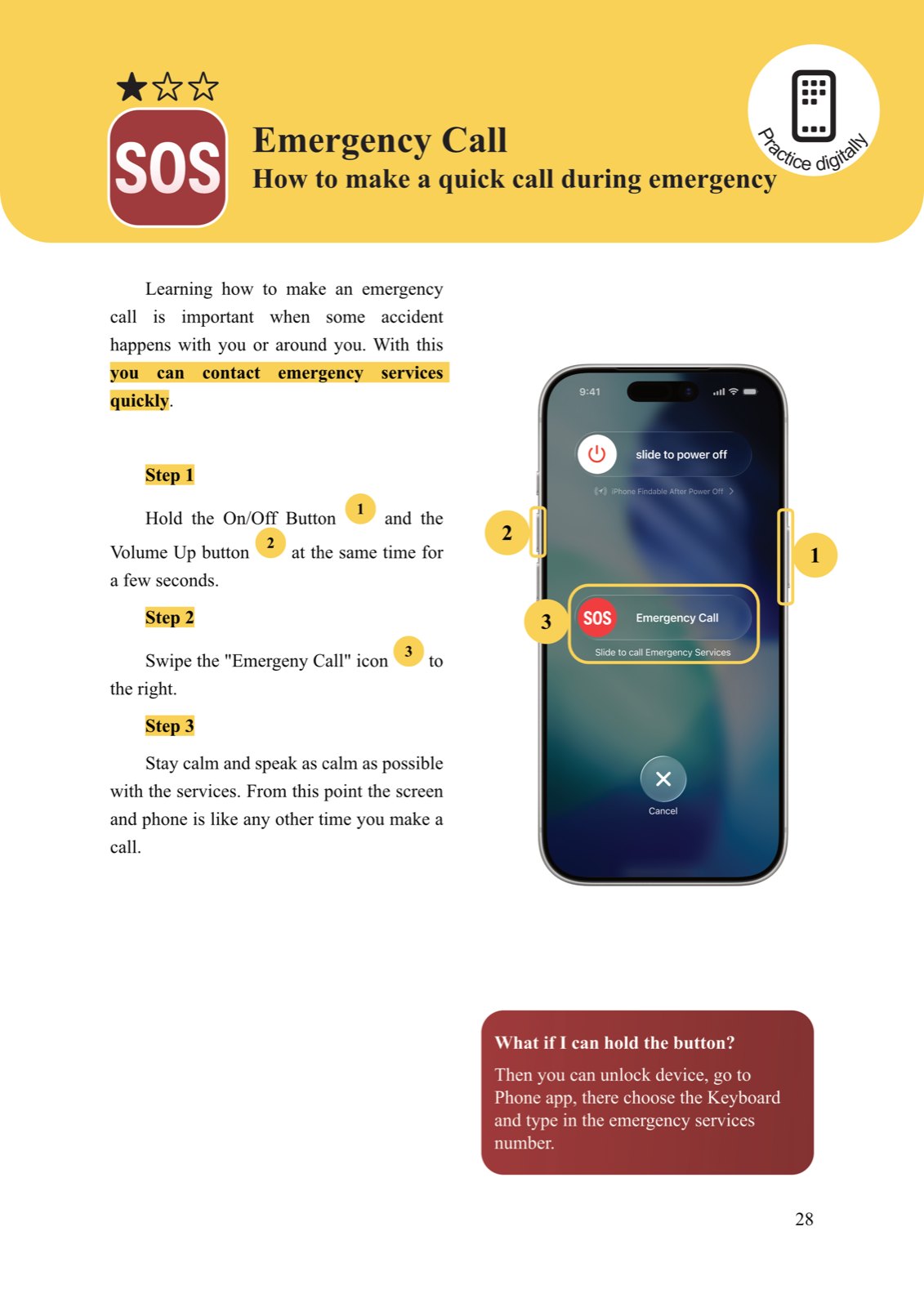
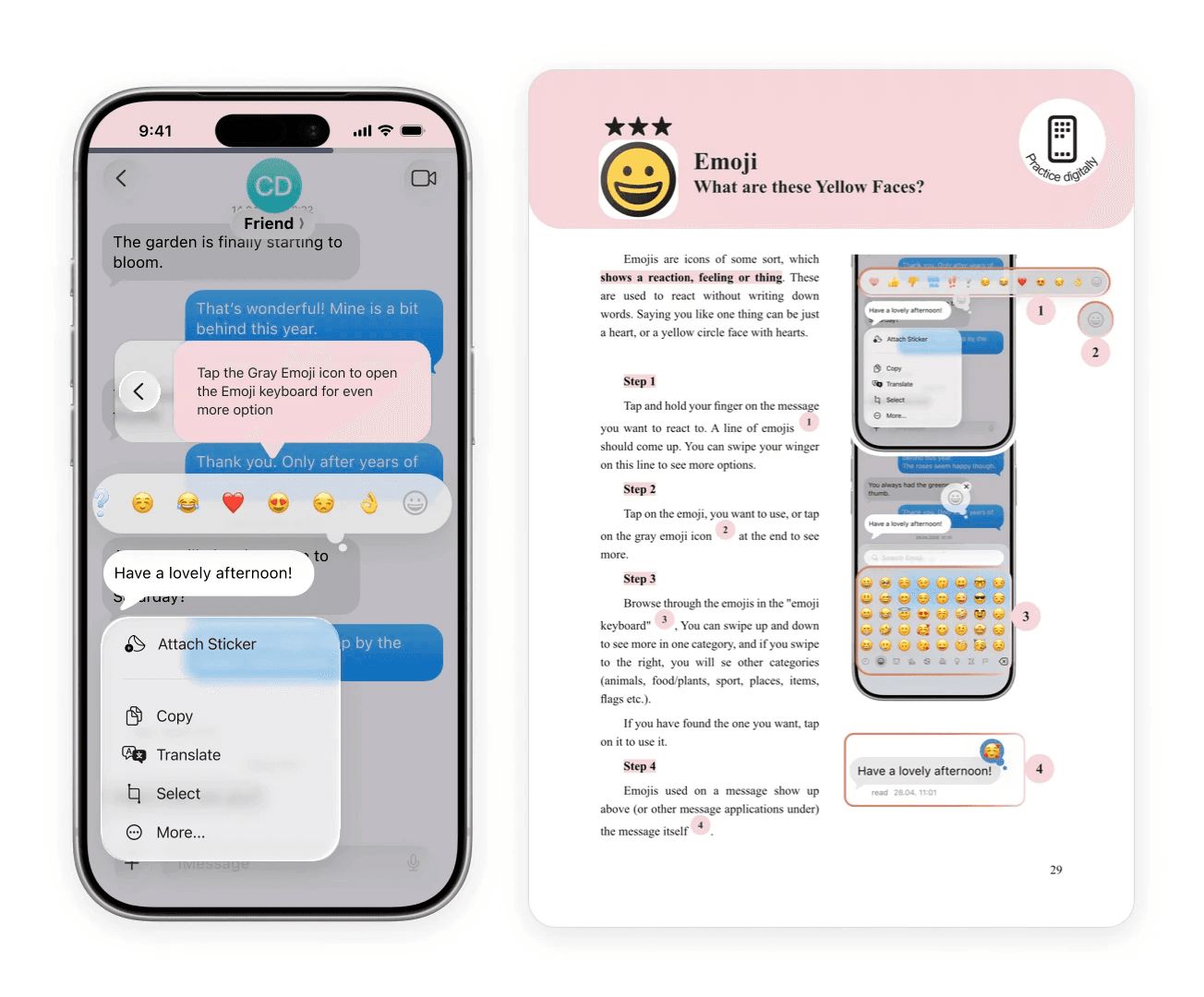
The cover and pages from the guide. Each chapter has its own colour, and the stars show the difficulty.
A companion iPhone app
Opened straight from the booklet through an NFC sticker on the back, not a QR code, since someone with zero smartphone experience often can't get a QR code open in the first place. A tap is all it takes.
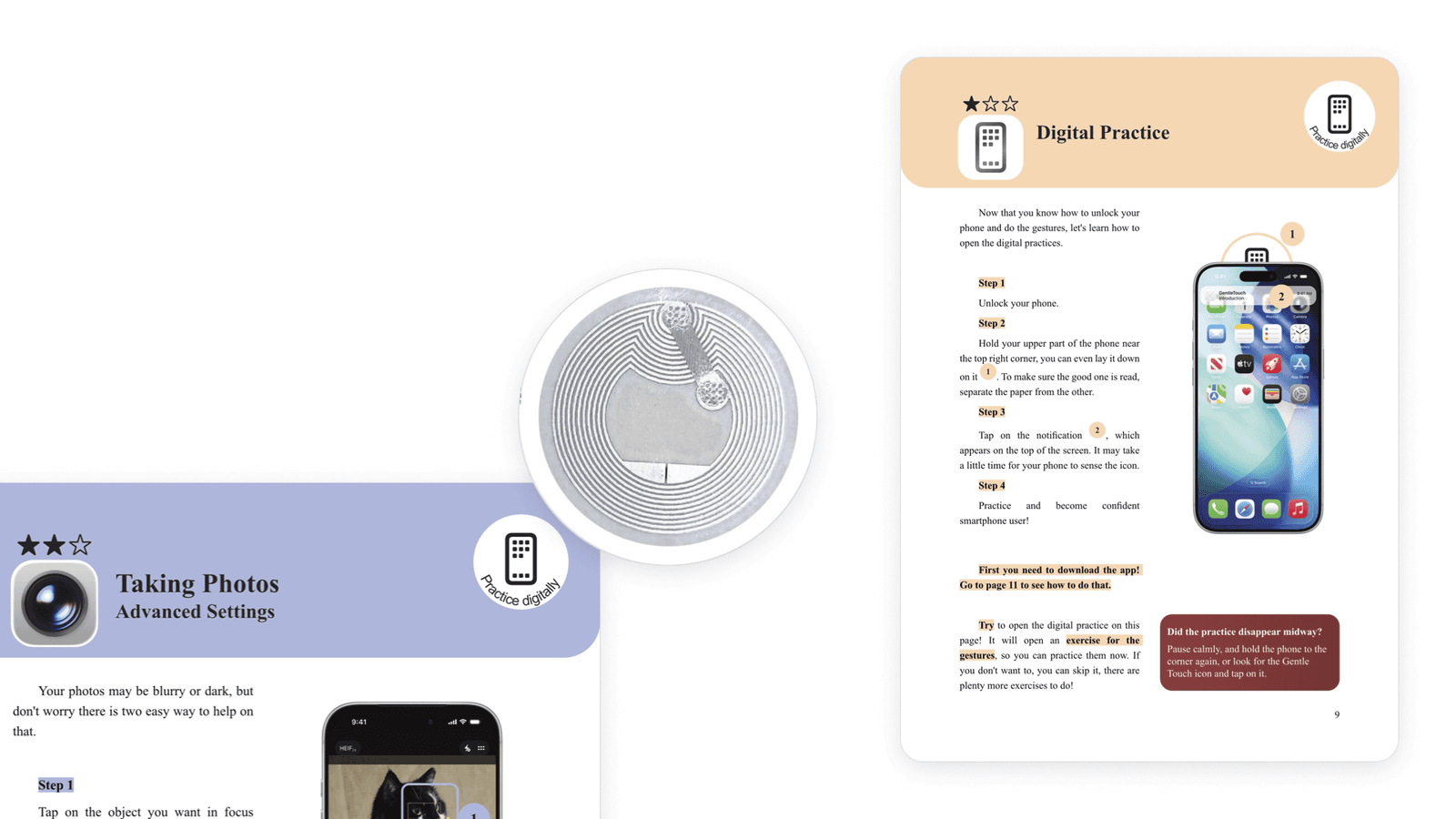
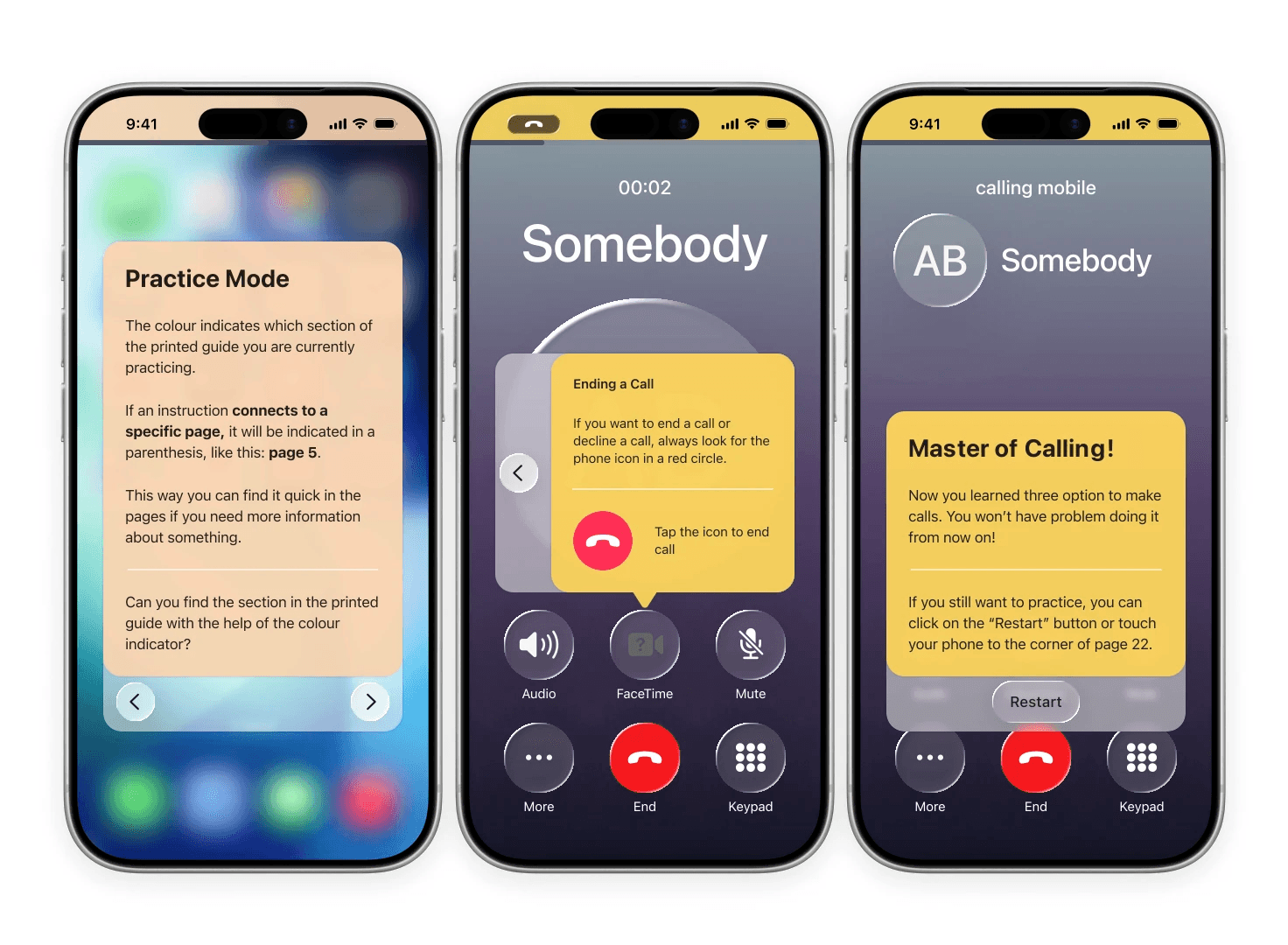
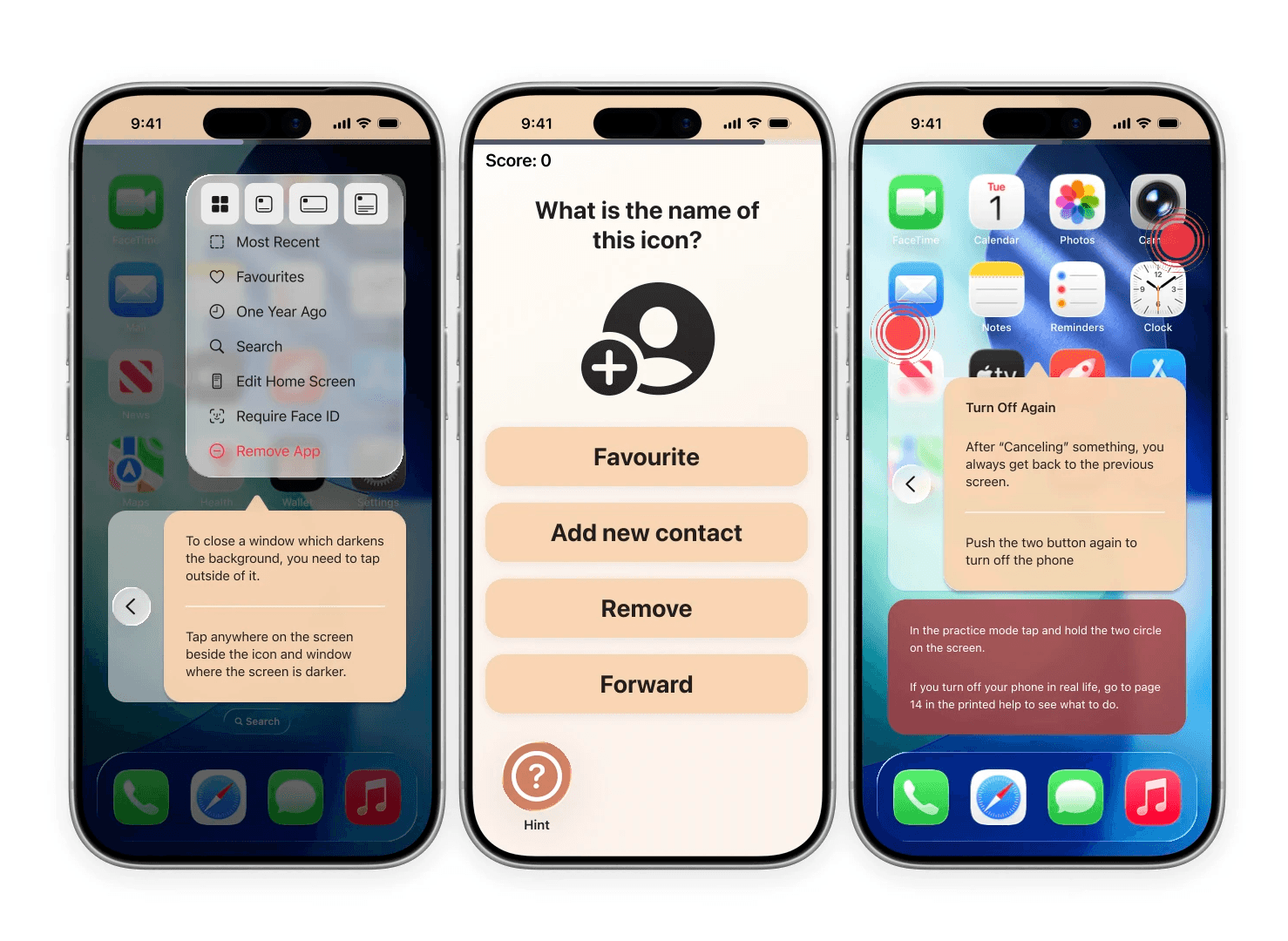
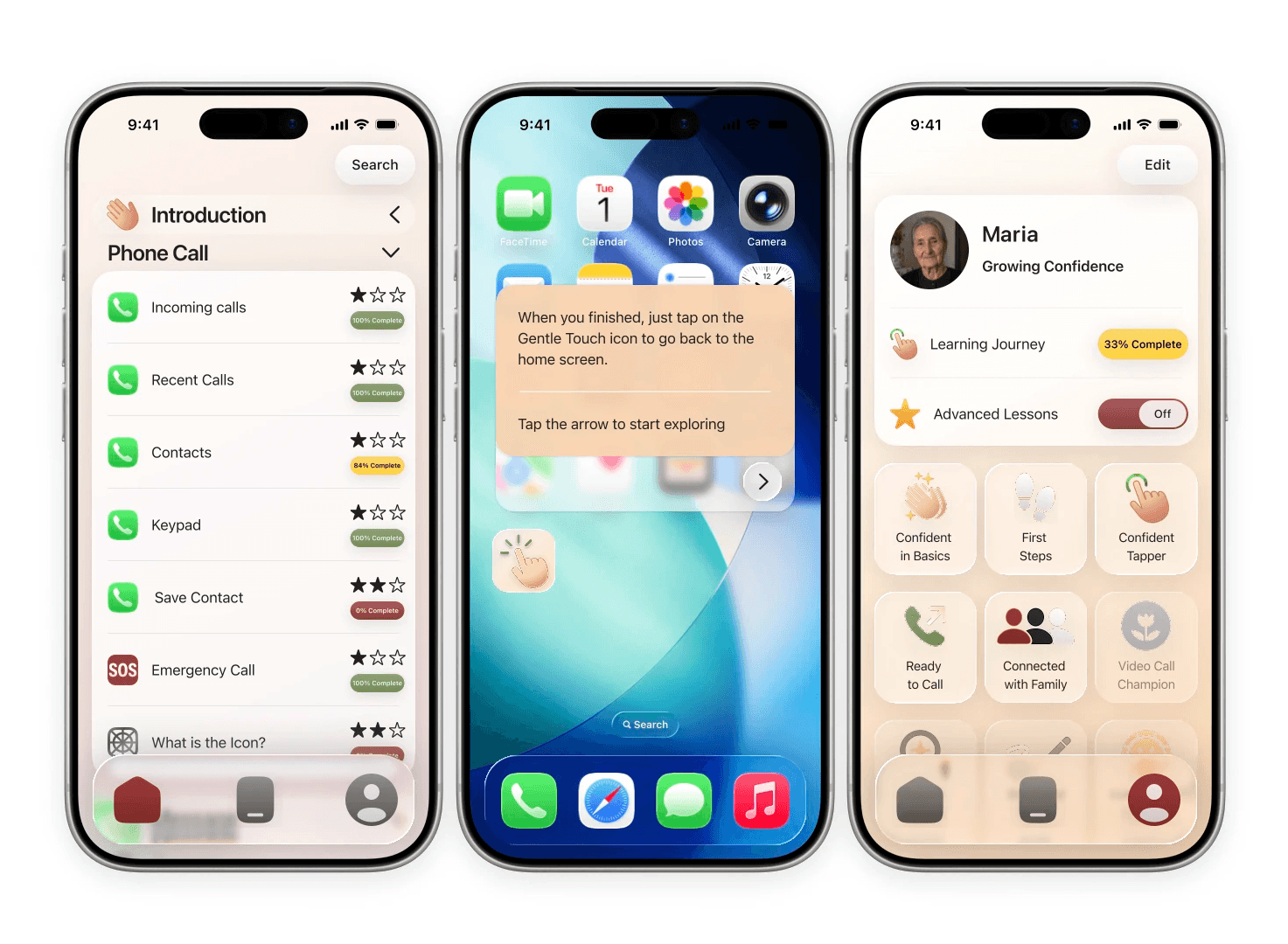
Progress indicators, clear instructions, visual cues, hints and positive reinforcement help make each step feel achievable. Users can also practise gestures before interacting with the simulated phone, reducing the fear of doing something wrong. The experience gradually moves from basic interactions to more advanced topics.
The goal is not to create a simplified phone, but to help users become more confident with technology itself.
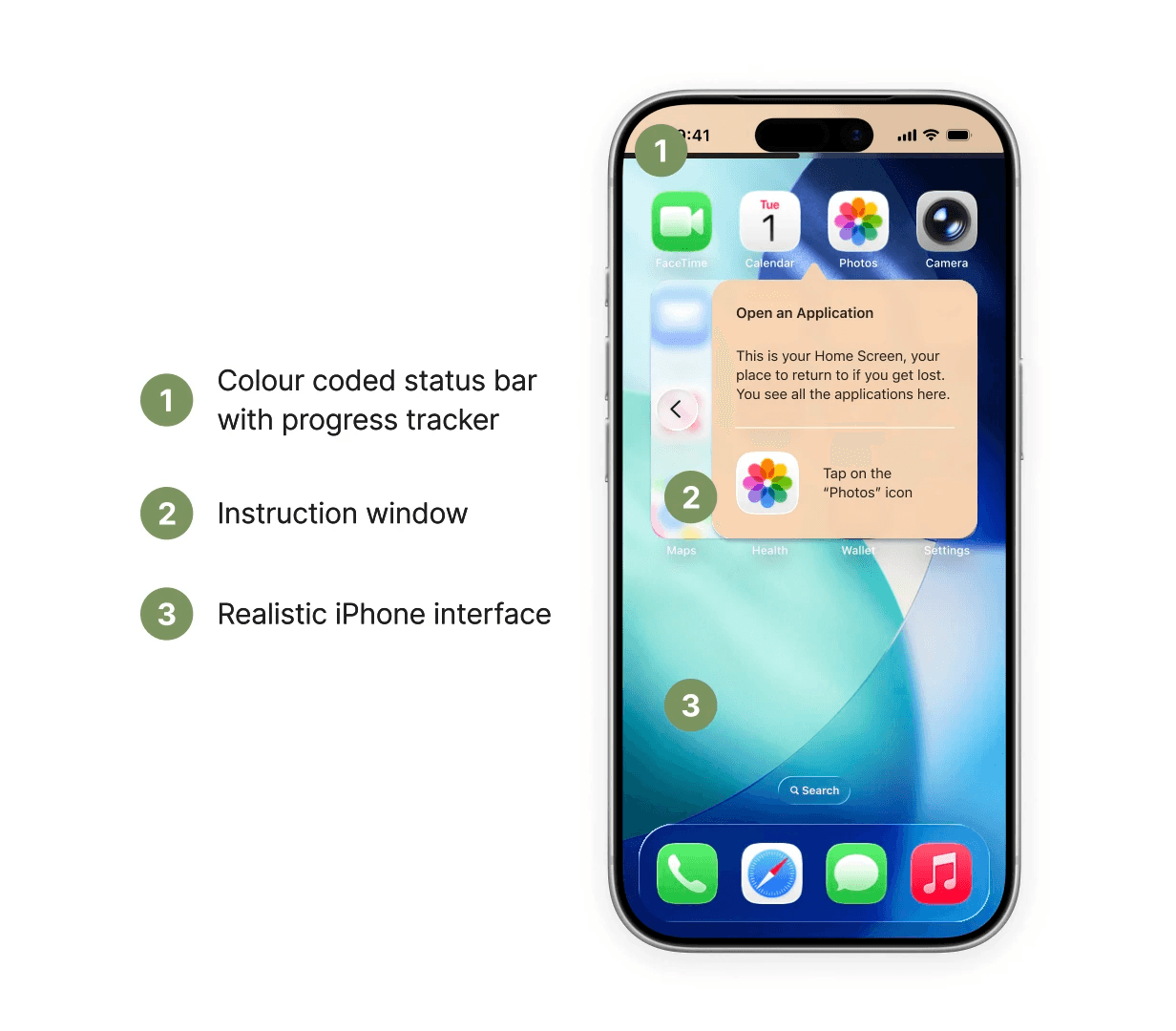
The physical guide provides clear, step-by-step instructions, while the digital experience allows users to practise the same interactions in a safe environment before trying them on their own device.
Results
Gentle Touch brings together research, physical product design, interaction design and digital learning into one system.
The final concept addresses anxiety, low confidence, lack of exploration, lack of motivation and the need for transferable skills through guided exercises, safe experimentation, progressive learning and positive reinforcement.
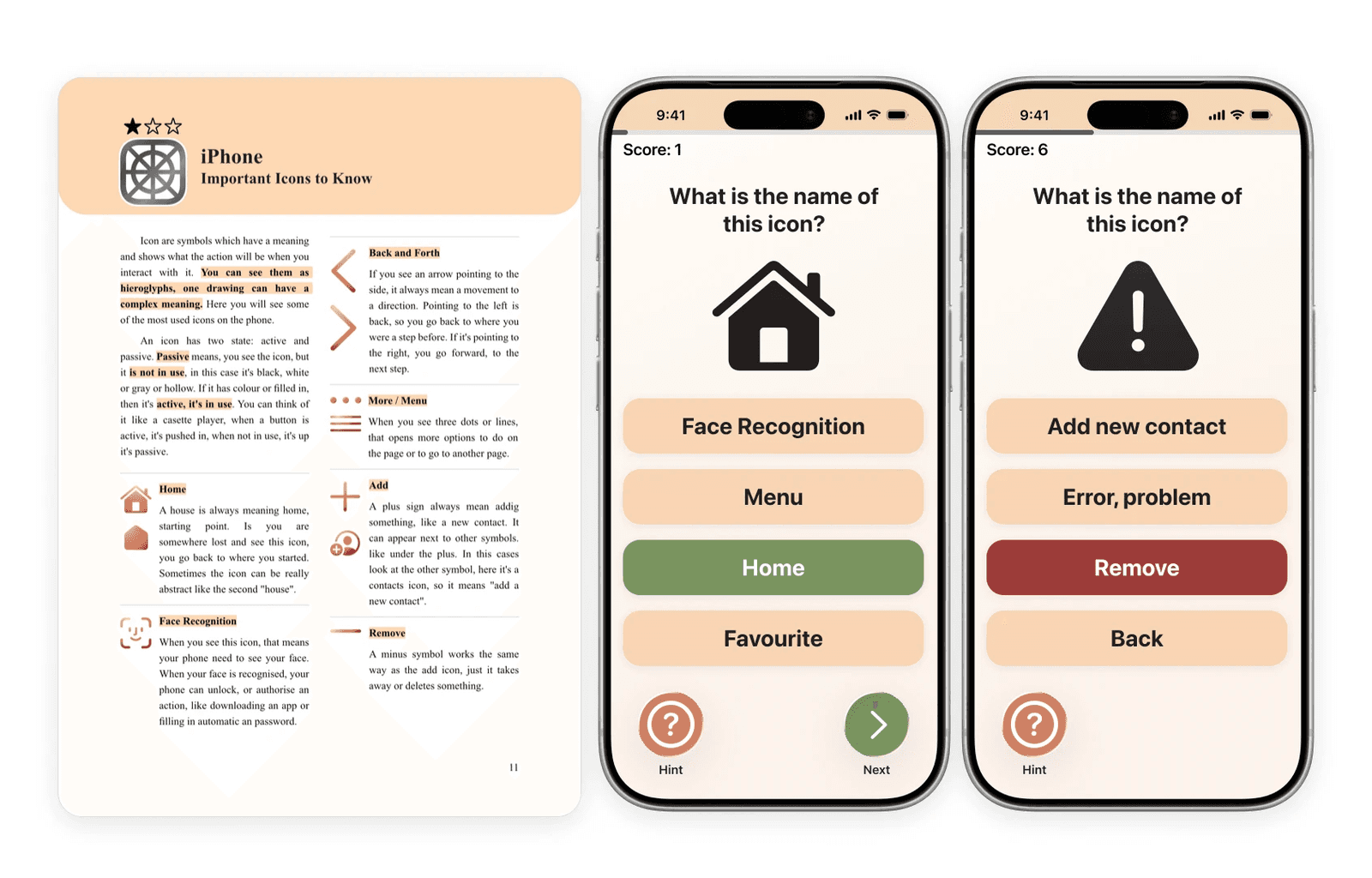
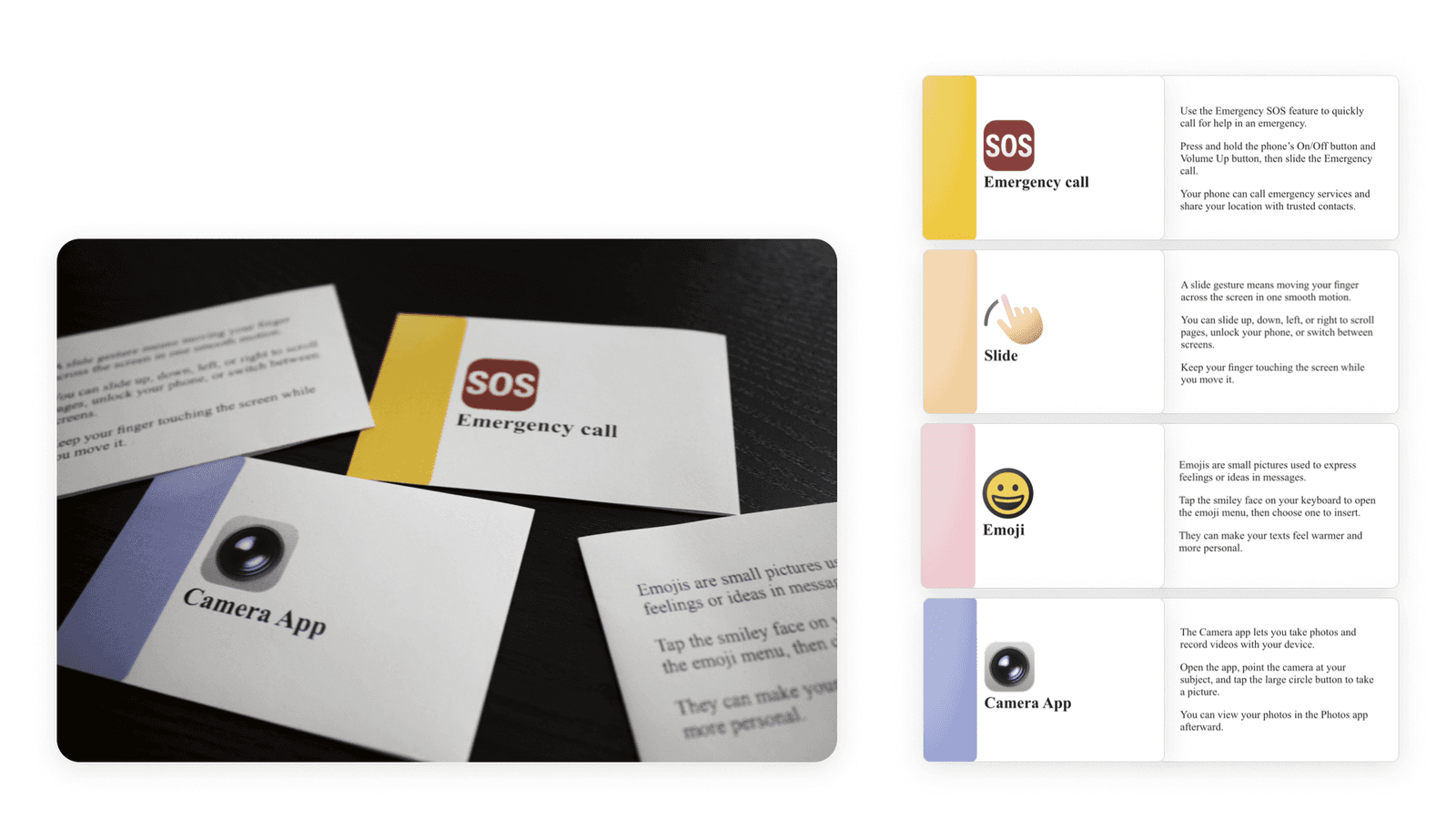
For fun, a set of printed flashcards lets the icons and gestures be practised in an easy, traditional way. They can also be a "quick search" later, when the user is looking for a small piece of information.
Challenges & Future
This was a genuinely complex, many-layered problem, and building two connected products, print and digital, in parallel at prototype stage was harder than I expected.
Finding legally usable kits and files and then recreating existing iPhone screens was a challenge by itself. Recreating something that exists is much harder and takes more time than building something from scratch, even if one would think otherwise. Using iPhone screens is also a legal grey zone: it is allowed for educational purposes, but further research or a conversation with Apple would be necessary before making it real.
The research also has limits. With three participants, the findings can't be generalised to all older adults. All three were relatively healthy, lived independently with family and friends around them, and came from a higher socioeconomic background, so the more isolated older adults the literature describes still need to be heard.
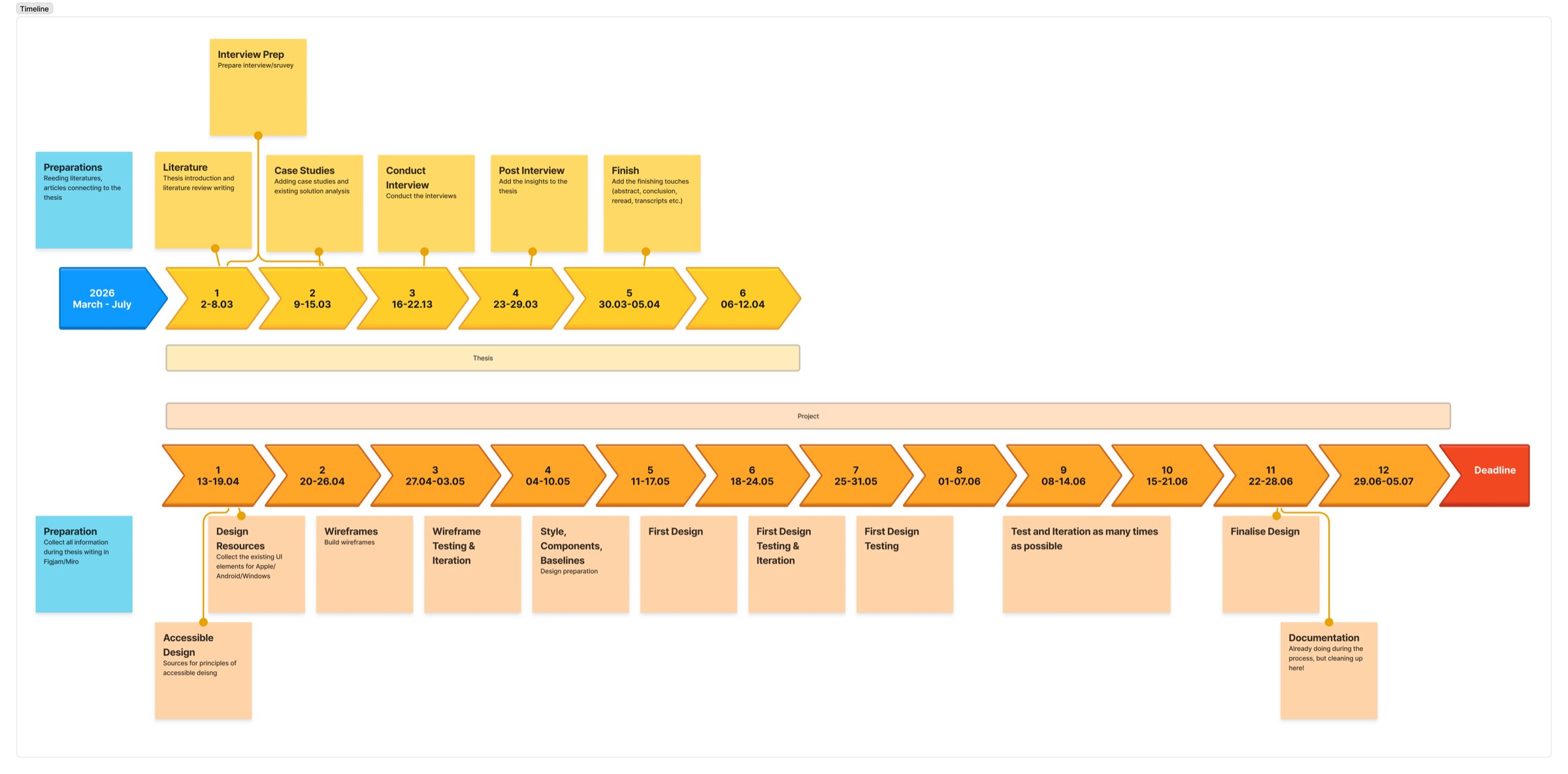
A goal for the future is to test the product; due to lack of time and of English-speaking older users in person, I couldn't conduct testing yet. The initial product covers a few features on an iPhone, and it can be expanded to many other features and apps, and to other devices and operating systems later.
I believe this product can complement in-class courses perfectly, reflecting the most successful programmes in research, with immediate help from a real person at the same time.
Conclusion
Gentle Touch brings together research, UX strategy and product design to create a learning experience that supports older adults beyond simply making technology easier to use. By combining a physical guide with interactive digital practice, the project creates a safe space to learn, practise and build confidence at an individual pace. The result is a system designed not only to teach specific smartphone functions, but to encourage curiosity, independence and a greater sense of confidence when navigating an increasingly digital world.