Interactive Digital Signage – eyefactive GmbH Internship
Designing intuitive experiences for XXL touchscreens, from circular interactive tables to transparent "HypeBox" displays, used by global brands like BMW, Hyundai and Philips.
Challenge
Designing interfaces that remain functional and aesthetically pleasing across non-standard hardware while learning a new software. I had to adapt UI elements for circular displays (where traditional grid layouts fail), transparent boxes and UHD multitouch screens, and keep integrated e-commerce catalogues and projects responsive and user-friendly.
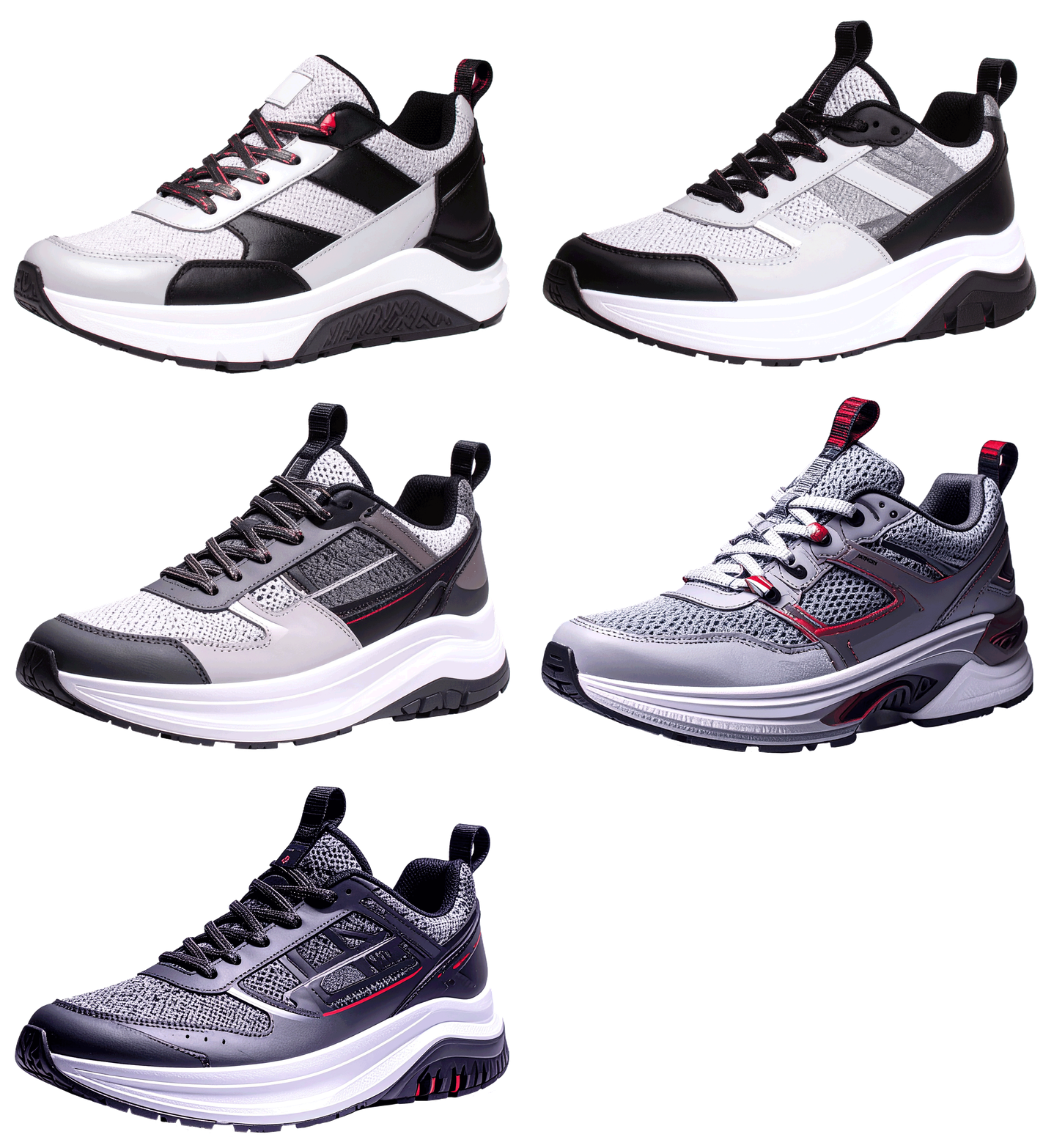
I was also tasked with demonstrating the synergy between new hardware and eyefactive's AppSuit software by designing demo projects from scratch. With no provided assets, I pioneered a workflow using AI tools and commercial libraries to create custom UI elements and realistic product content, showcased to potential clients at major trade fairs.
Results
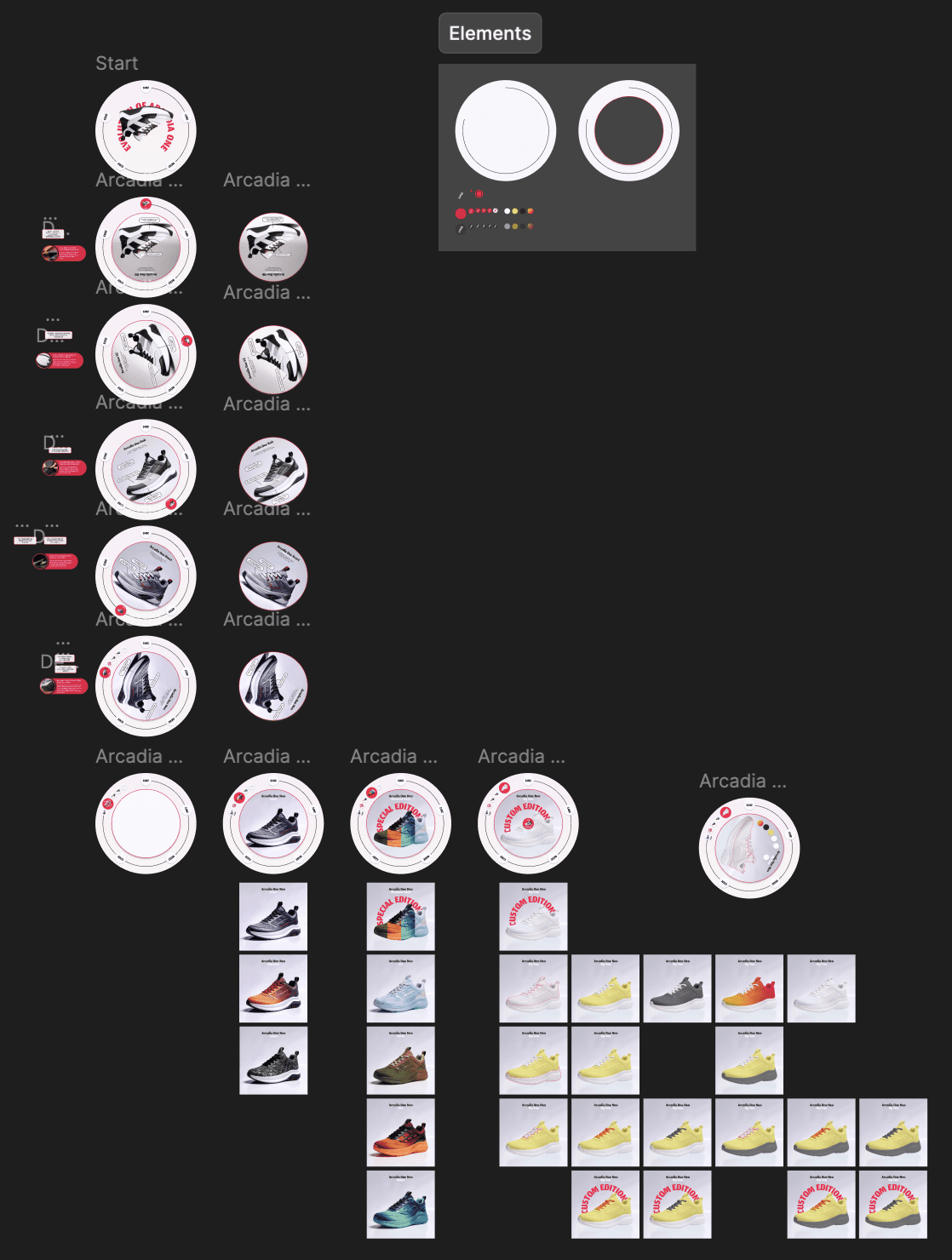
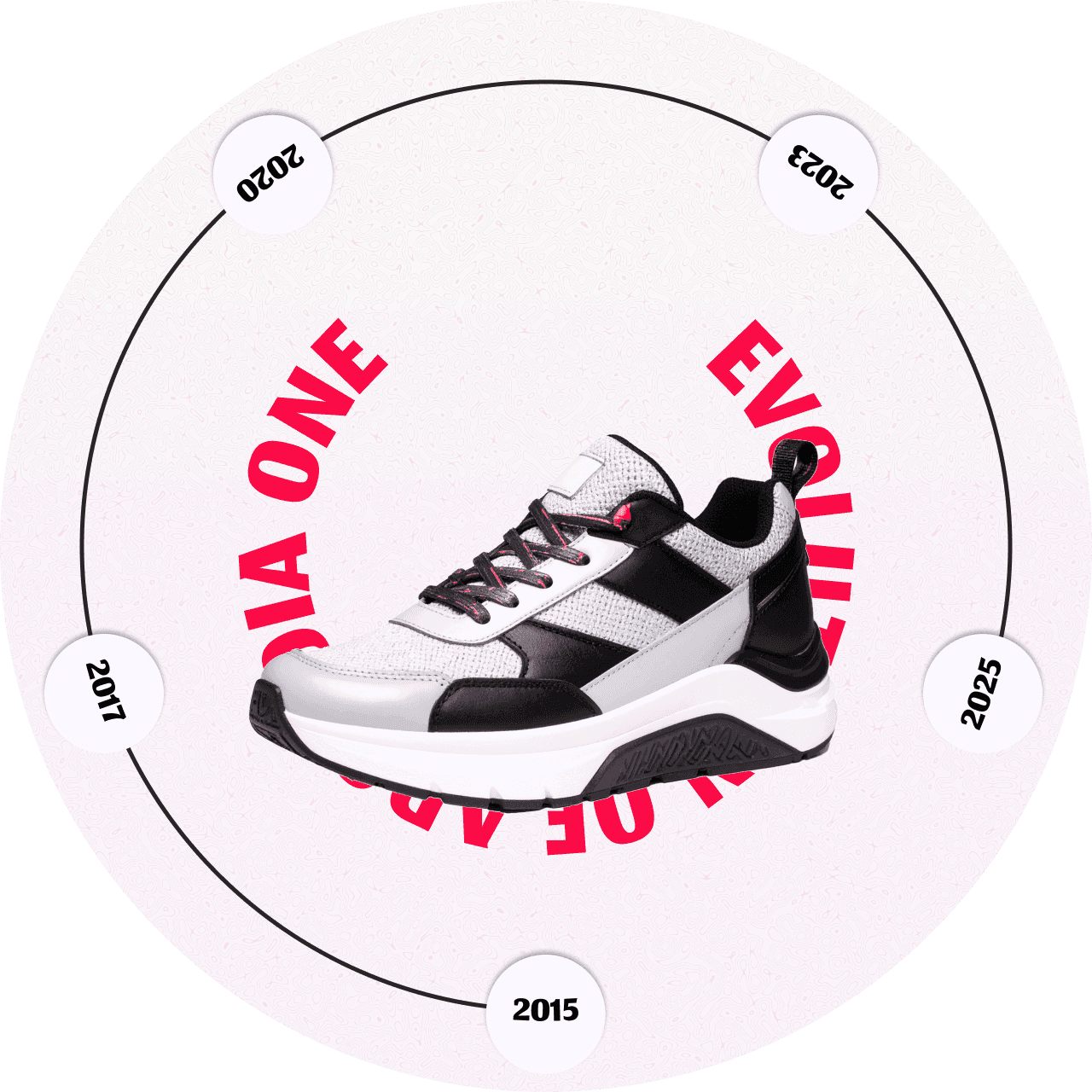
I explored the design of an interactive timeline for a circular multitouch table. Using Figma for high-fidelity prototyping and eyefactive's proprietary AppSuit for implementation, I created a 360-degree navigation system that lets a user explore the changes of a model while walking around the table.
The solution is designed for one user at a time, with a shop setting in mind.
Overview
During my 5-month internship at eyefactive, a pioneer in large-scale multitouch technology, I worked at the intersection of physical hardware and digital interface design.
The Apollo Round Table project served as a flagship demo to show how specialised software can turn a "true round" display into a seamless experience. I conceptualised a 360-degree sneaker evolution timeline from scratch, using a modern AI-integrated workflow to generate high-fidelity assets. By bridging hardware constraints and intuitive design, I created an interactive showcase that was used at international trade fairs to demonstrate the future of retail technology.
The eyefactive website (opens in a new tab) has more information about the company, software and hardware.
The process
Day 1 · Concept and asset creation
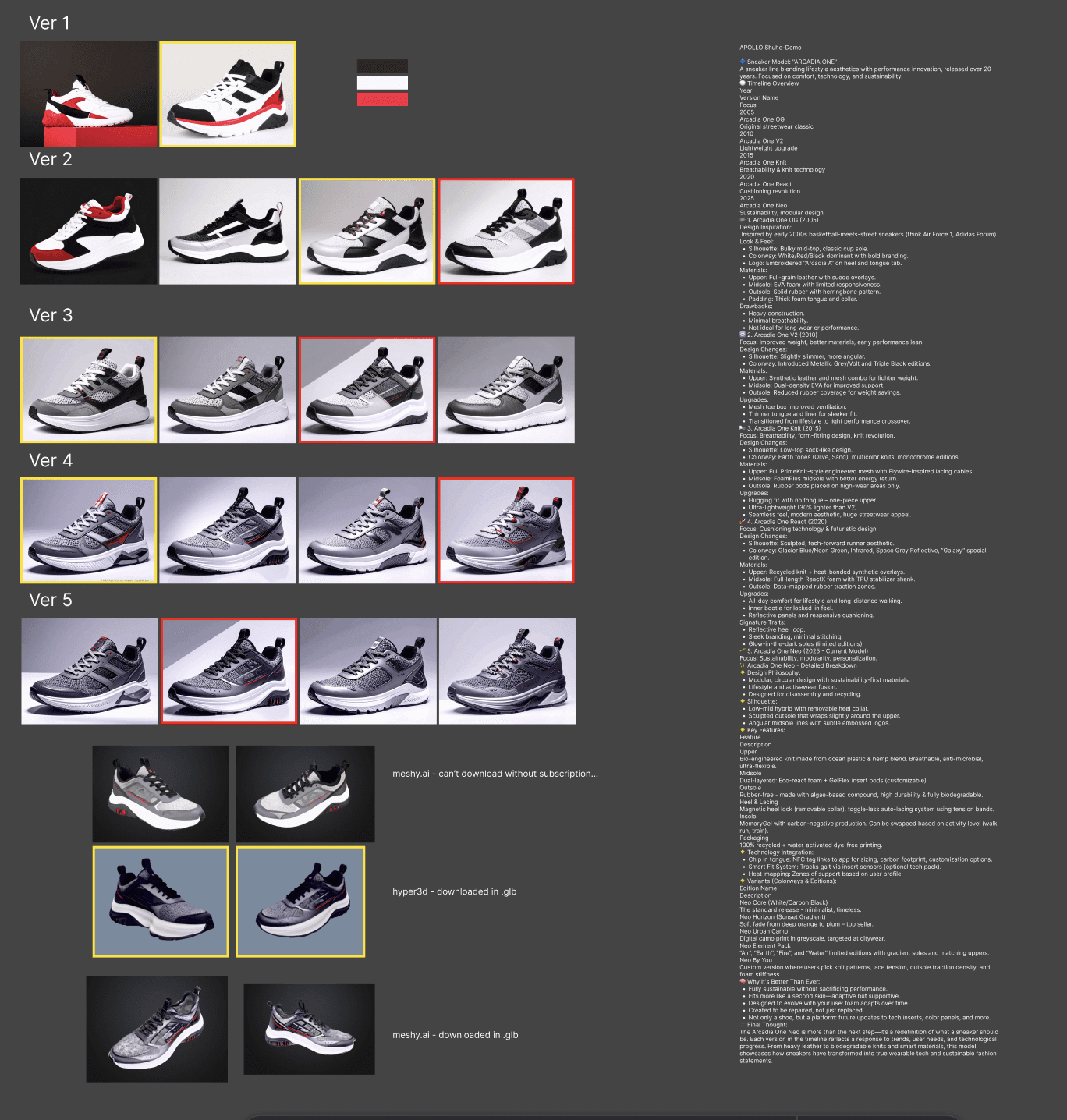
- Defined the "Sneaker Evolution" concept.
- Used AI tools (Nano Banana, ChatGPT, 3D-model AIs) to generate high-fidelity product images, 3D models and textures.
- Sketched layout ideas focused on a "circular-outward" hierarchy: instead of a top-down layout, elements can rotate or be reached from any side of the table.
- Collected data about the hardware (size, resolution) and software (special settings to look out for).
Day 2 · Design and implementation
- Built the 360° spatial UI in Figma and moved straight on to the final build.
- As the hardware is special, I needed some code to get the final result.
Day 3 · Testing and final implementation
- Spent the day on the physical hardware, testing responsiveness and flow.
- Tested with colleagues and made changes based on their feedback: my mentor checked the design and interactions, the hardware team how the table ran, and the software team whether AppSuit needed special settings.
- Presented the final project to my mentor and the sales team.
Day 4 · Presenting at a trade fair
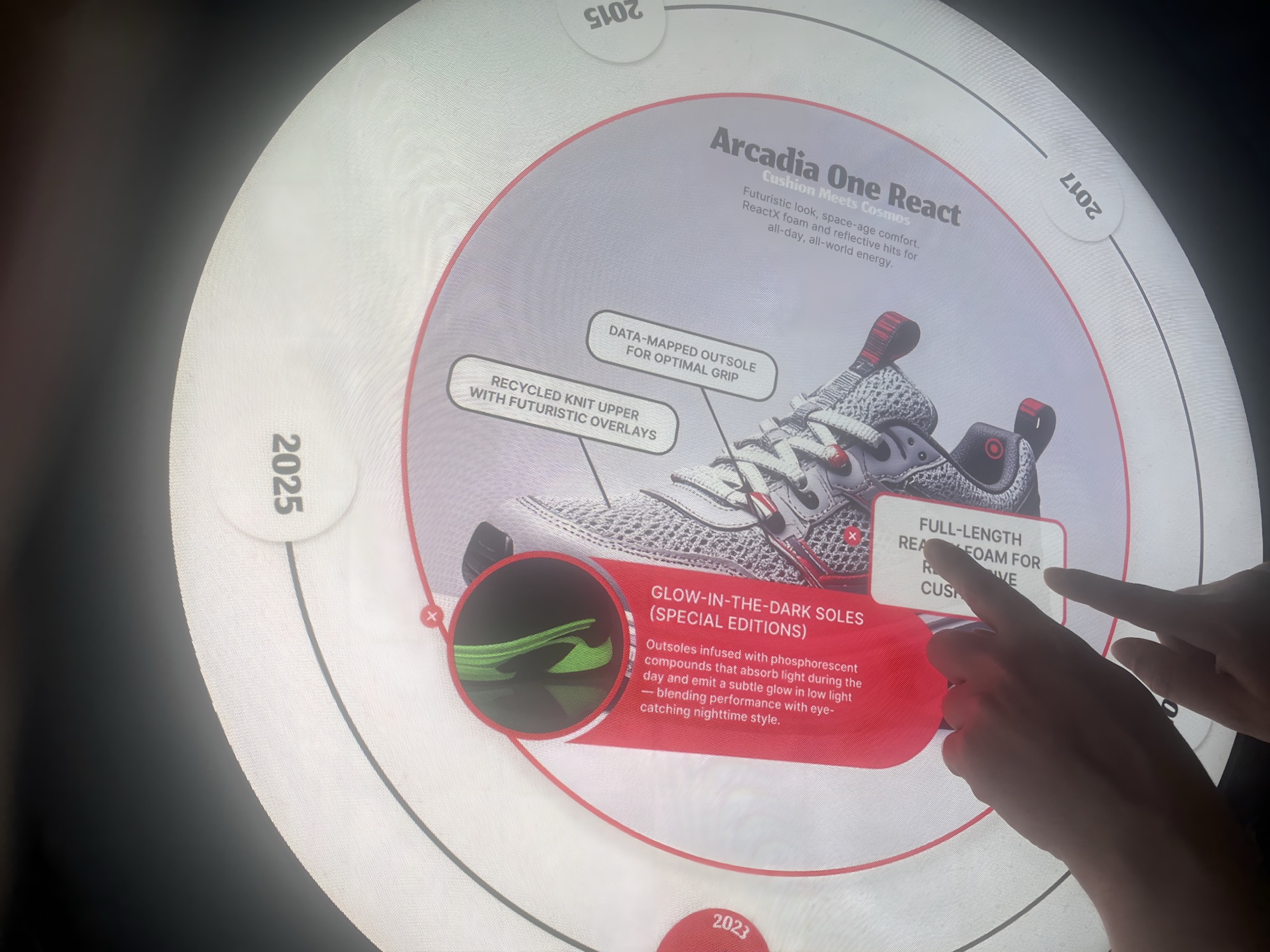
On the fourth day the table was taken to a trade fair and exhibited to visitors.
Key features
- 360° multi-user navigationThe screen can stay static or be rotated around, so it doesn't matter where the person stands. Mainly the static version is showcased, as another project of mine shows this feature.
- TimelineAn interactive history module using high-resolution AI-generated assets to showcase smooth navigation.
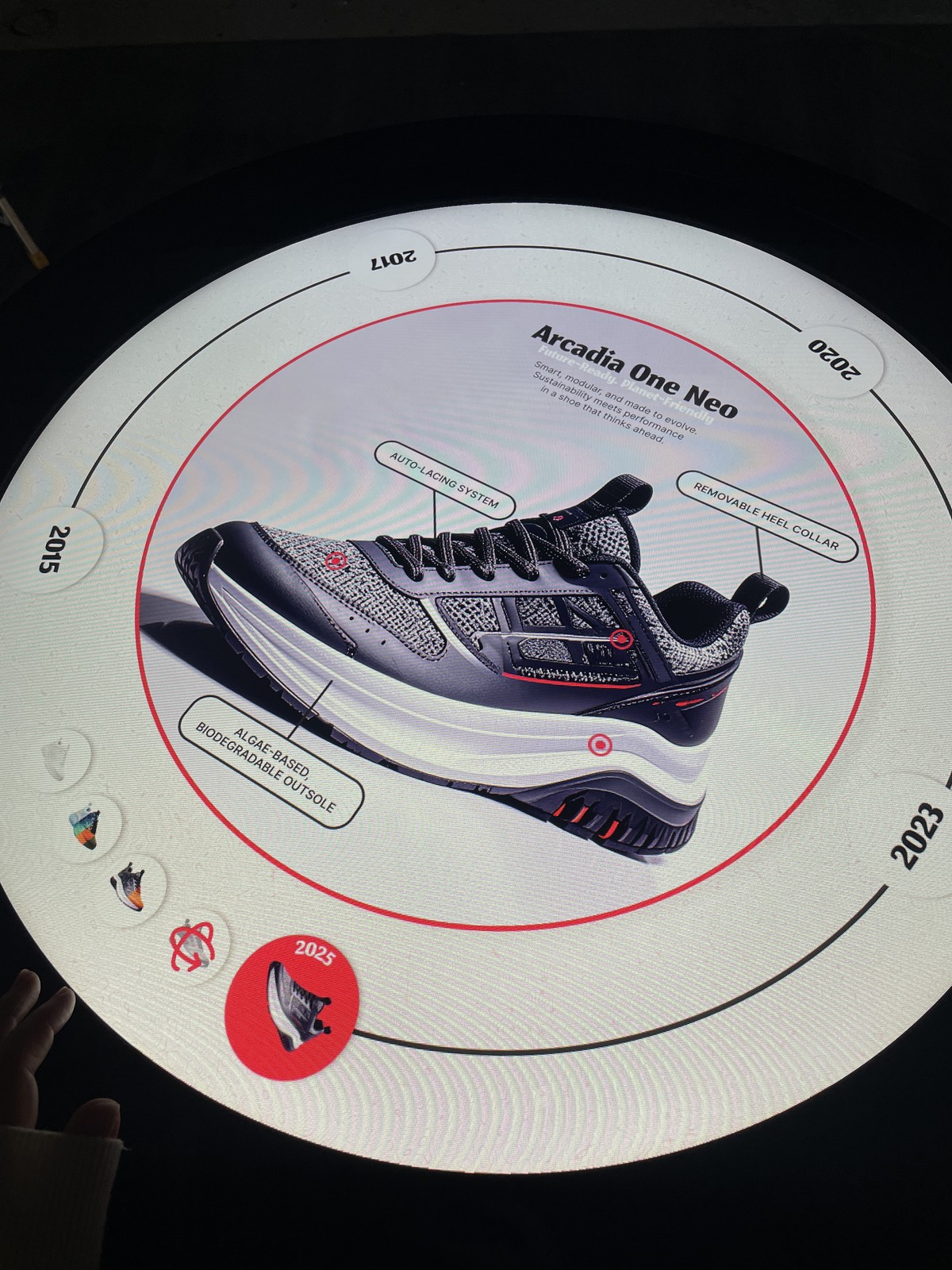
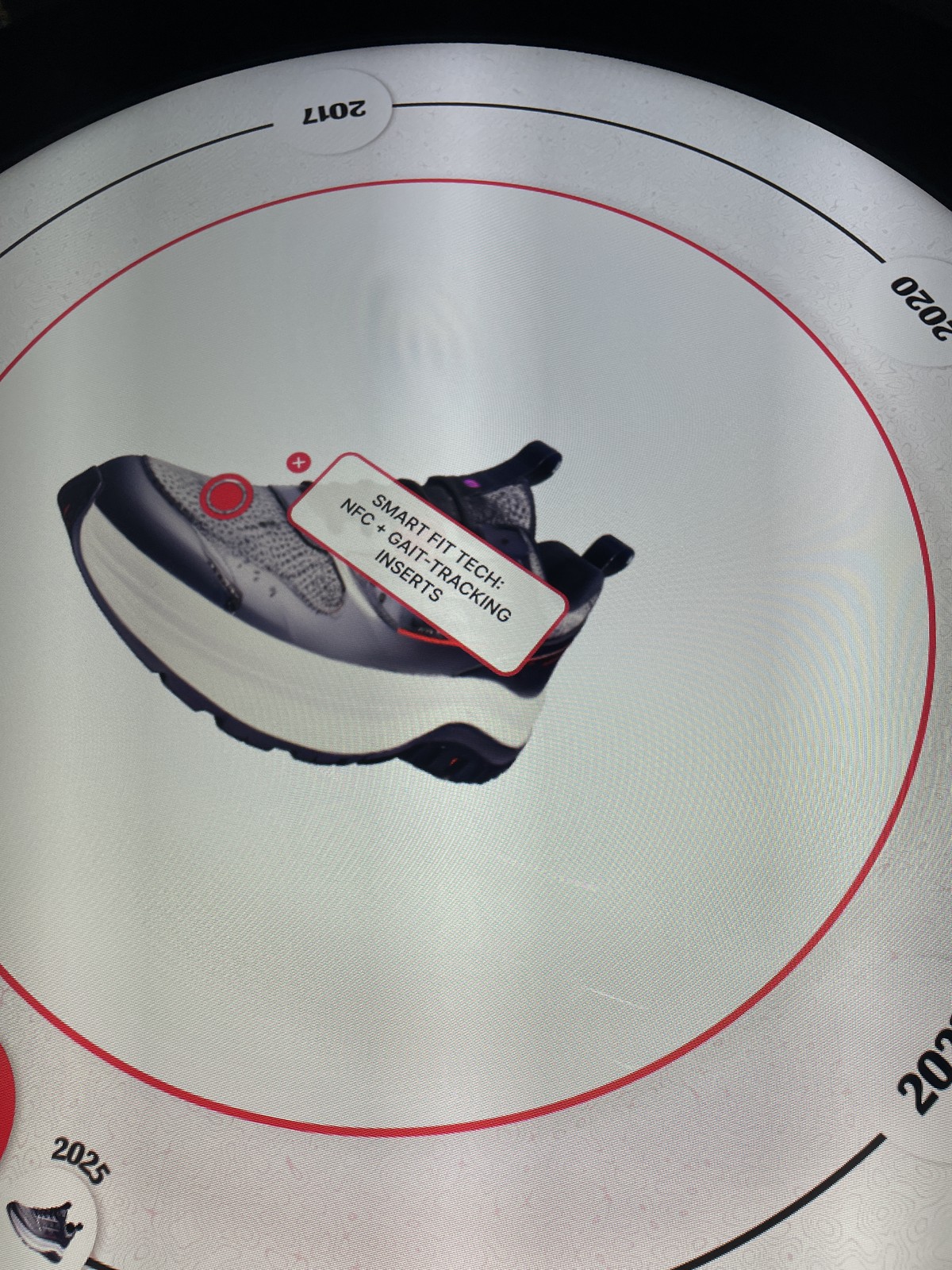
- Circular centre display with hotspotsThe centre always shows the shoe and key information; clickable hotspots make it more interactive.
- 3D modelAn AI-generated 3D model from an AI-generated image. It can be rotated and zoomed, with hotspots about special parts of the shoe.
Working with AppSuit
eyefactive develops its own software, AppSuit, where employees (and customers) can build interactive projects for the hardware. It supports multi-user and multitouch interaction, so several people can use a display at once. Object recognition is also built in: the table recognises a disk placed on it and shows the information connected to it.
The software has ready-to-use apps and features that can be customised (layout, design, different apps in one project) without building from scratch. For a more specialised look, I used XML to override the built-in features and settings.
As AppSuit can be limited by what is already built in, I often had to get creative, find solutions that weren't obvious and adapt quickly to new information. As the fresh eye in the company, I wasn't stuck in a box from years of use, and had ideas that surprised my colleagues.
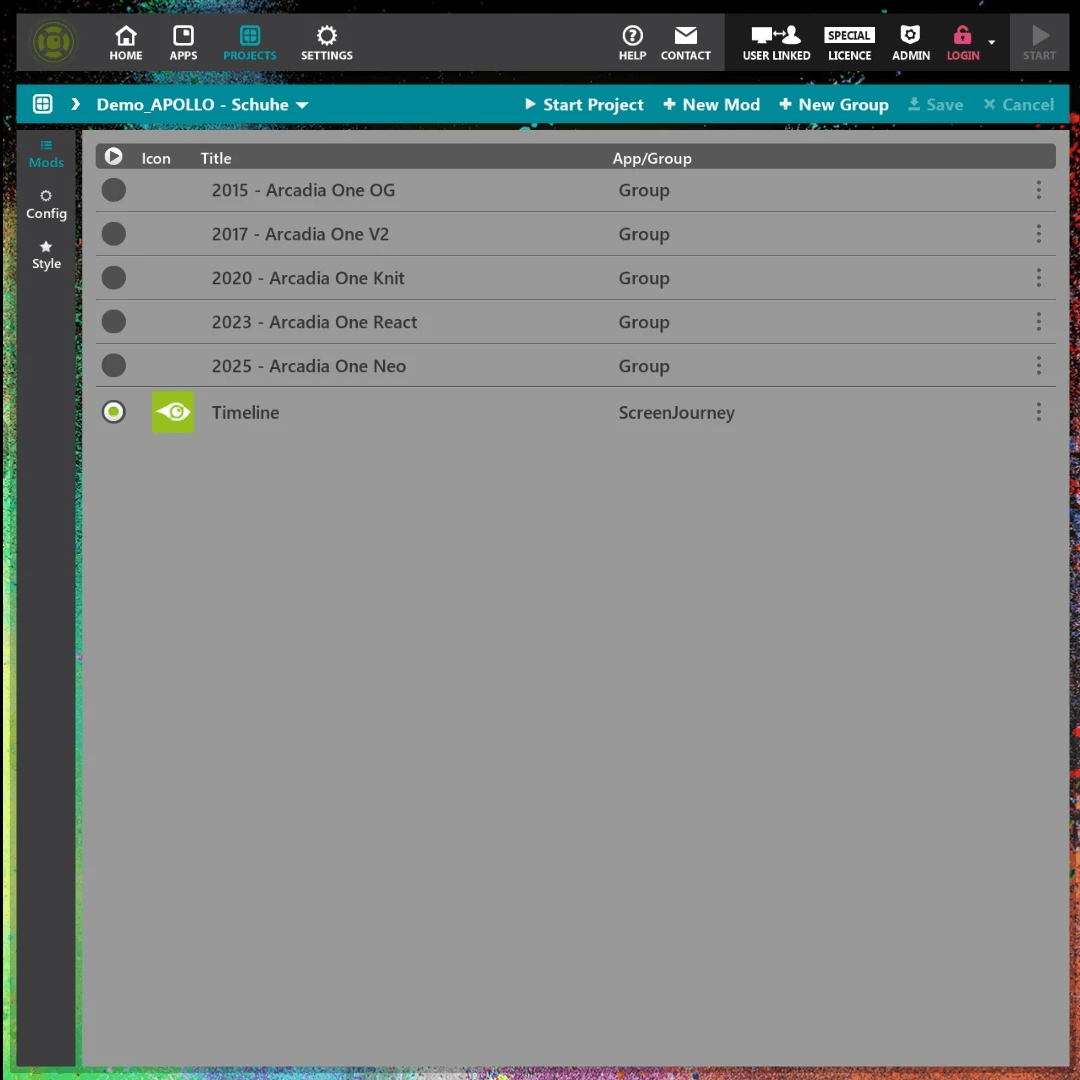
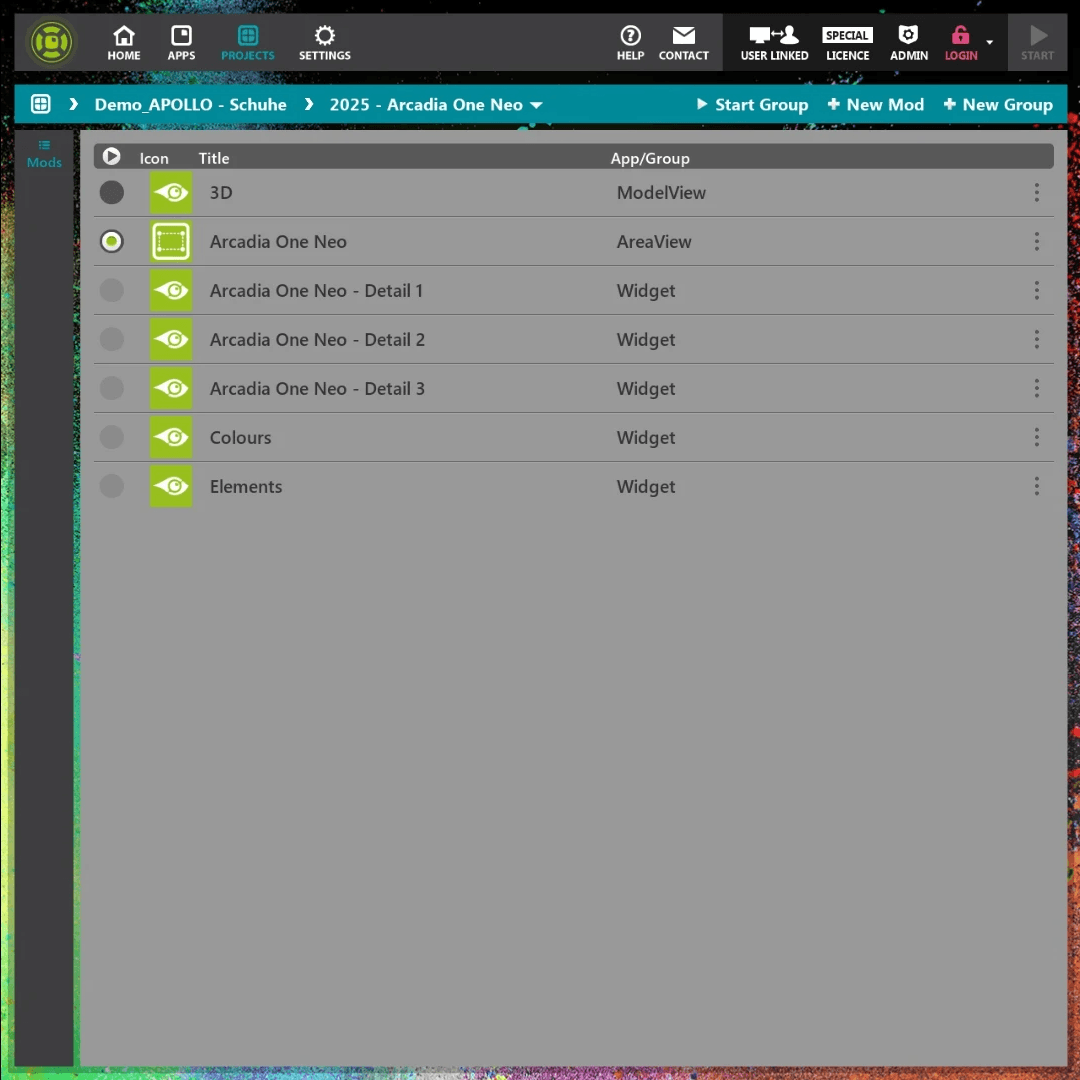
The main menu of AppSuit
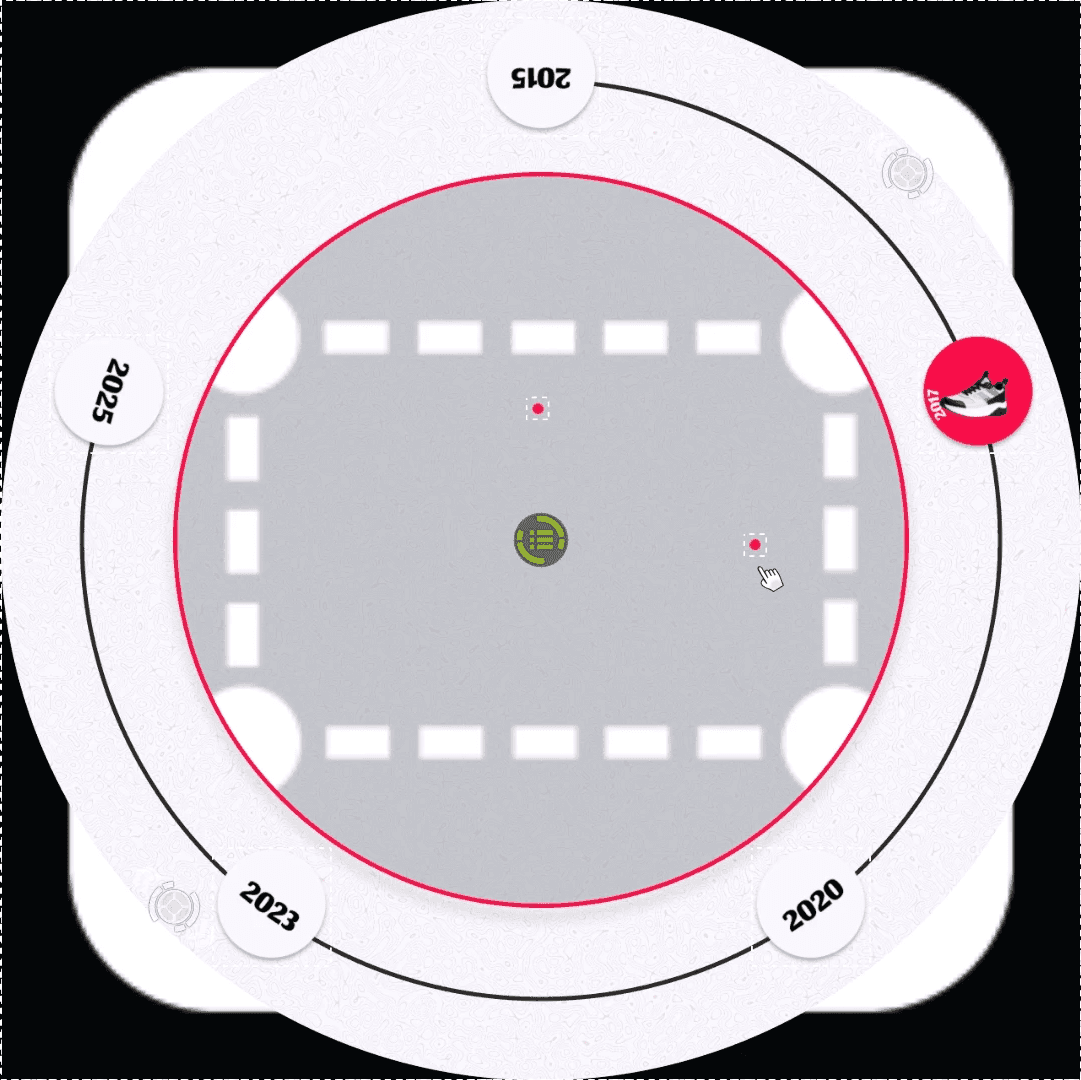
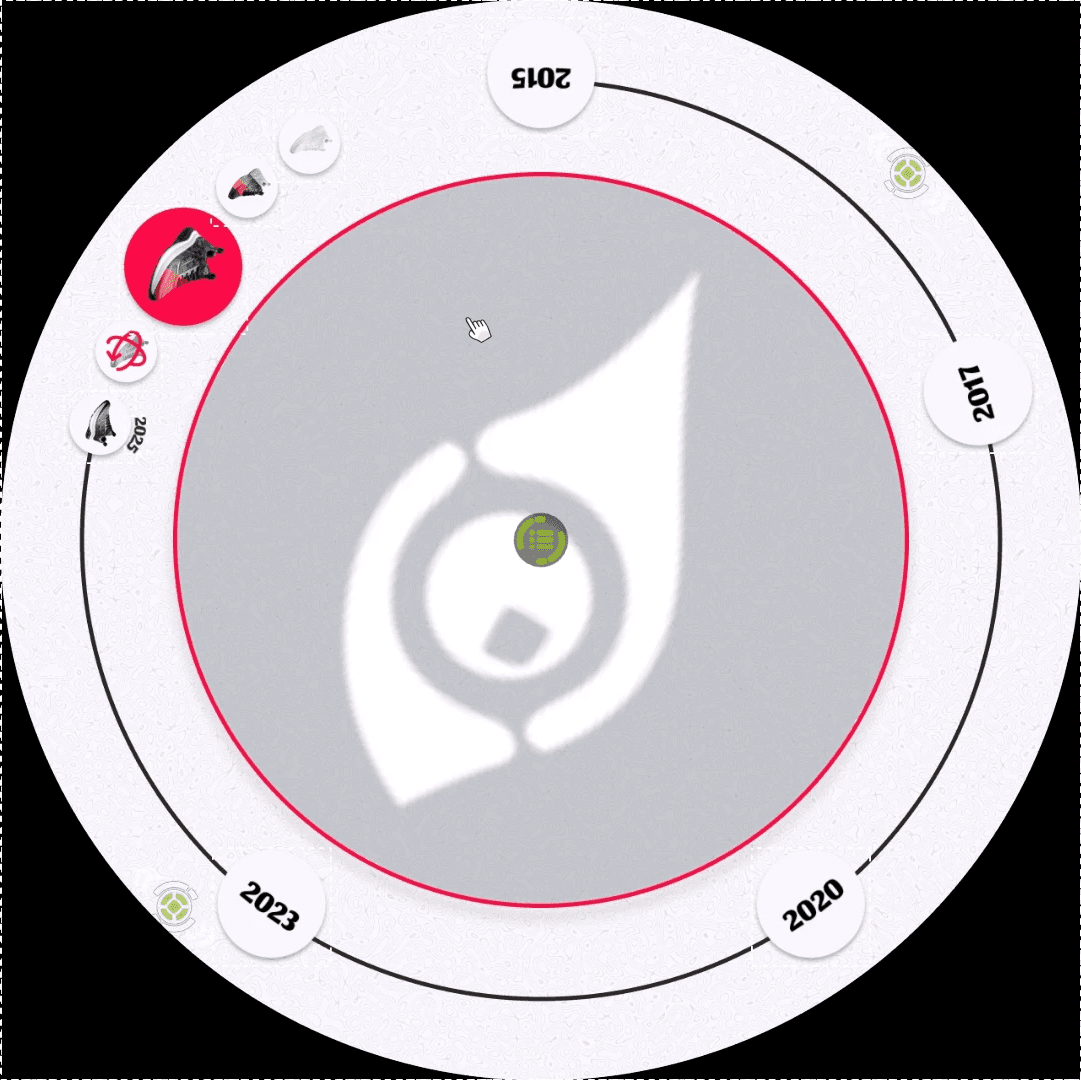
The project view in editing mode
Beyond the round table
eyefactive is a small Hamburg company of around 15 people, where sales, project managers, the graphic team and the software engineers work closely together. Interns are treated as full employees, so I was part of every step, from the first idea to the live project.
- Trade fair projectsInteractive company and product presentations for clients renting a table or wall for a fair: planning the style and structure in Figma, building in AppSuit, testing on the hardware, then refining with the project manager or customer.
- Demos and showcase projectsProjects for sales to present new hardware and features to potential customers, including a project for sensors (age and gender, distance, buttons) connected to an interactive screen.
- UI elements and call-to-action GIFsNew sets of icons, buttons and bento-style menus for projects in many styles. I built and documented a system for making call-to-action GIFs quickly, so others can use it too.
- DocumentationParts of the AppSuit guide that walk users through features, UI elements and how to build a project, laid out in InDesign.
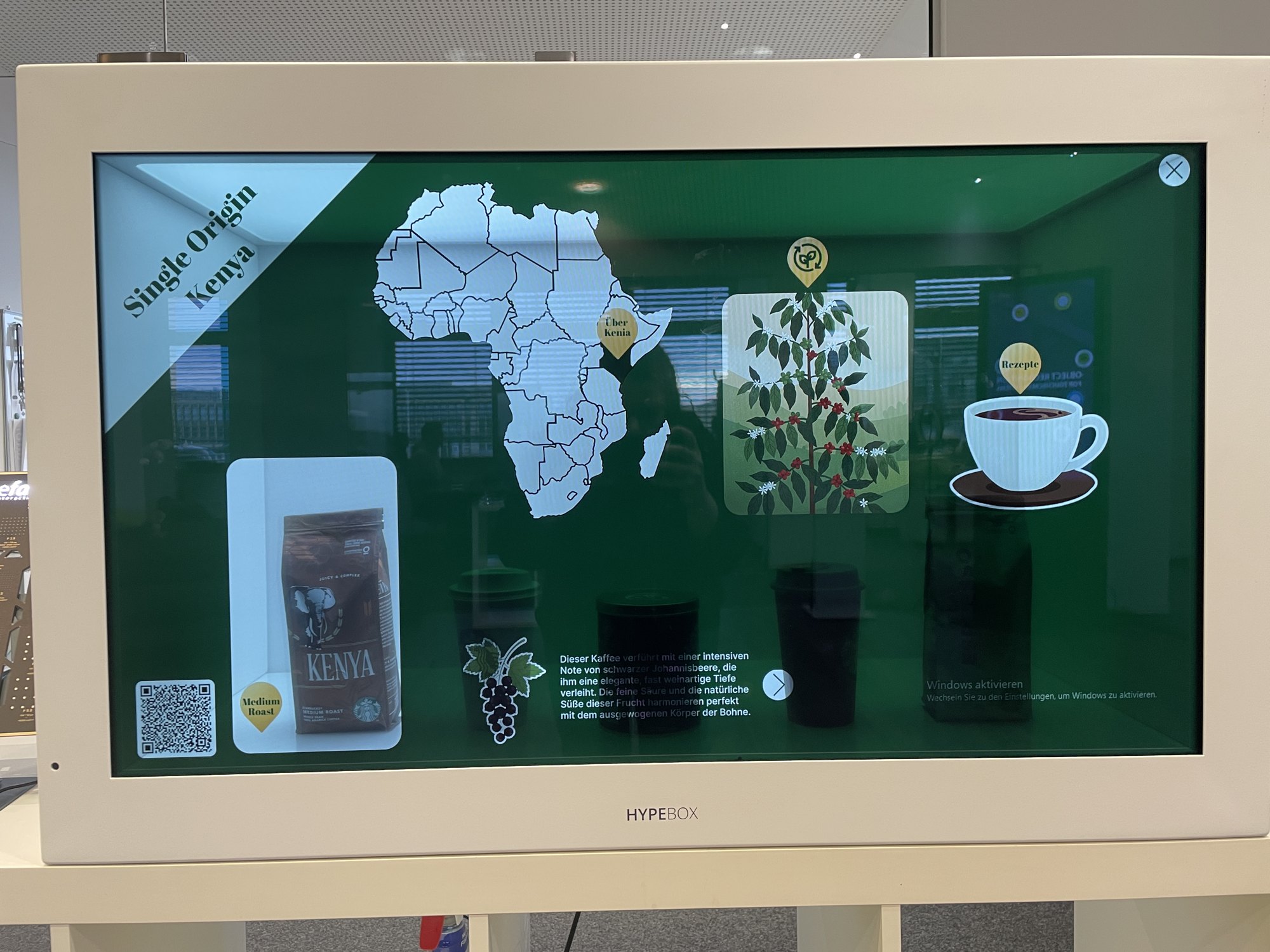
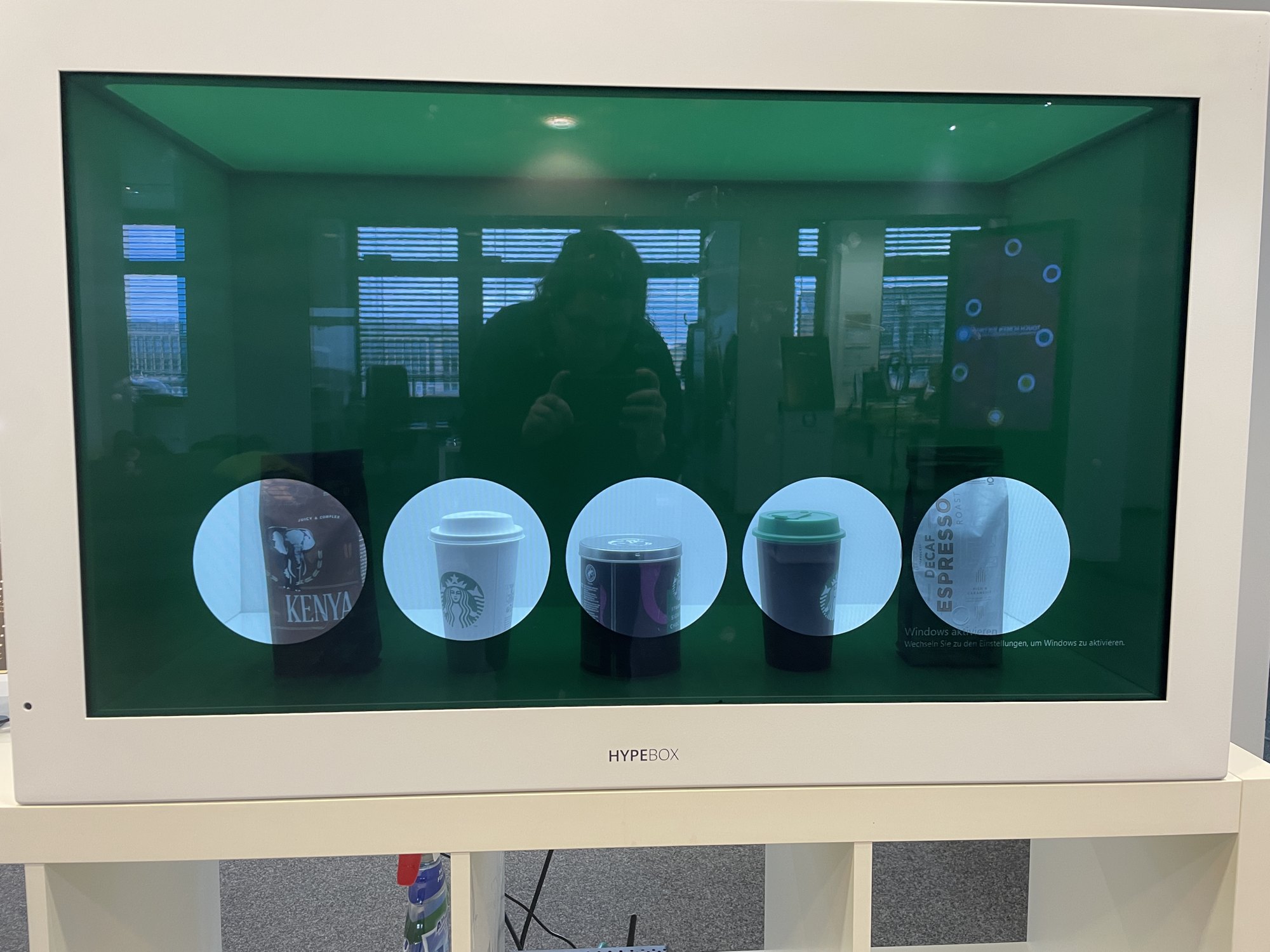
HypeBox: a product behind a touchscreen
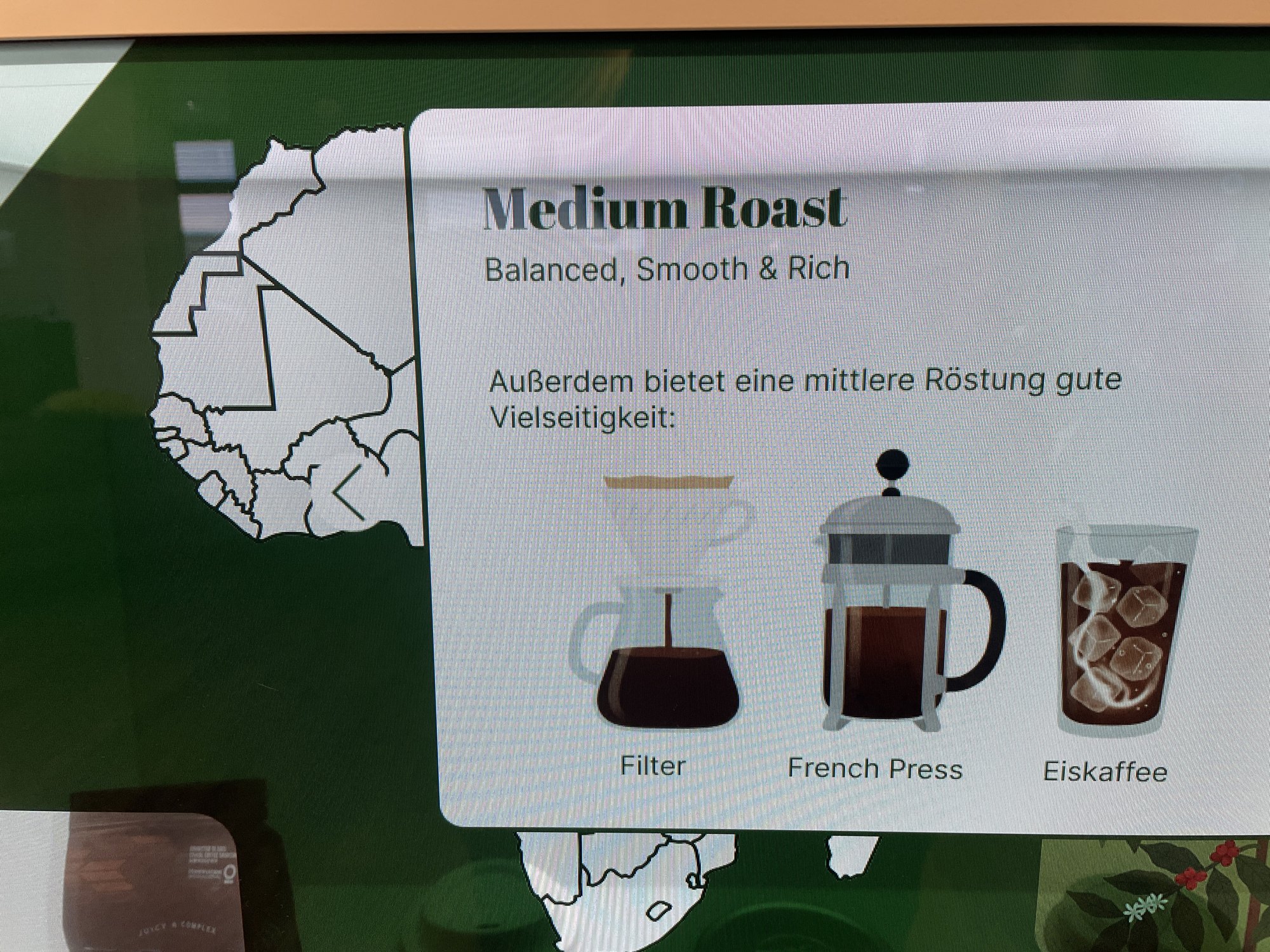
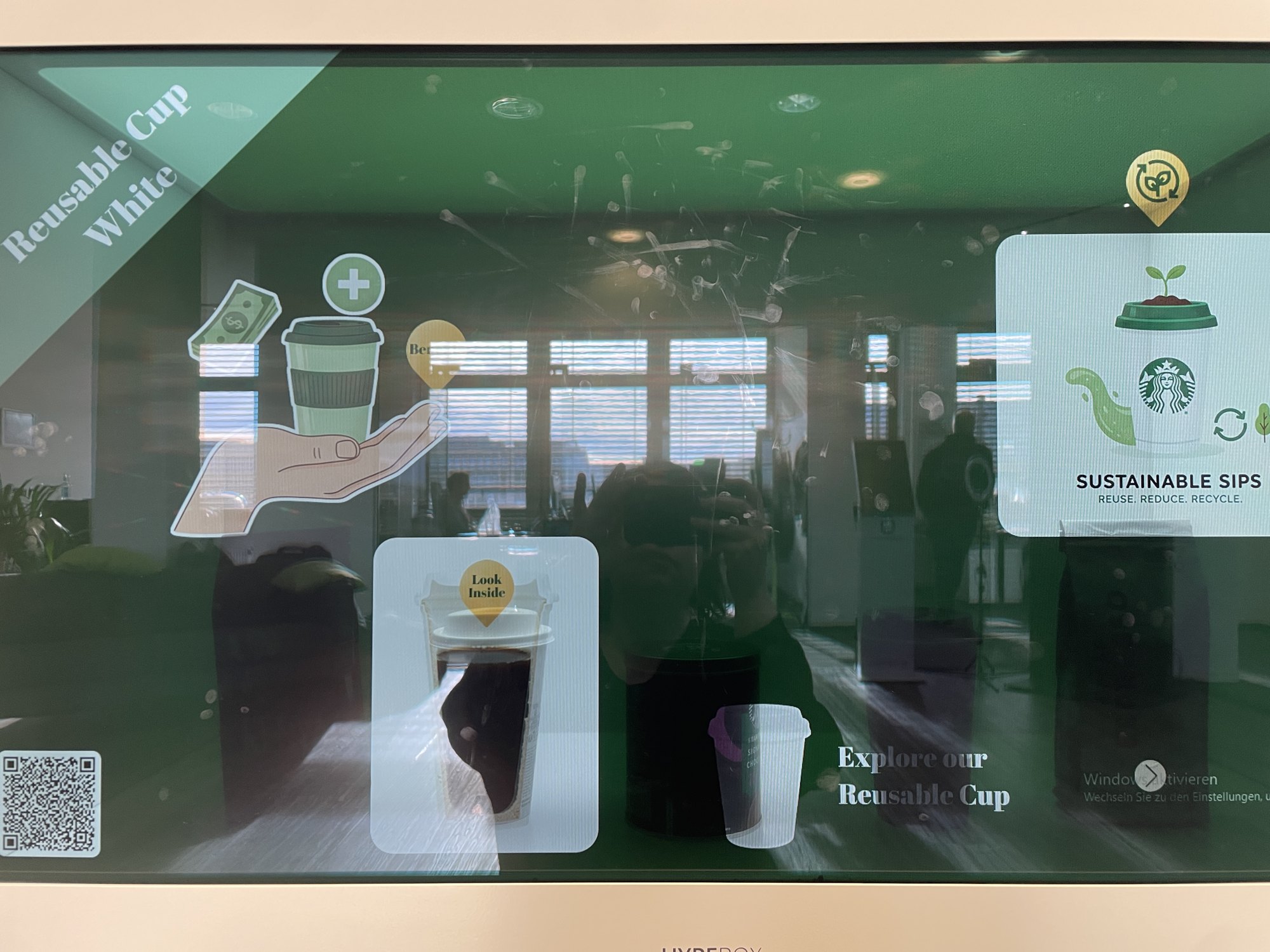
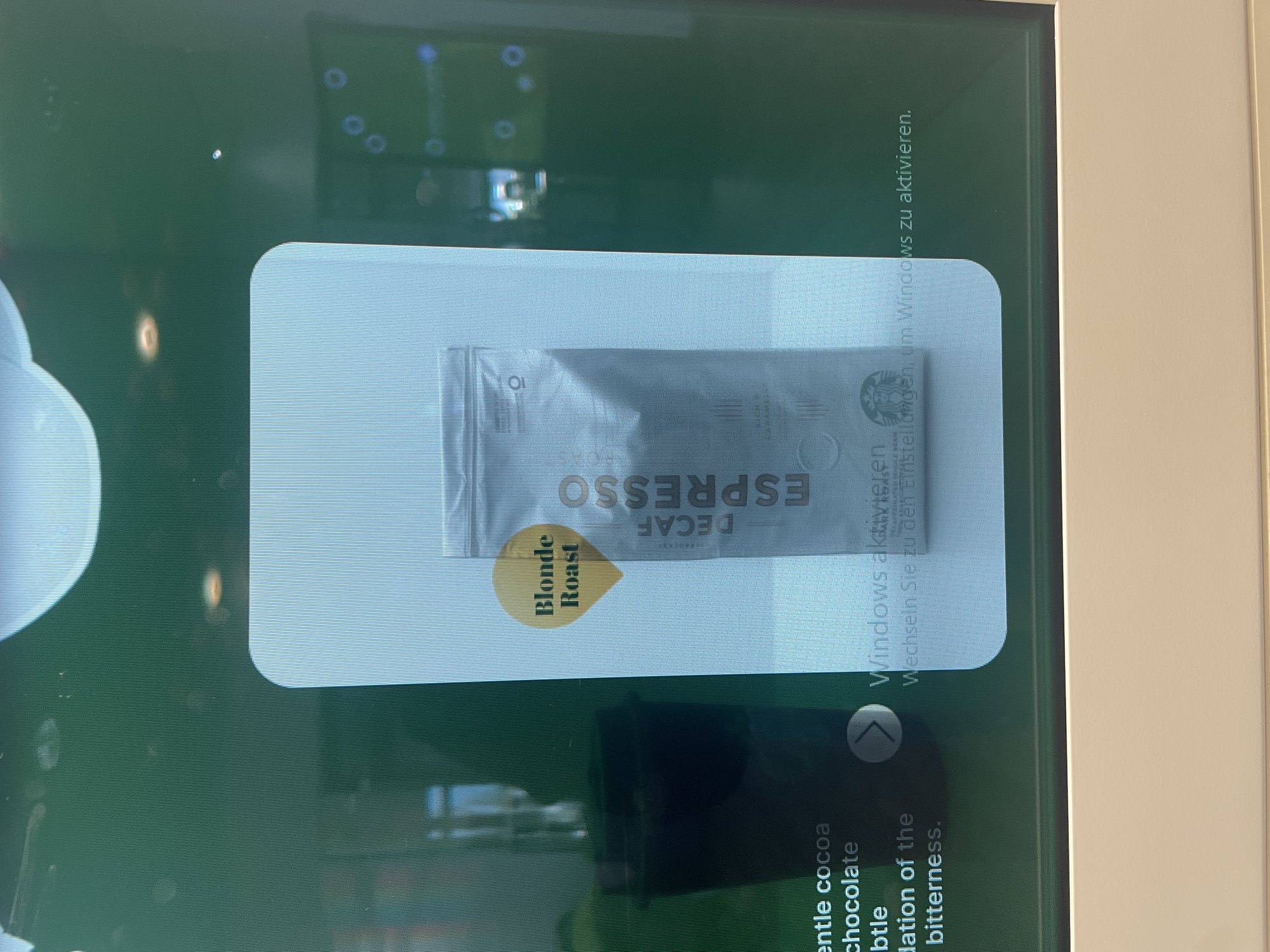
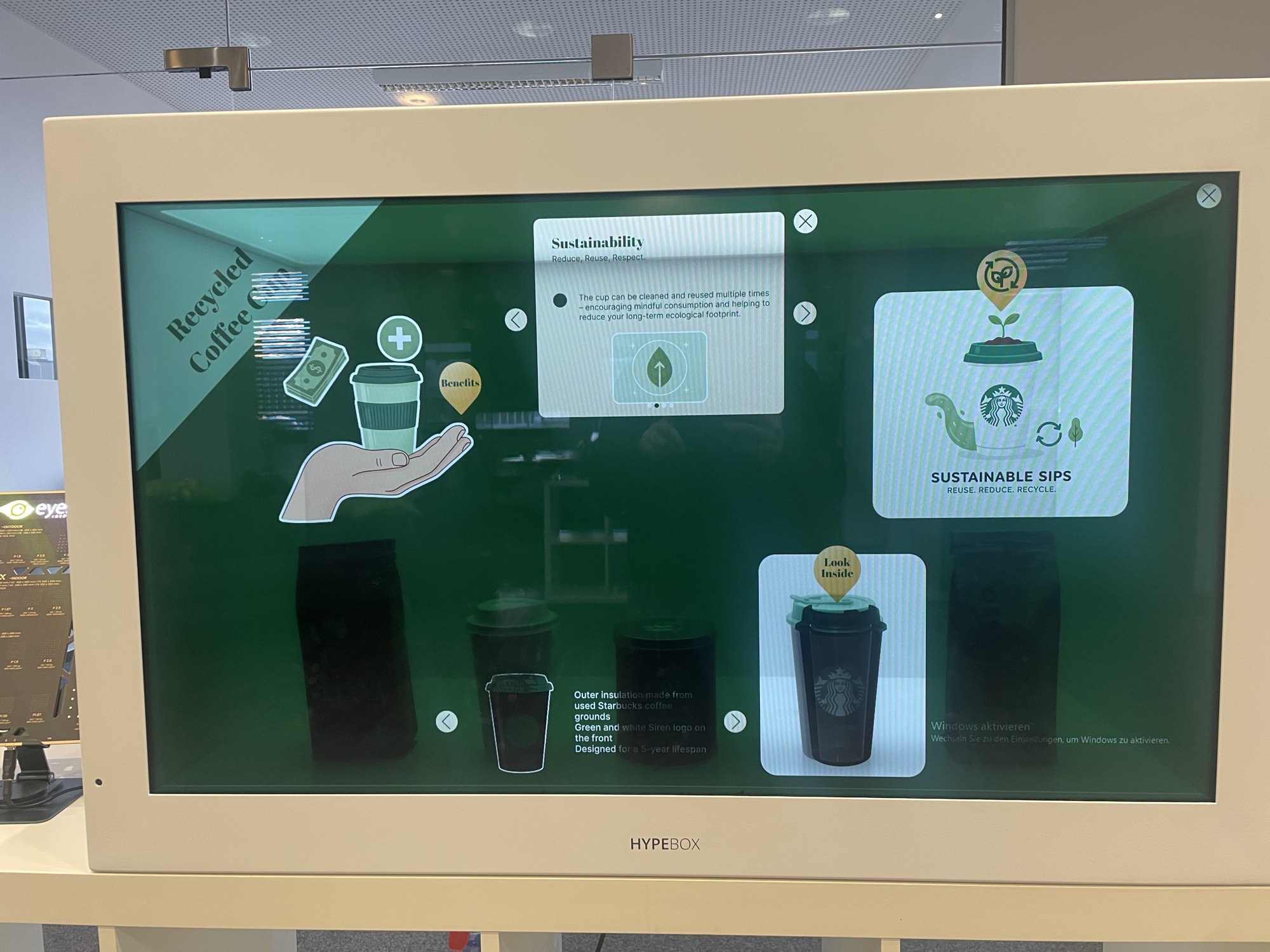
The HypeBox has a transparent touchscreen in front, so a real product can be placed inside while the screen stays interactive. The challenge is to design interactions that don’t hide the product but highlight it. My showcase project for it presents a range of coffee products: tapping a product opens its origin on a map, its roast profile and serving suggestions.
How we worked
- Kanban in JiraAll tasks and deadlines were organised in Jira. Each day started with small fixes, then the bigger tasks, with a check-in with my mentor in the morning and afternoon.
- Stand-upsA Monday stand-up across the graphic/UX, hardware and software teams, and a Tuesday brunch with a company-wide stand-up.
- Success storiesAt quarterly meetings everyone presents a project they are proud of. I presented mine in German.
- An award-winning teamWhile I was there, eyefactive won second place in the Best Retail Cases Award.
Results
- Delivered in three daysA market-ready hardware demo built from scratch in just three business days, proving to myself how much is possible with focus.
- Reusable design languageA design language for round displays that eyefactive can reuse for future client projects. I also presented my AI know-how to the team so they can use AI more efficiently.
- Flagship demoUsed in eyefactive's marketing to demonstrate the Apollo table at international trade fairs, and a "success story" for sales showing AppSuit on non-standard hardware.
Conclusion
My time at eyefactive was a transformative period in my growth as a UX/UI designer. The Apollo project in particular was a test of my ability to adapt to extreme constraints, both non-traditional hardware and demanding timelines.
The internship gave me a unique specialisation: designing for the physical world. I moved beyond the standard 16:9 smartphone screen and learned how to design for unconventional interactive screens.