Gentle Touch: Teaching older adults to use their own smartphone, with a printed guide and a practice app
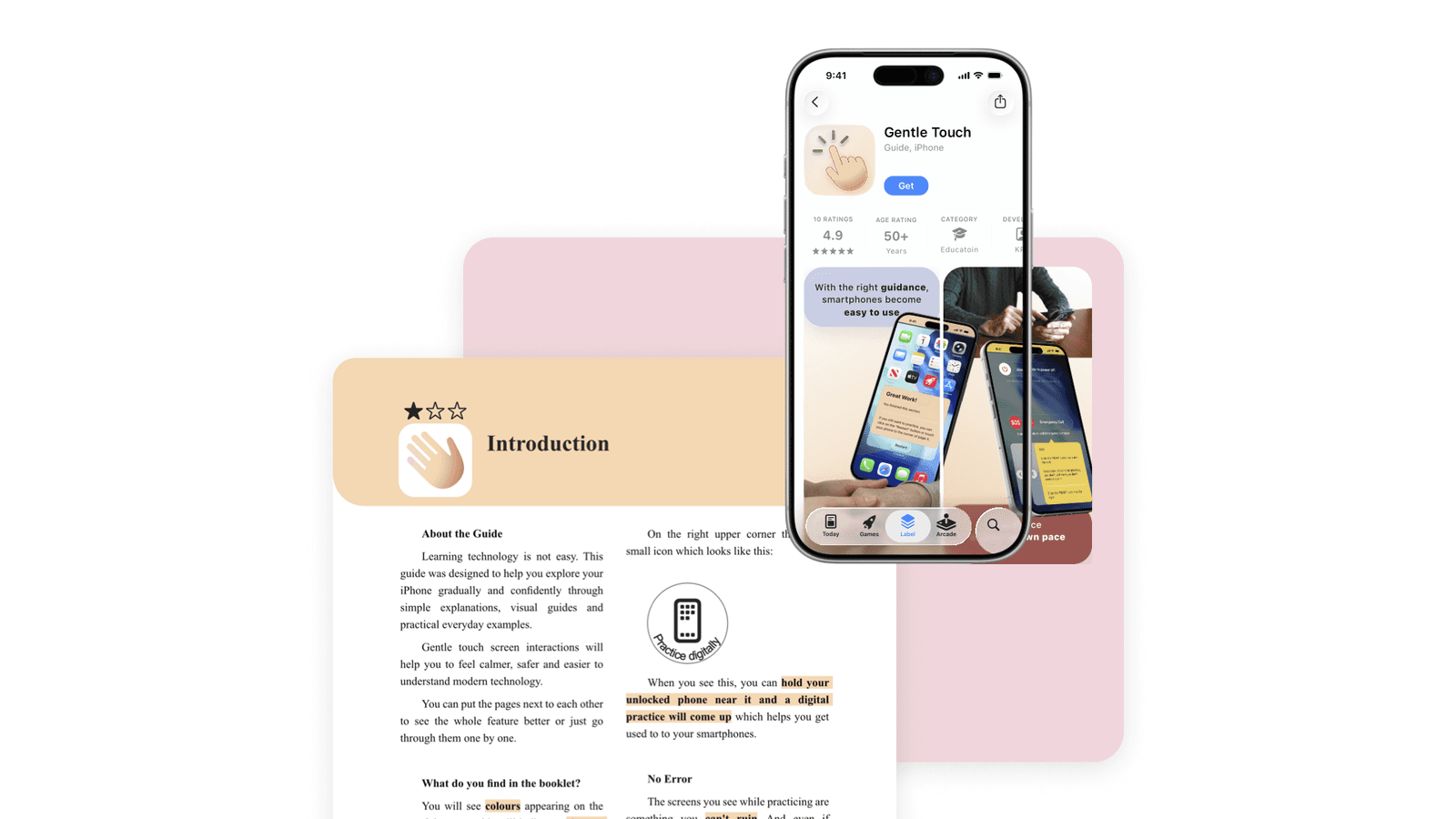
A print-and-digital learning kit that helps older adults build real, transferable confidence with their smartphone, one small, gentle step at a time.
Problem
Most products for older adults hide the hard parts of the phone: bigger buttons, fewer options. That doesn't build skills they can use on any other device.
What I did
I read 15 studies, compared 7 products and interviewed 3 people aged 66 to 84. Then I designed a printed guide with touch exercises and an iPhone practice app you open by tapping the booklet.
Outcome
Status: a finished prototype, not tested with users yet. The next step is a test with five older adults, measuring task success and confidence before and after (1 to 5).
The problem
Like many people with elderly parents and grandparents, I have seen how they may not understand modern technology, are afraid to use it and have no idea where to start.
In an increasingly digital world, no one taught them how to adapt to it, so they are left alone and miss out on what they can't access.
Discovery & Research
I grounded the project in both literature and real conversations:
- 15studies read
- 7competitor analyses
- 3in-depth interviews
- 66–84age range
Mental models & frameworks
Three models (TAM, UTAUT and CREATE) kept pointing at the same thing: technology adoption isn't just about usability. It's about motivation, confidence, and whether support is actually available when something goes wrong.
I mapped the barriers older adults face into four groups:
- Cognitive barriers
- Physical barriers
- Psychological barriers
- Motivational barriers
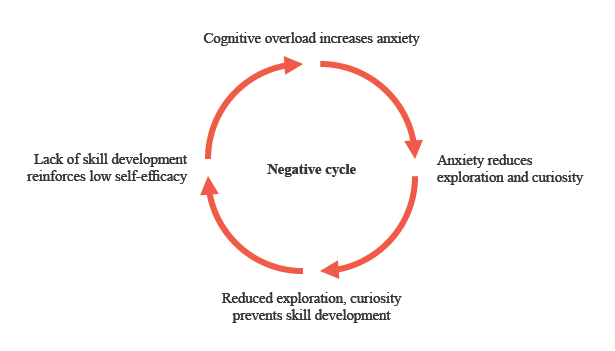
Among many other factors, one of the most important findings is that they reinforce each other in a loop: cognitive overload raises anxiety, anxiety kills curiosity, and low curiosity means skills never get the chance to build.
Benchmarking existing solutions
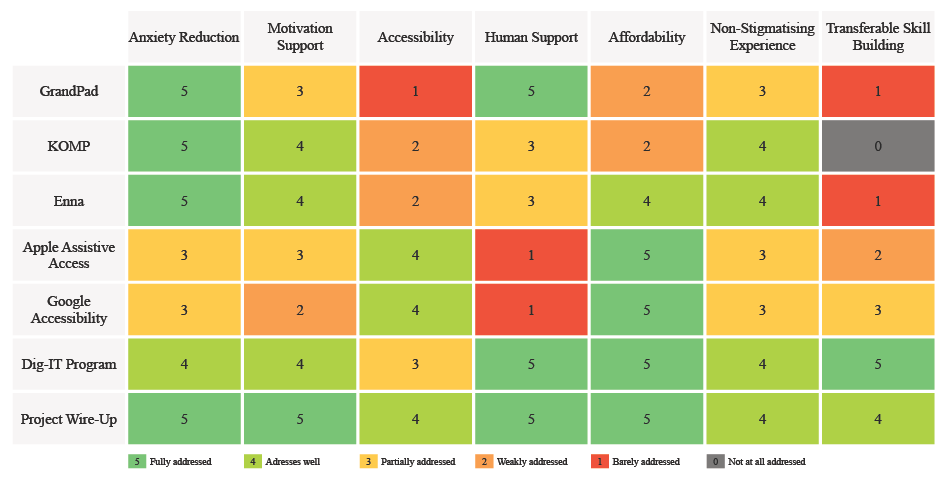
I analysed existing software, learning programmes and hardware designed to support older adults with technology (GrandPad, KOMP, Enna, Apple/Android Assistive Access, and digital literacy programmes like Dig-IT and Project Wire Up). The comparison focused on accessibility, learning approach, guidance, motivation, and opportunities for independent exploration.
It showed a clear gap: solutions either simplify the device or teach the skill, almost never both. Fewer focus on building confidence, transferable skills and curiosity. These findings shaped Gentle Touch as a learning experience rather than simply a simplified interface.
Interviews
The interviews showed that older adults are not a homogeneous group. Their confidence, motivation, previous experience and learning preferences can be very different. Social connection was the strongest shared motivation, while personal support provided an important feeling of security.
- “I don’t dare to start, to touch it.”Anxiety leads to avoidance, and avoidance stops skills from ever building up.
- “I’m 84 years old, so maybe that’s why.”Negative self-perception: blaming age instead of the design of the technology.
- “Well, I’m not such an old lady that I can’t do it!”High self-efficacy: this participant sees errors as a challenge and keeps trying until she wins.
Not one of them asked for formal training or tutorials. Step-by-step guidance, repetition and practising on the device itself worked best, and above all, a real person to ask when something goes wrong.
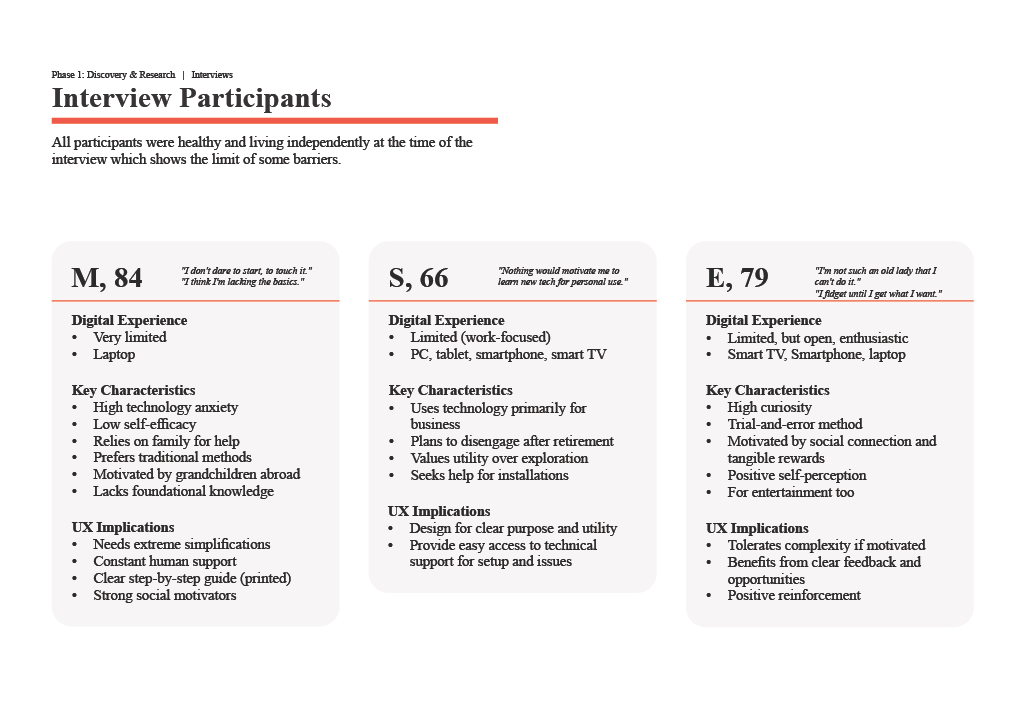
The three interviewees showed three different personalities and levels of self-efficacy, which made it the perfect opportunity to create three archetypes and personas.
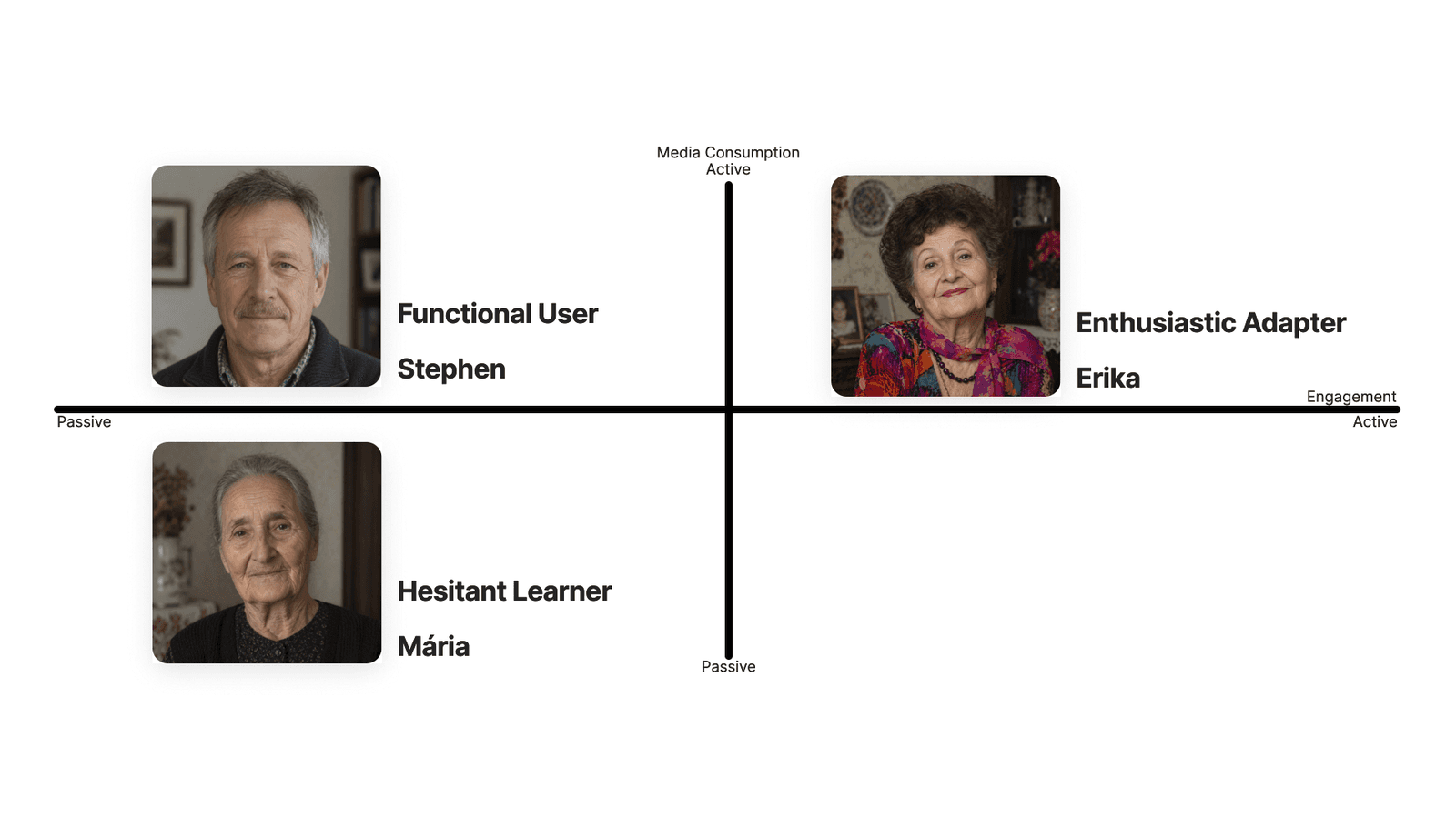
Making journey maps surfaced the moment that mattered most: the point of first failure. Every participant hit a wall at some point, and what happened right after (help arriving instantly, or having to wait days) shaped whether they kept trying or gave up for good.
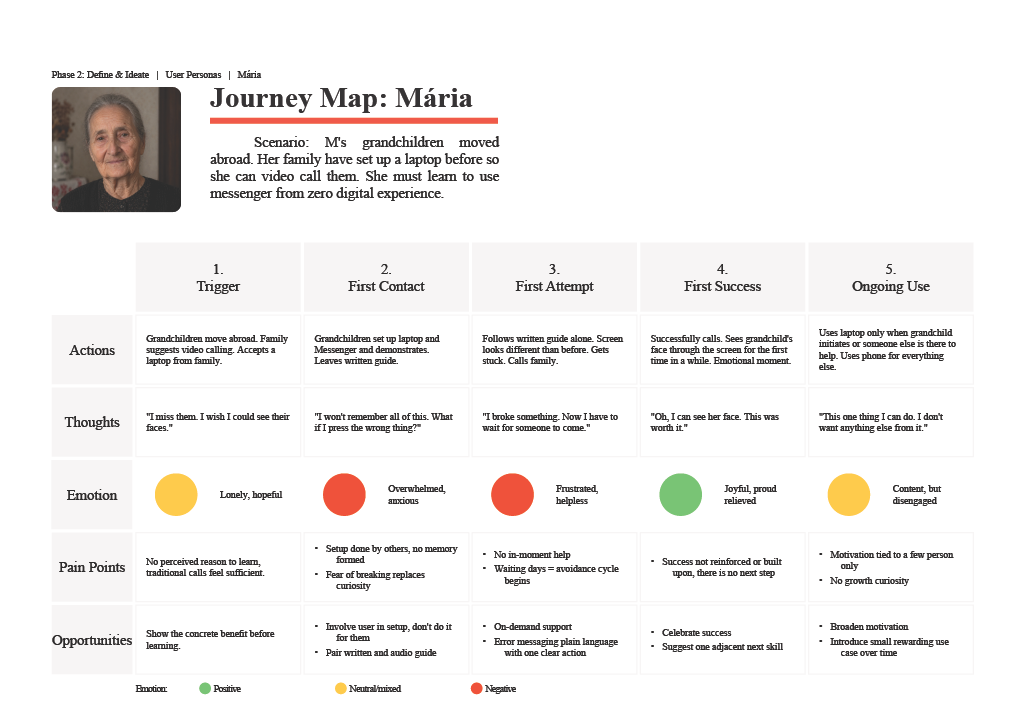
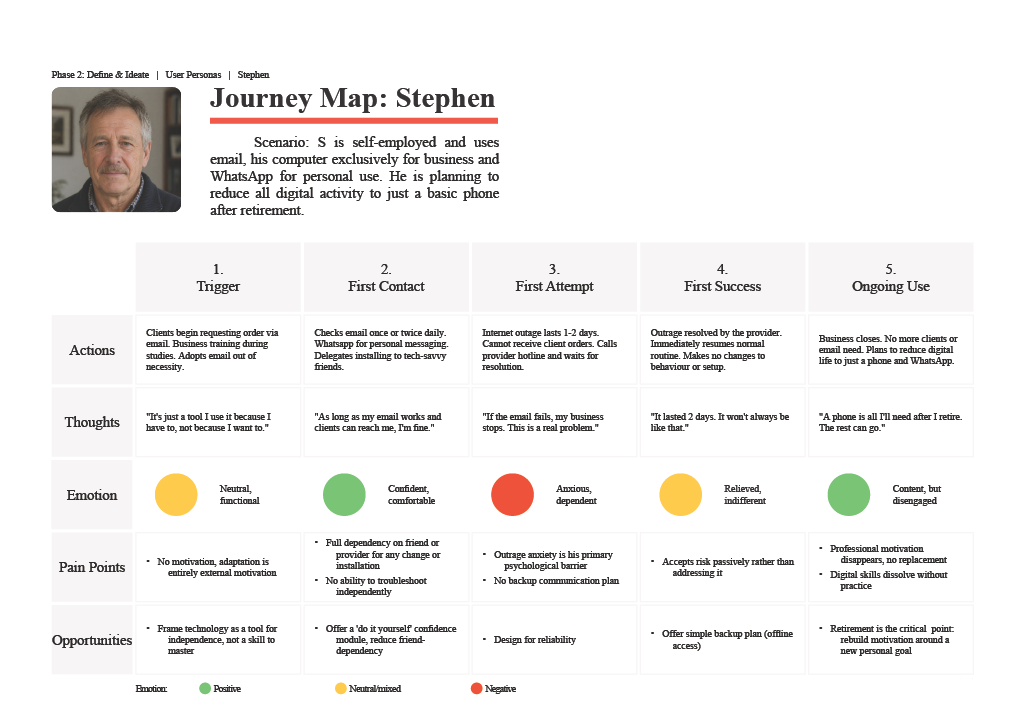
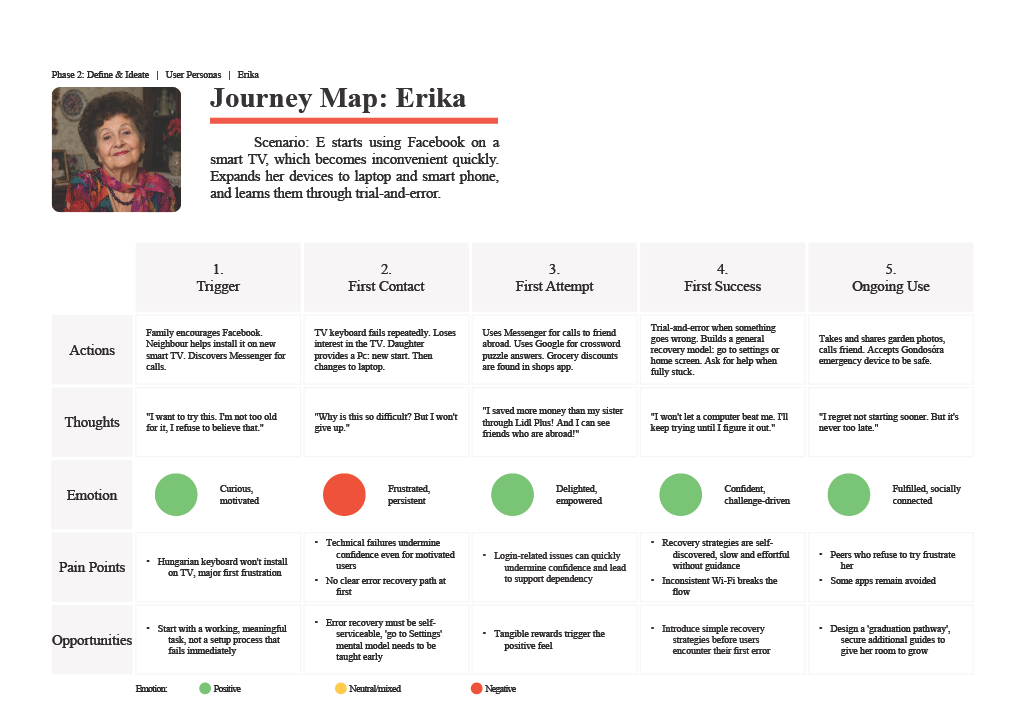
Journey maps showing the blocking points of using modern technology
Define & Ideate
Physical access to a device is rarely the barrier anymore; skills, confidence and the will to try are. I translated this into a small set of design principles that shaped everything after:
- Familiarity before complexityStart from what's already known, not from zero.
- One task at a timeReduce cognitive load: one screen, one goal.
- Safe explorationNothing the user does should feel like it can "break" anything.
- Reinforce successSmall wins, celebrated, build self-efficacy over time.
- Transferable learningTeach the logic, not just the steps, so it still works on the next device.
And one decision shaped the whole product: this wouldn't be new software. It would be a way of teaching people to use the device they already have, while connecting a physical, tactile experience with a digital one.
Design & Prototype
Gentle Touch became two connected pieces: a printed guide and a practice app. Four decisions shaped them.
Decision 1Practising each gesture on paper before the screen
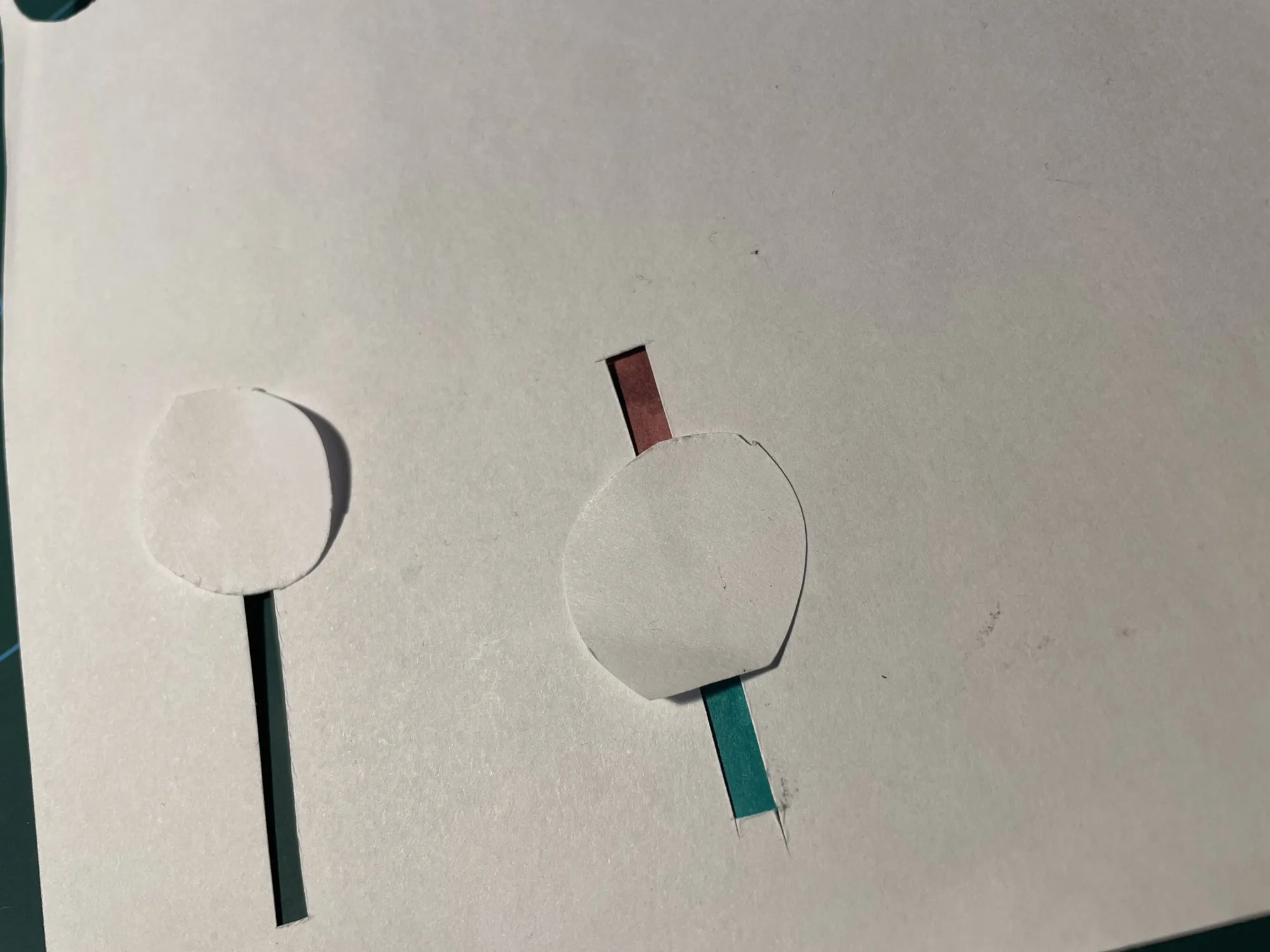
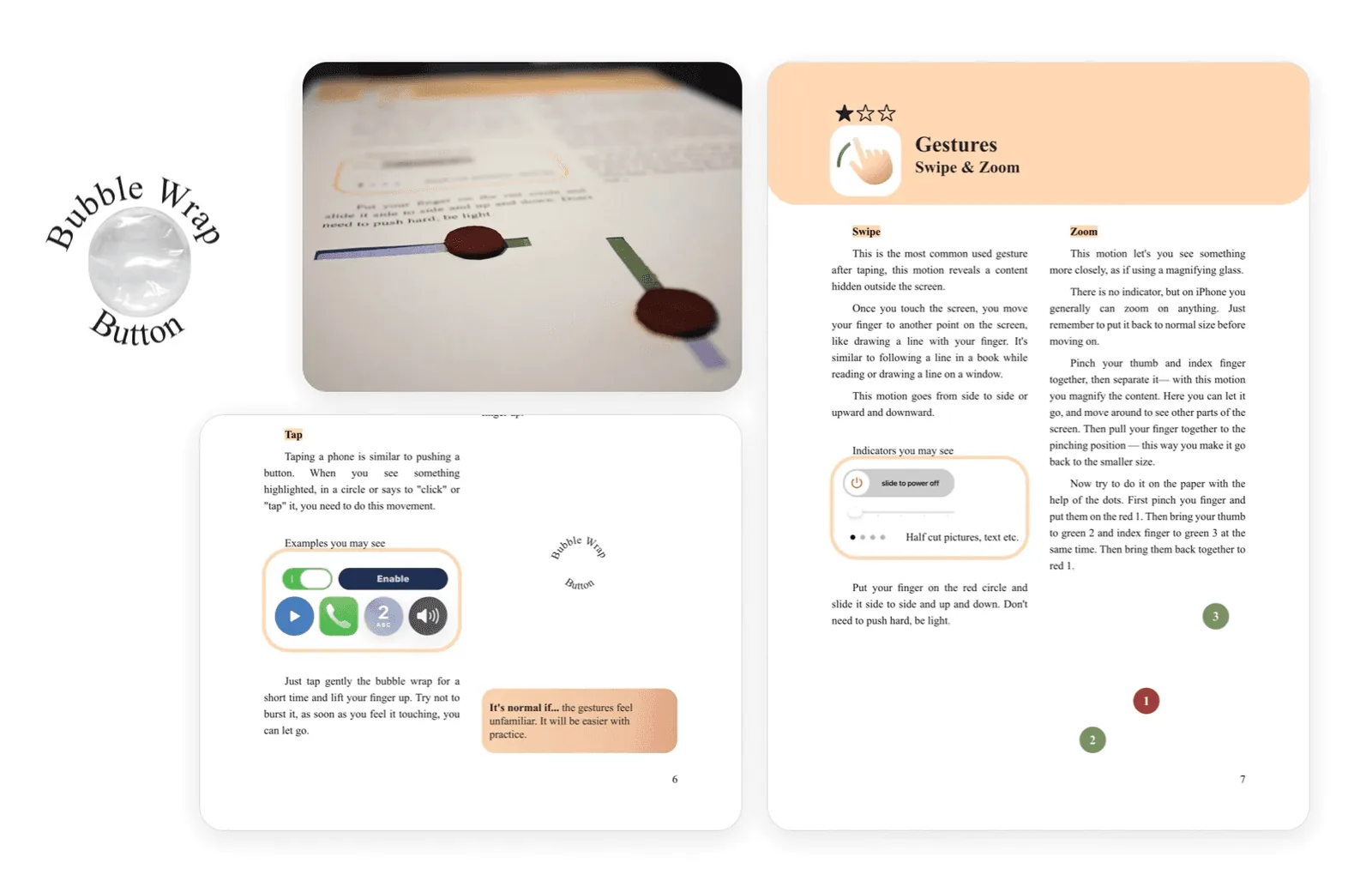
I sketched every part before designing it: the guide page with a colour-coded header and screen pictures, the feature and digital practice screens, and flashcards. For the tactile exercises I tried ideas on paper: a strip of paper between the pages to swipe, a rubber band to zoom, bubble wrap to tap.
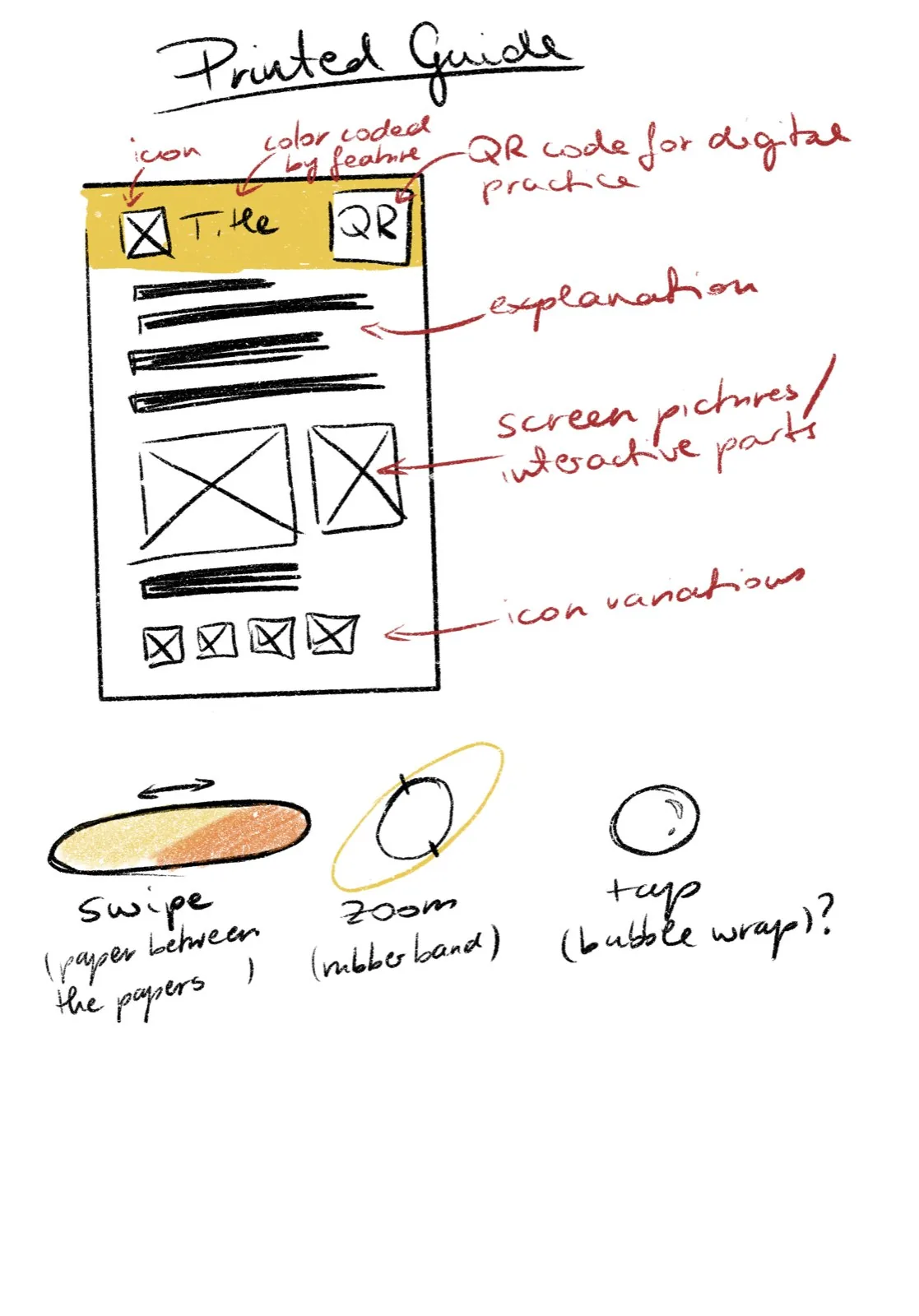
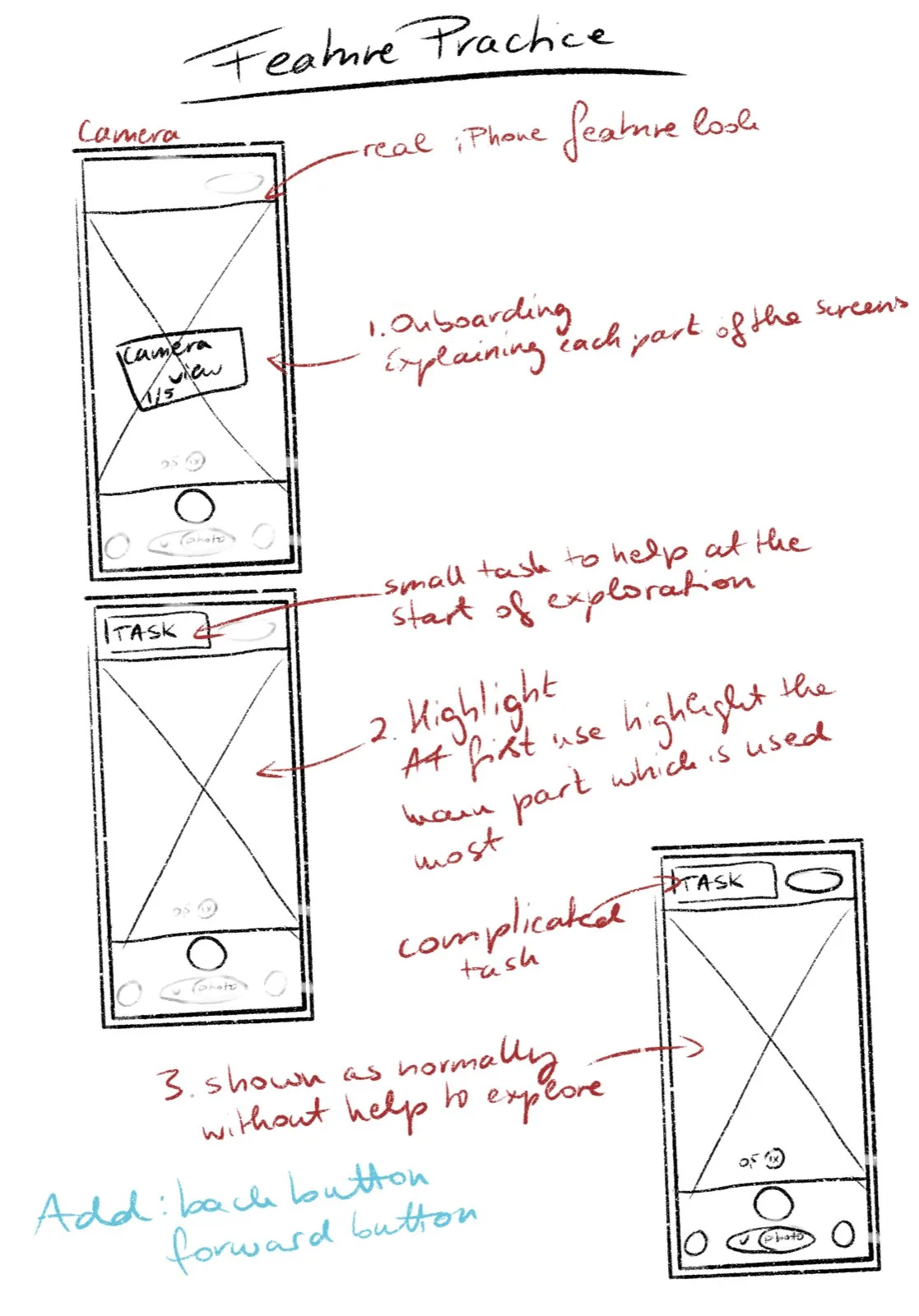
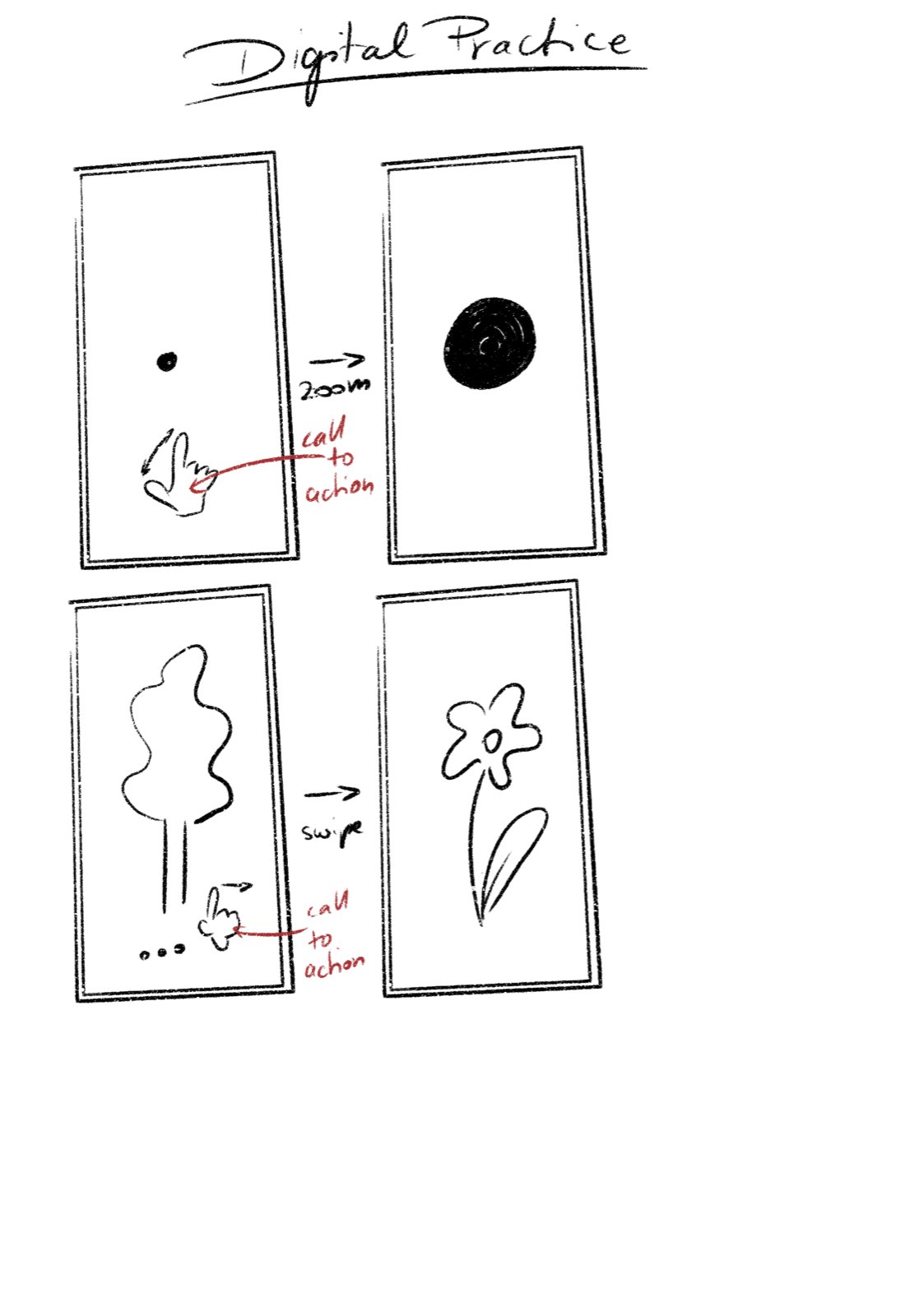
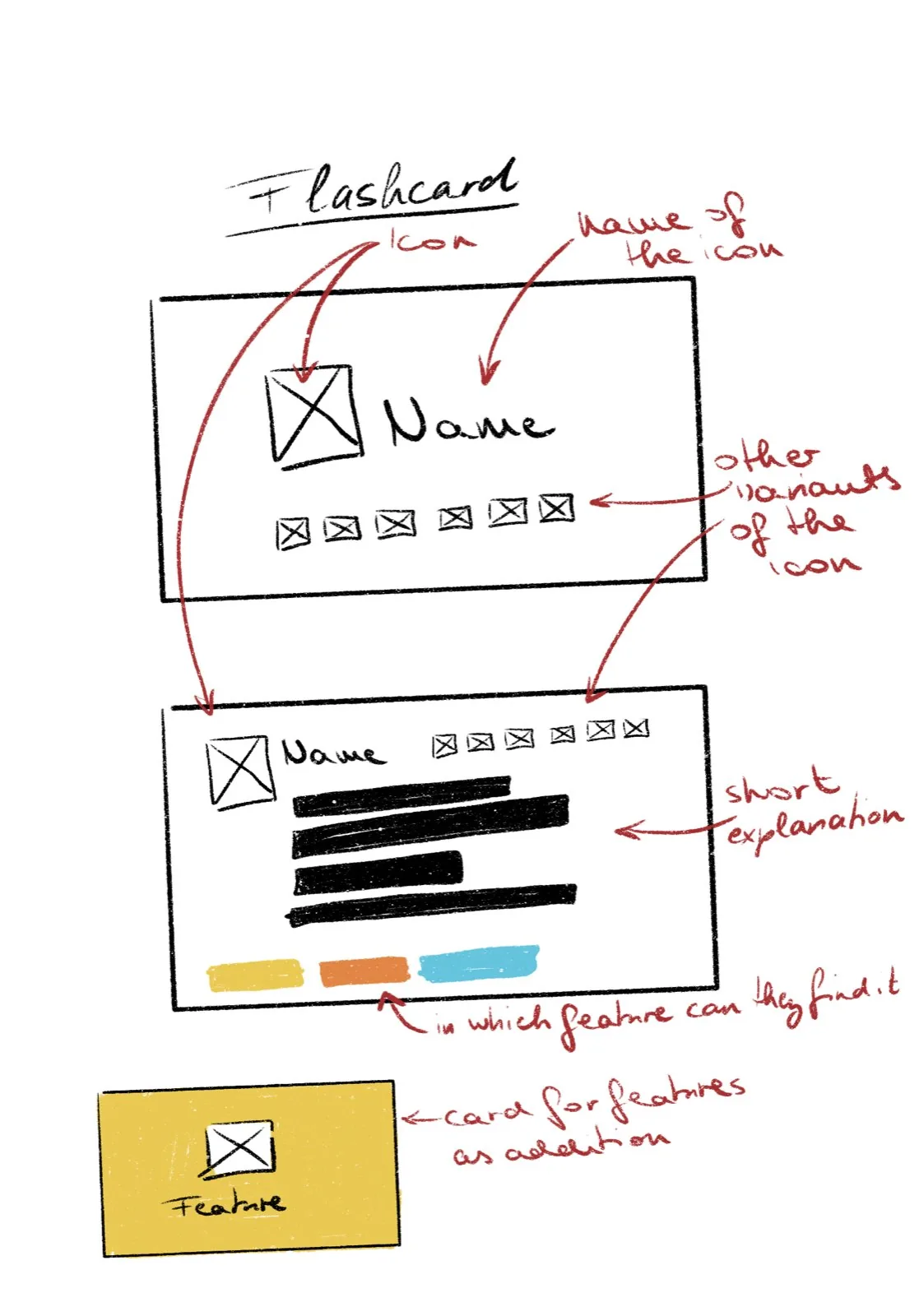
Sketches: printed guide, feature practice, digital practice and flashcards
One topic per page, rated by difficulty
A colour-coded A4 booklet, one topic per page, star-rated by difficulty. The text is set in 12 pt Times New Roman: serif typefaces were made for print, so they are easy to read on paper. Before ever touching a screen, the reader practises the motion on paper: a swipe becomes sliding a finger along a printed line, a tap becomes gently pressing a bit of bubble wrap under the page.
The goal is to connect familiar physical pages and practice with the digital practice. The pages use analogue metaphors to grasp the logic and function of each app, feature or gesture.
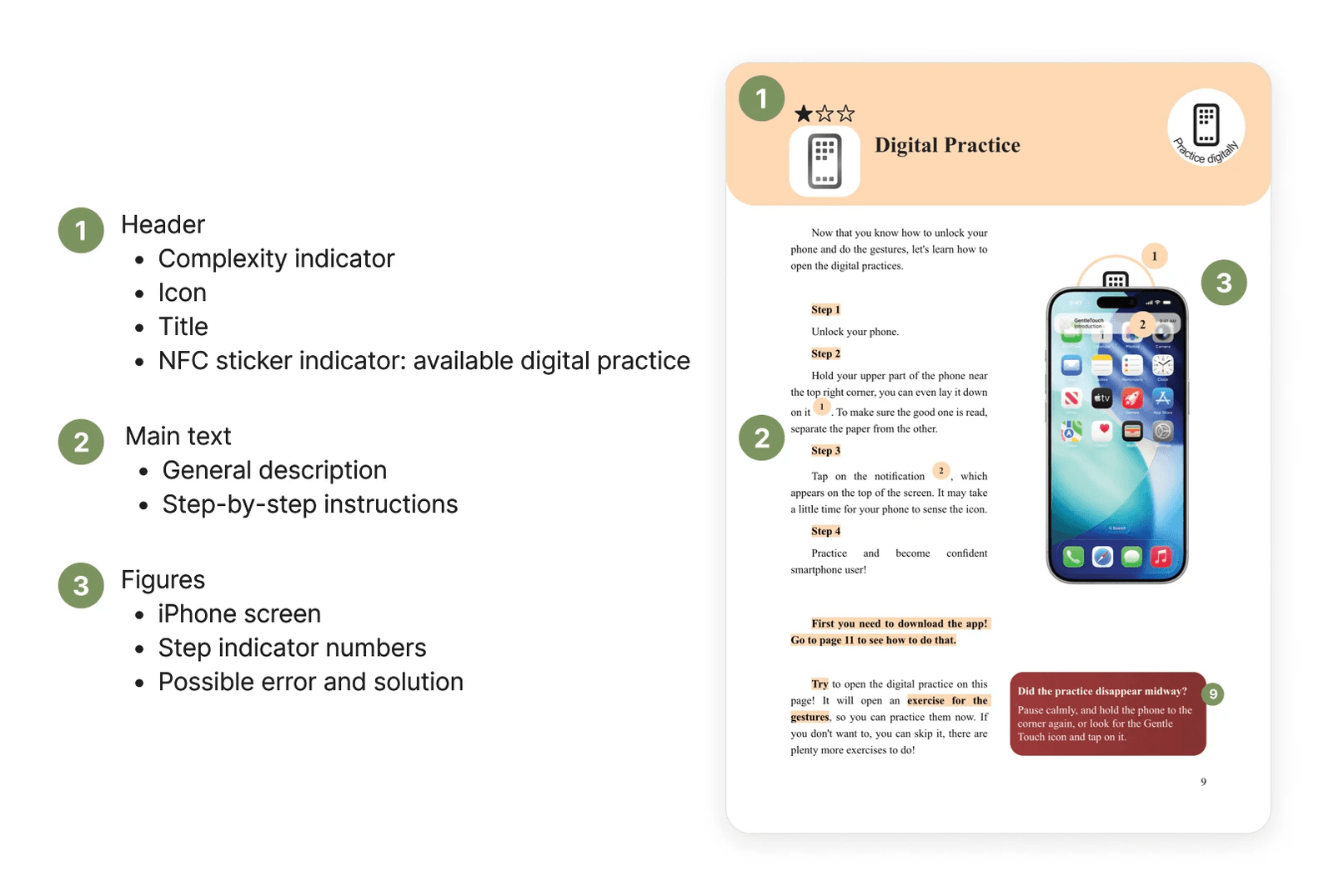
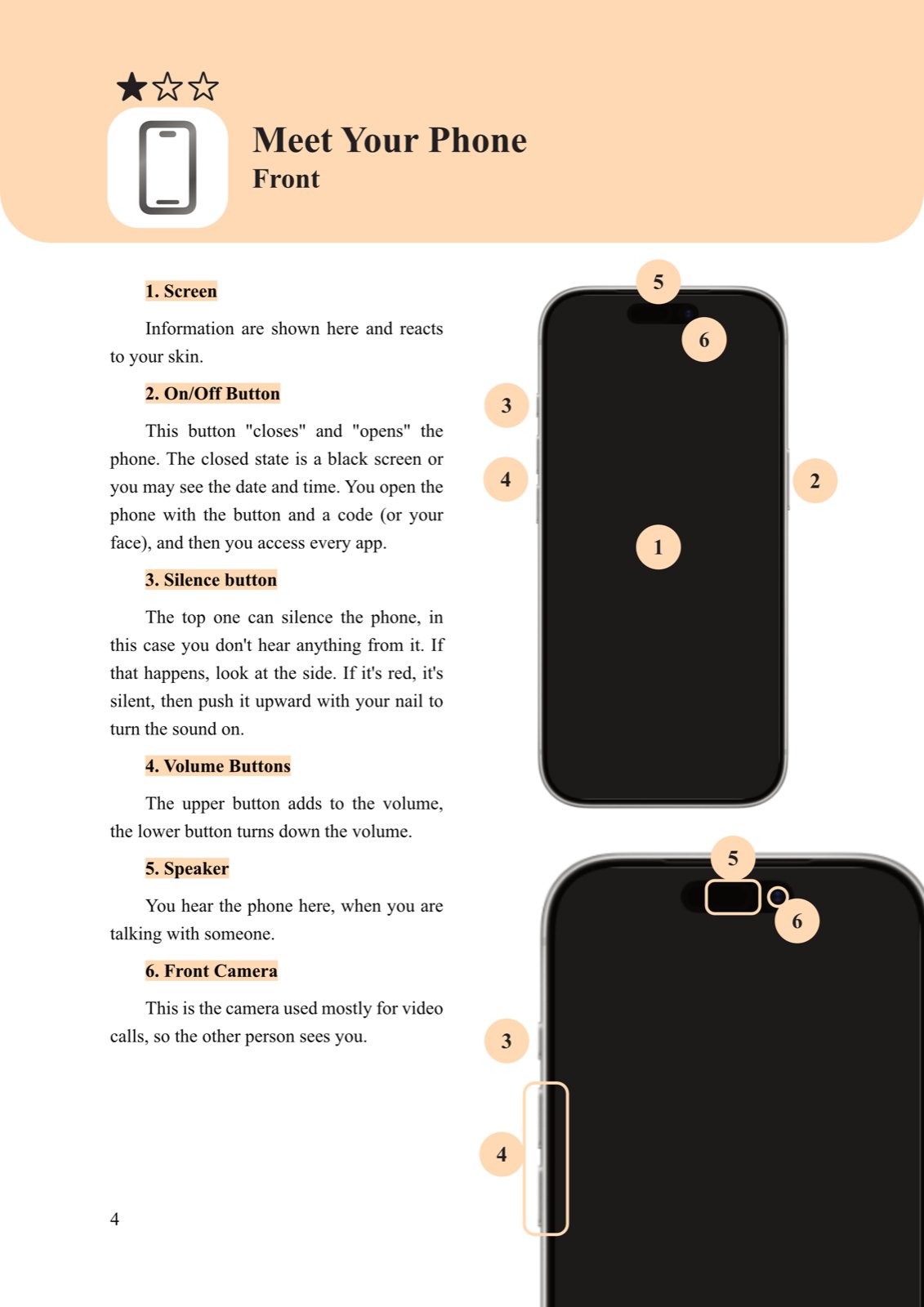
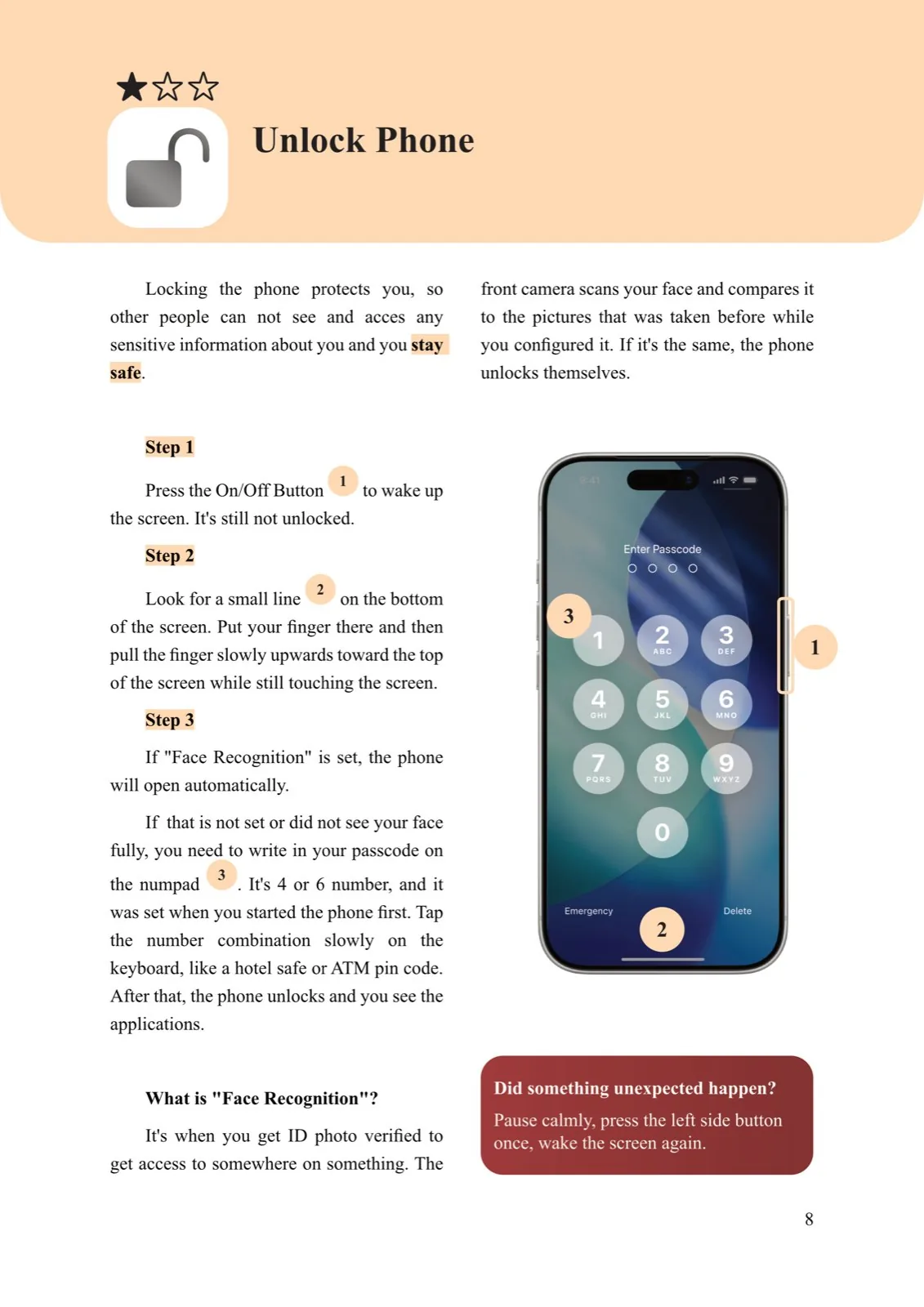
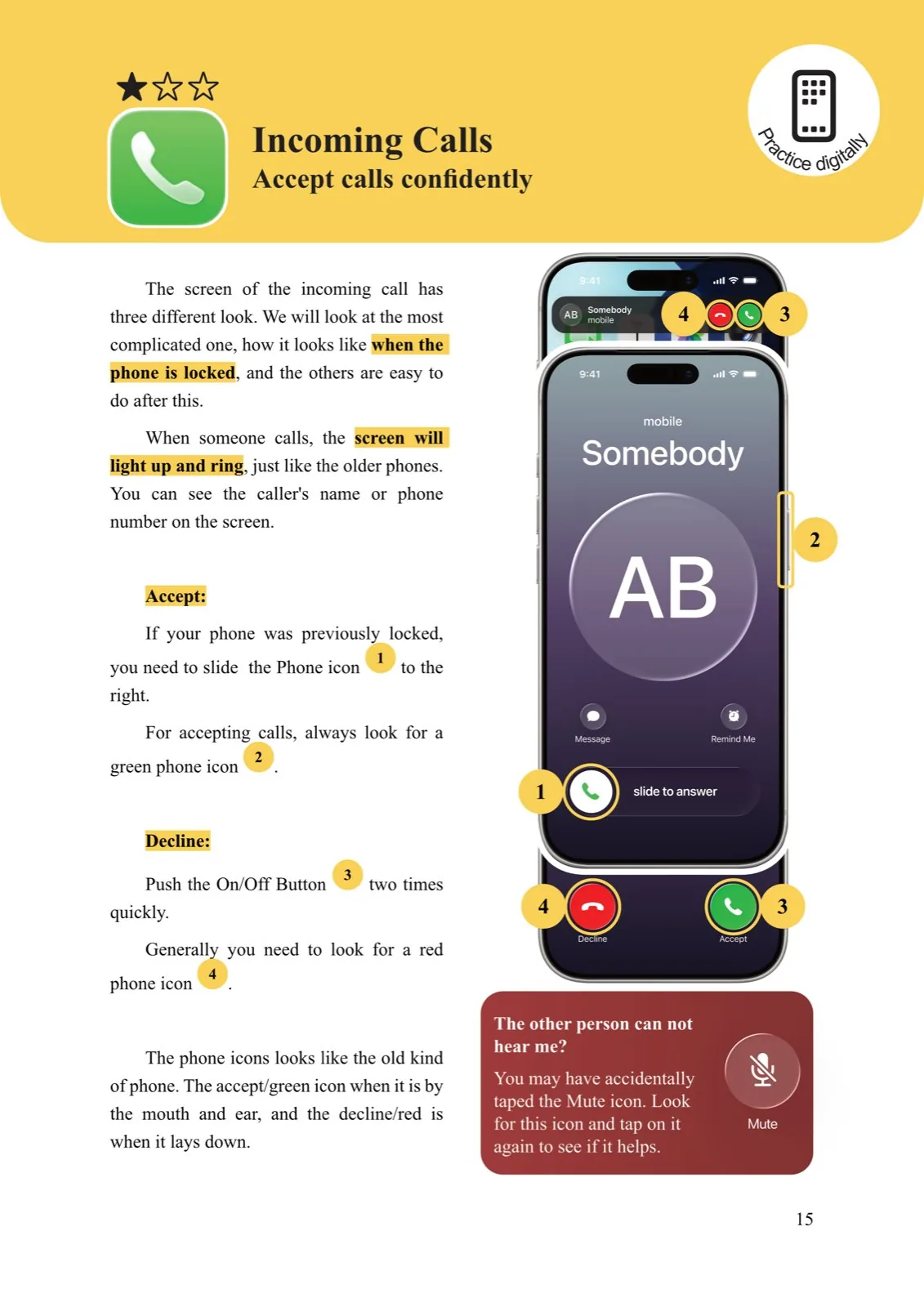
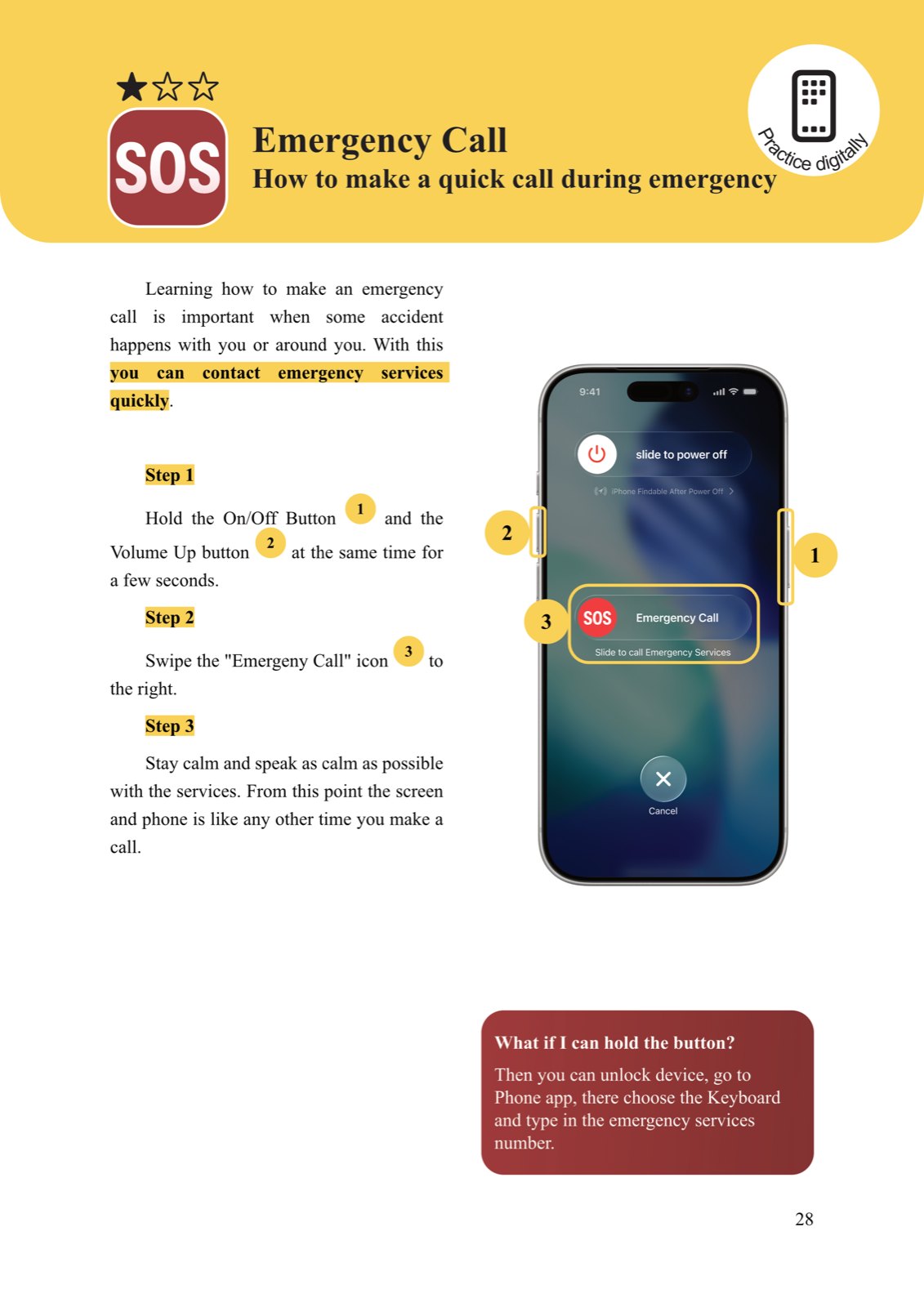
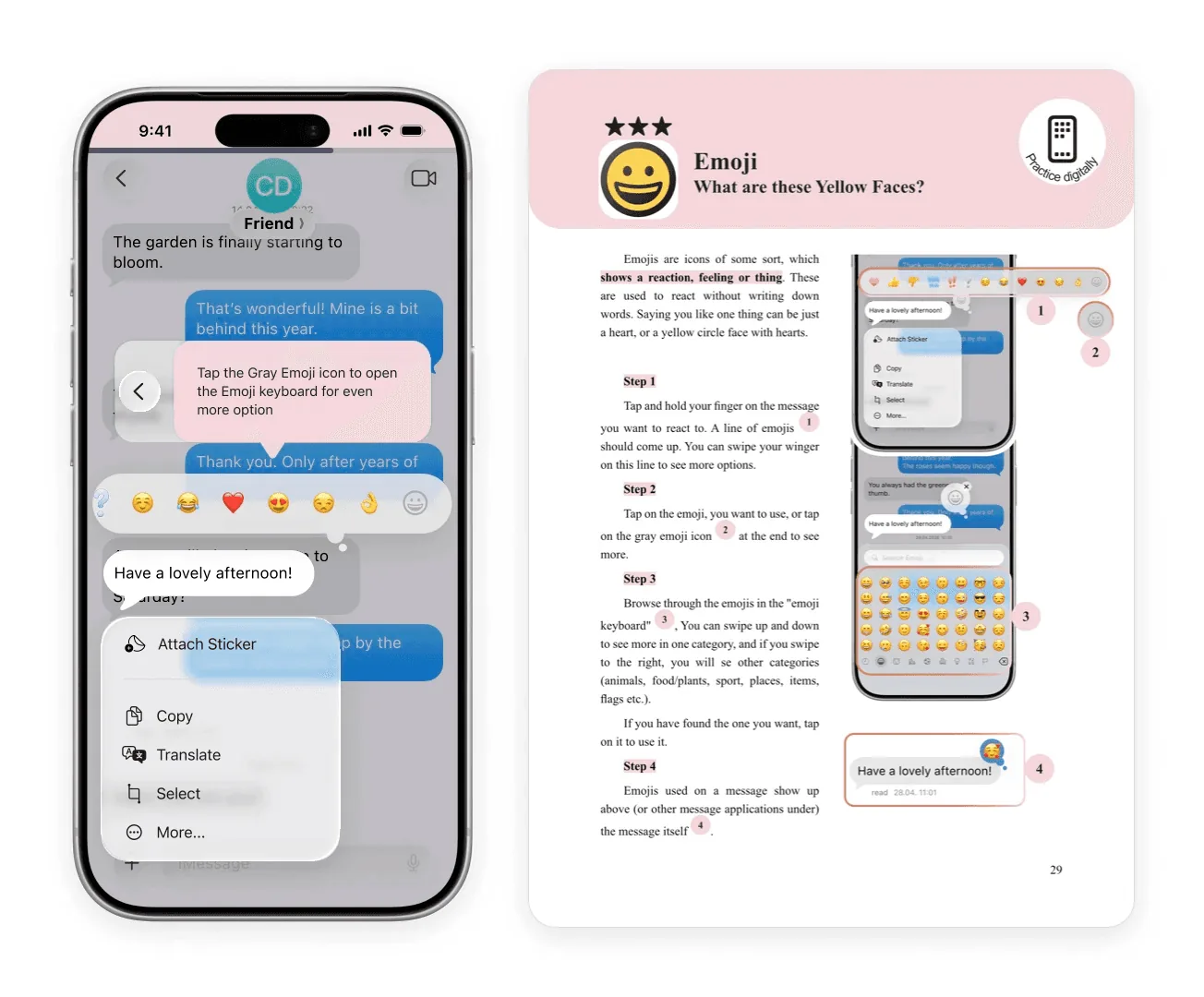
Pages from the guide. Each chapter has its own colour, and the stars show the difficulty.
An NFC sticker, because a QR code is already too hard
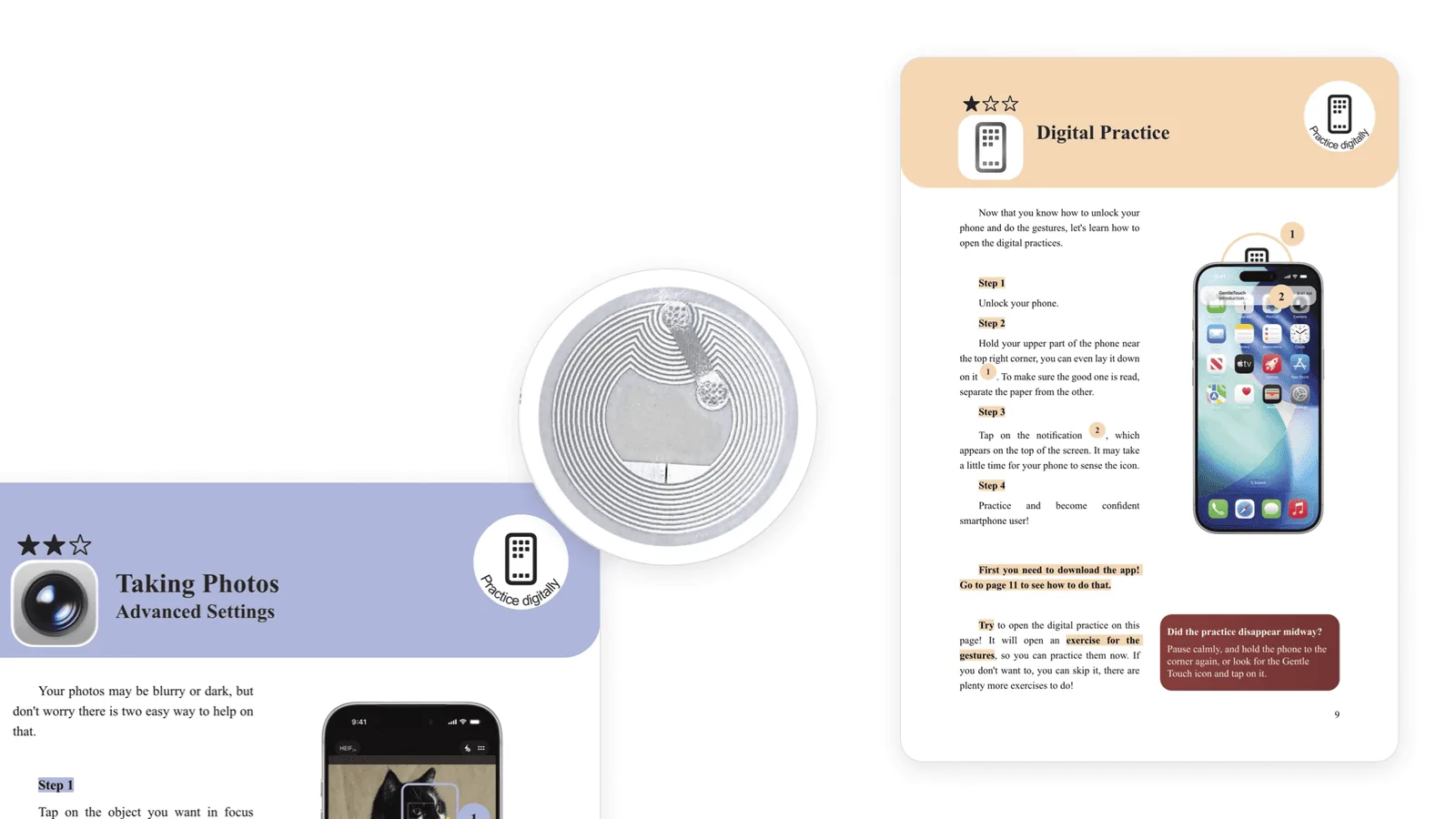
The companion iPhone app opens straight from the booklet through an NFC sticker on the back, not a QR code: someone with no smartphone experience often can't get a QR code open in the first place. A tap is all it takes.
Practice where nothing can break
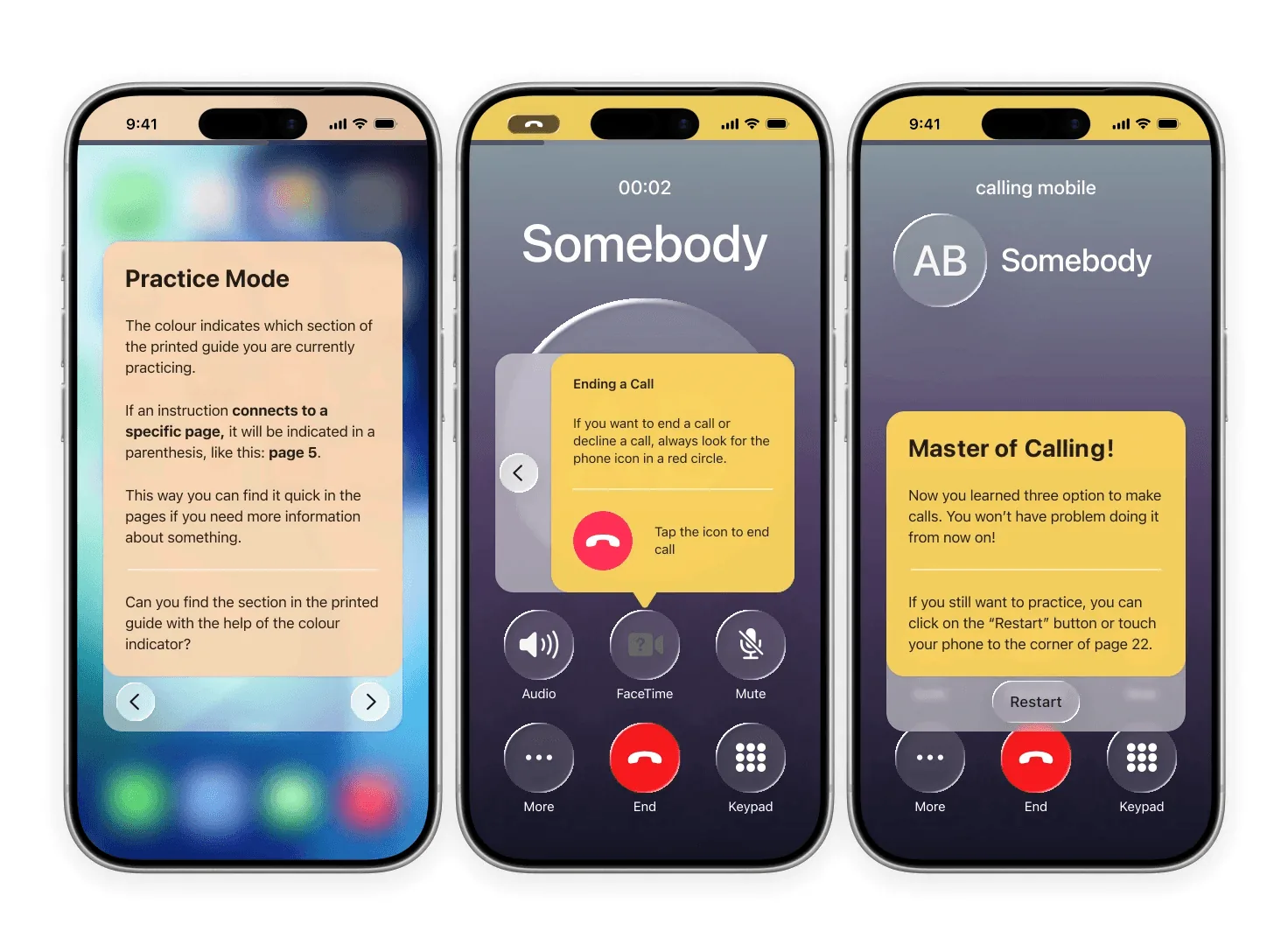
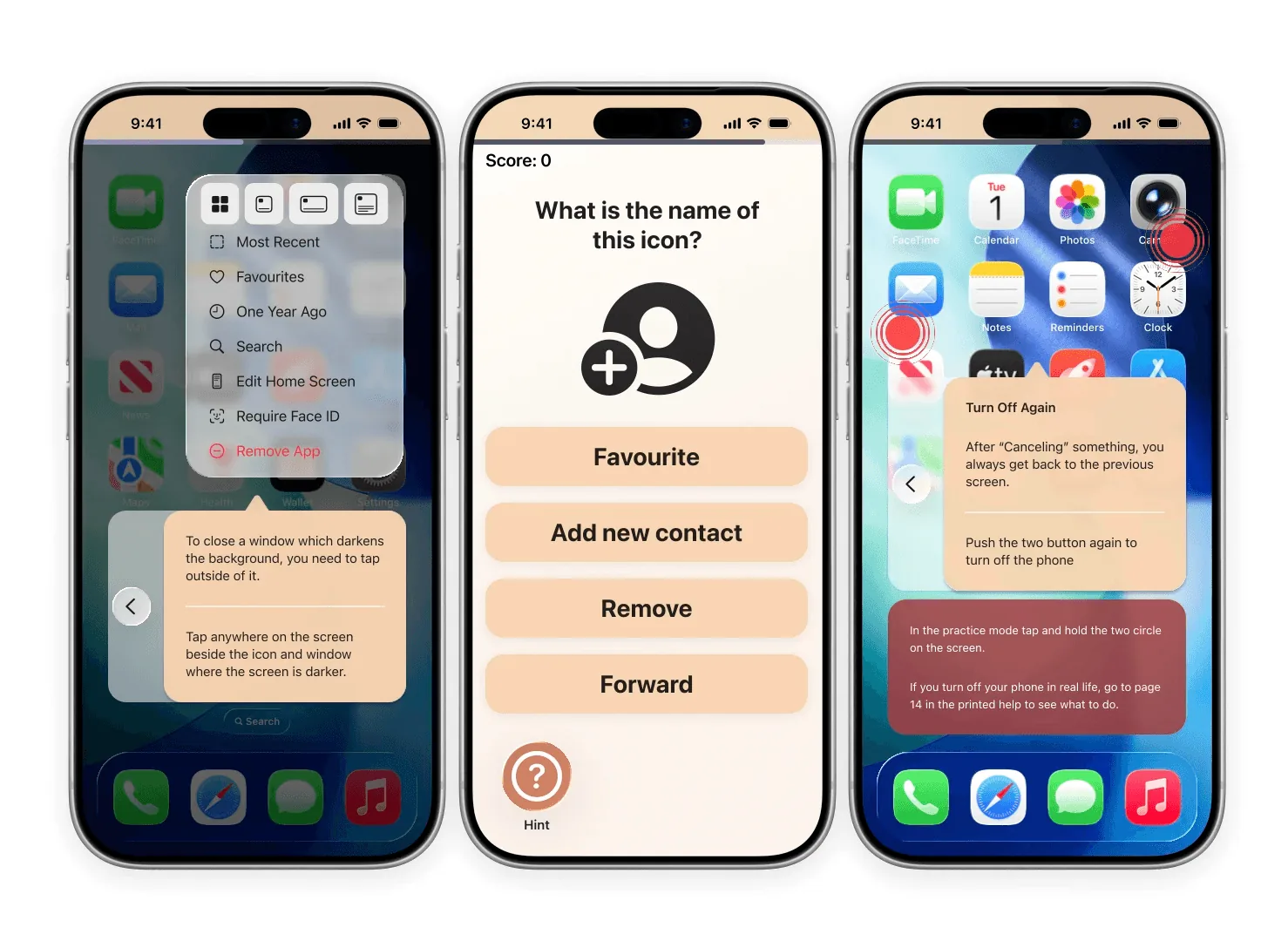
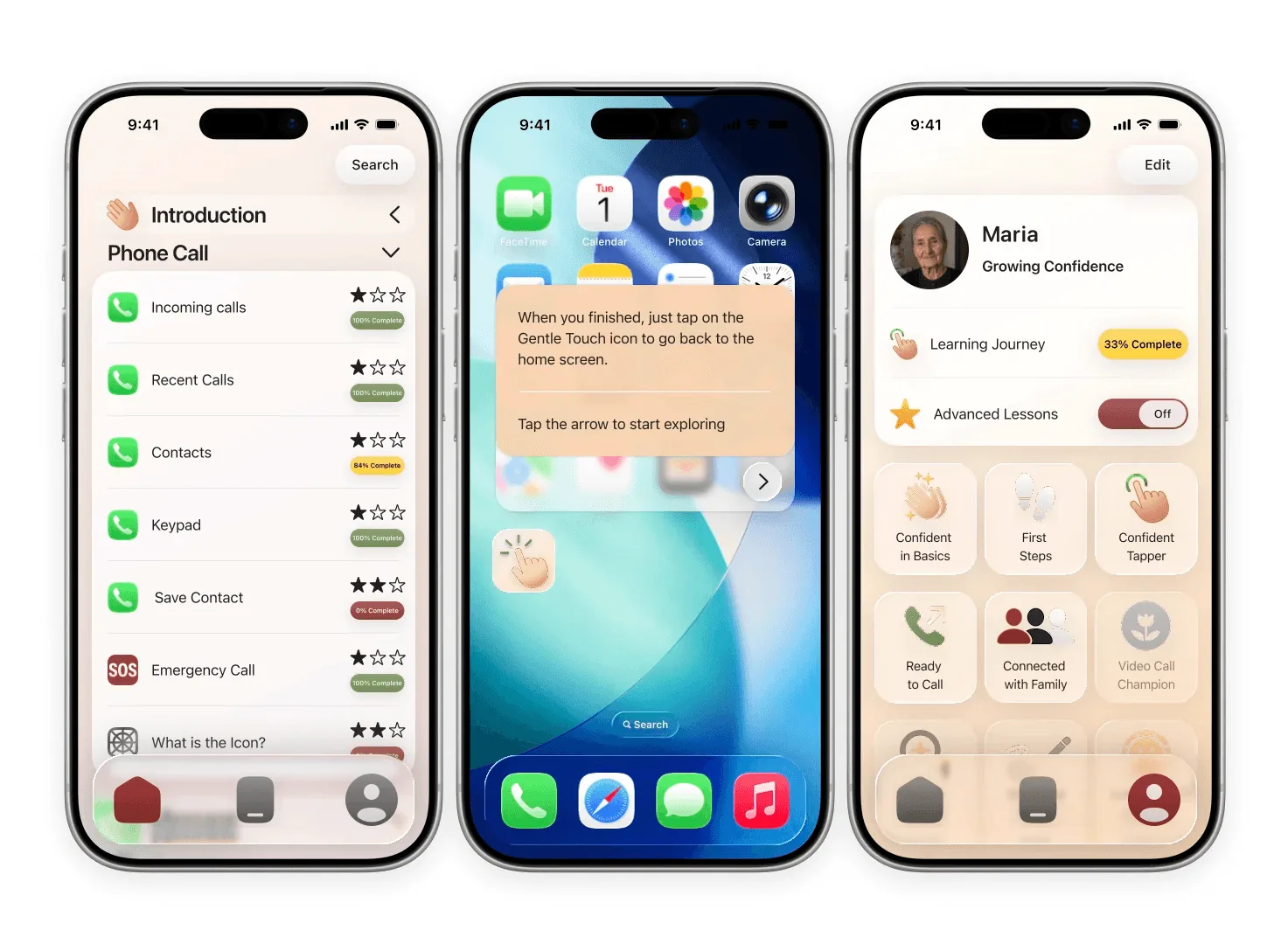
Progress indicators, clear instructions, visual cues, hints and positive reinforcement help make each step feel achievable. Users can also practise gestures before interacting with the simulated phone, reducing the fear of doing something wrong. The experience gradually moves from basic interactions to more advanced topics.
The goal is not to create a simplified phone, but to help users become more confident with technology itself.
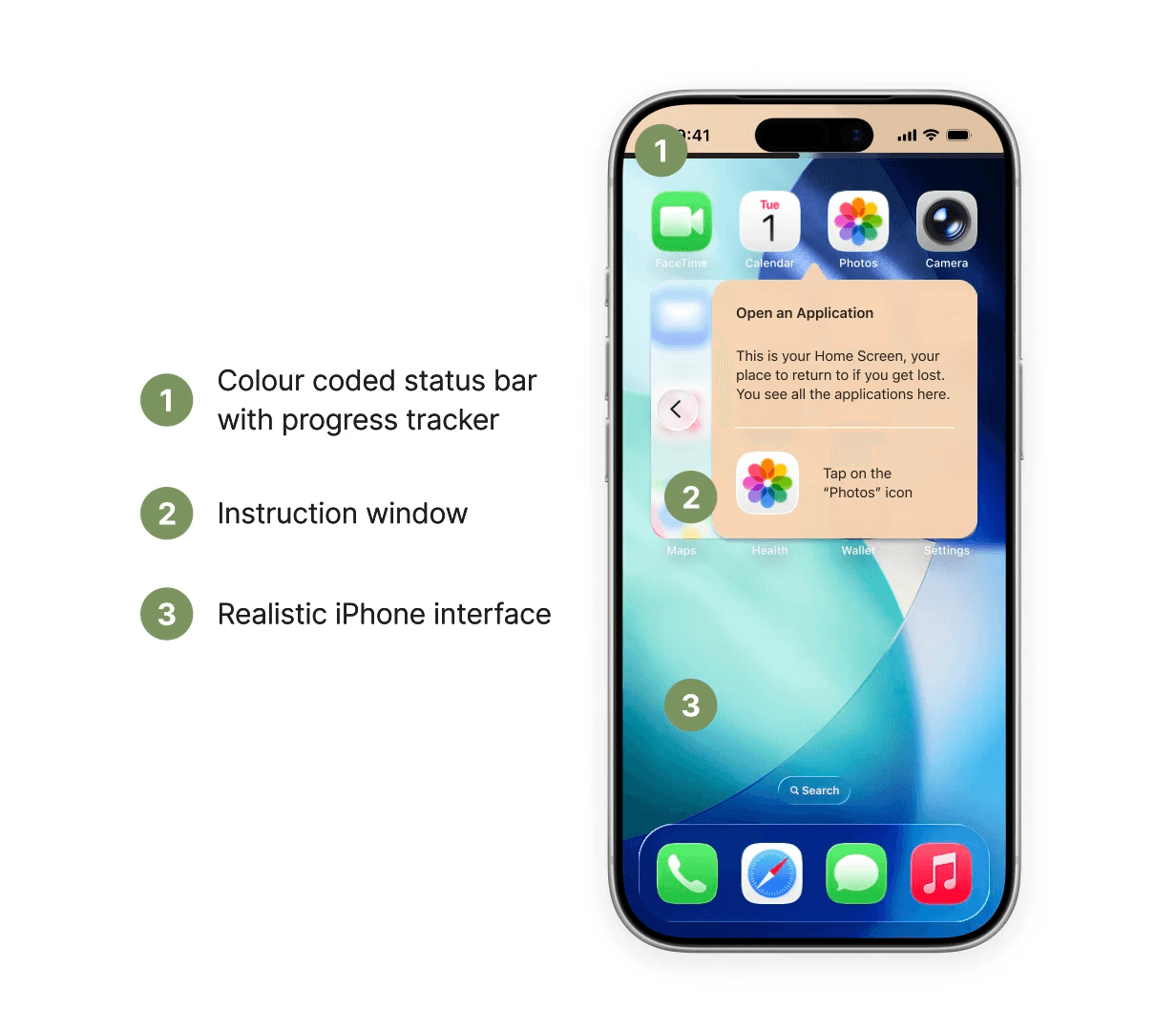
The physical guide provides clear, step-by-step instructions, while the digital experience allows users to practise the same interactions in a safe environment before trying them on their own device.
Final design
The final concept answers each barrier from the research: guided exercises for anxiety, safe experimentation for low confidence, progressive lessons for motivation, and teaching the logic so skills transfer to any device.
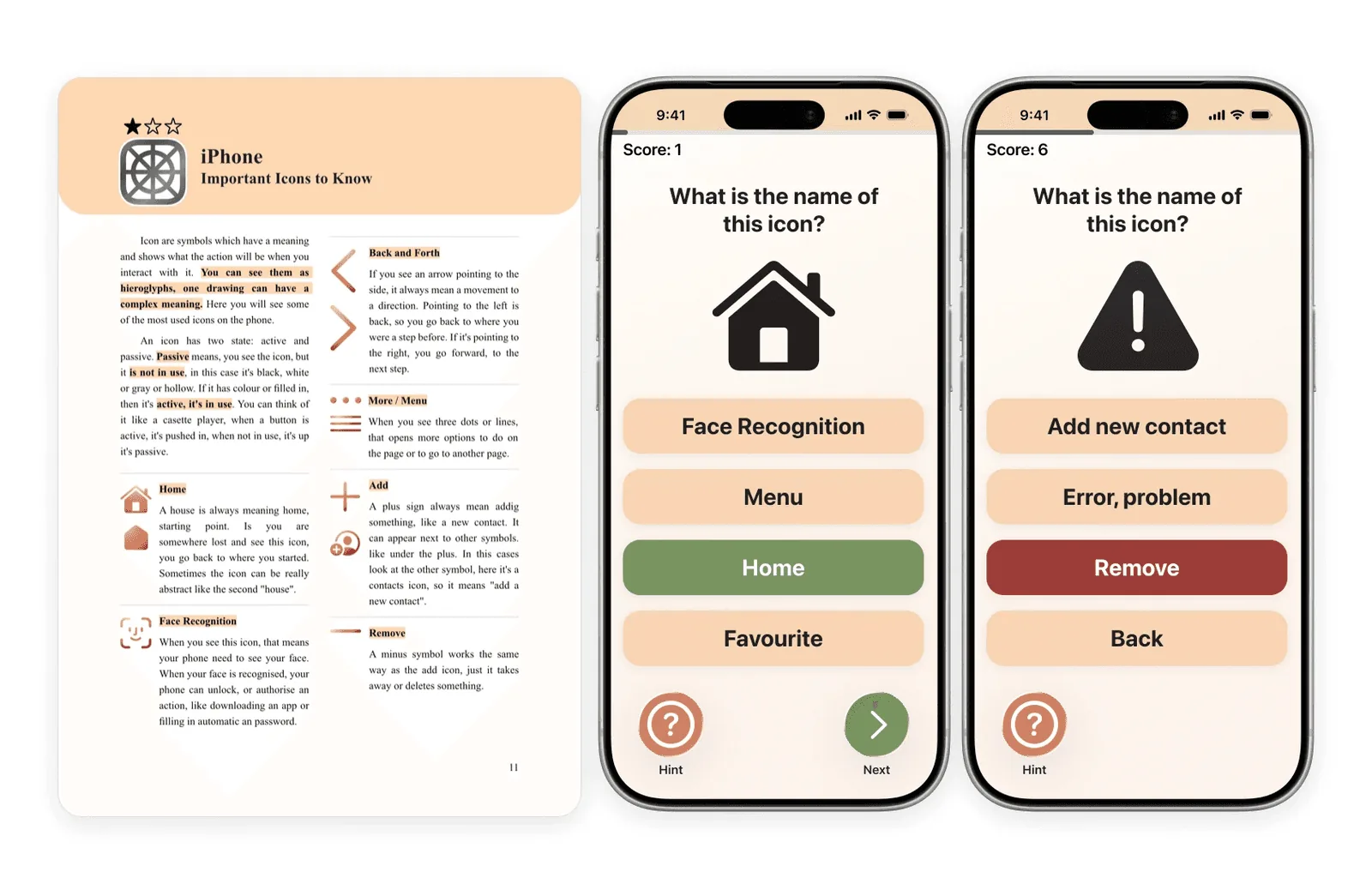
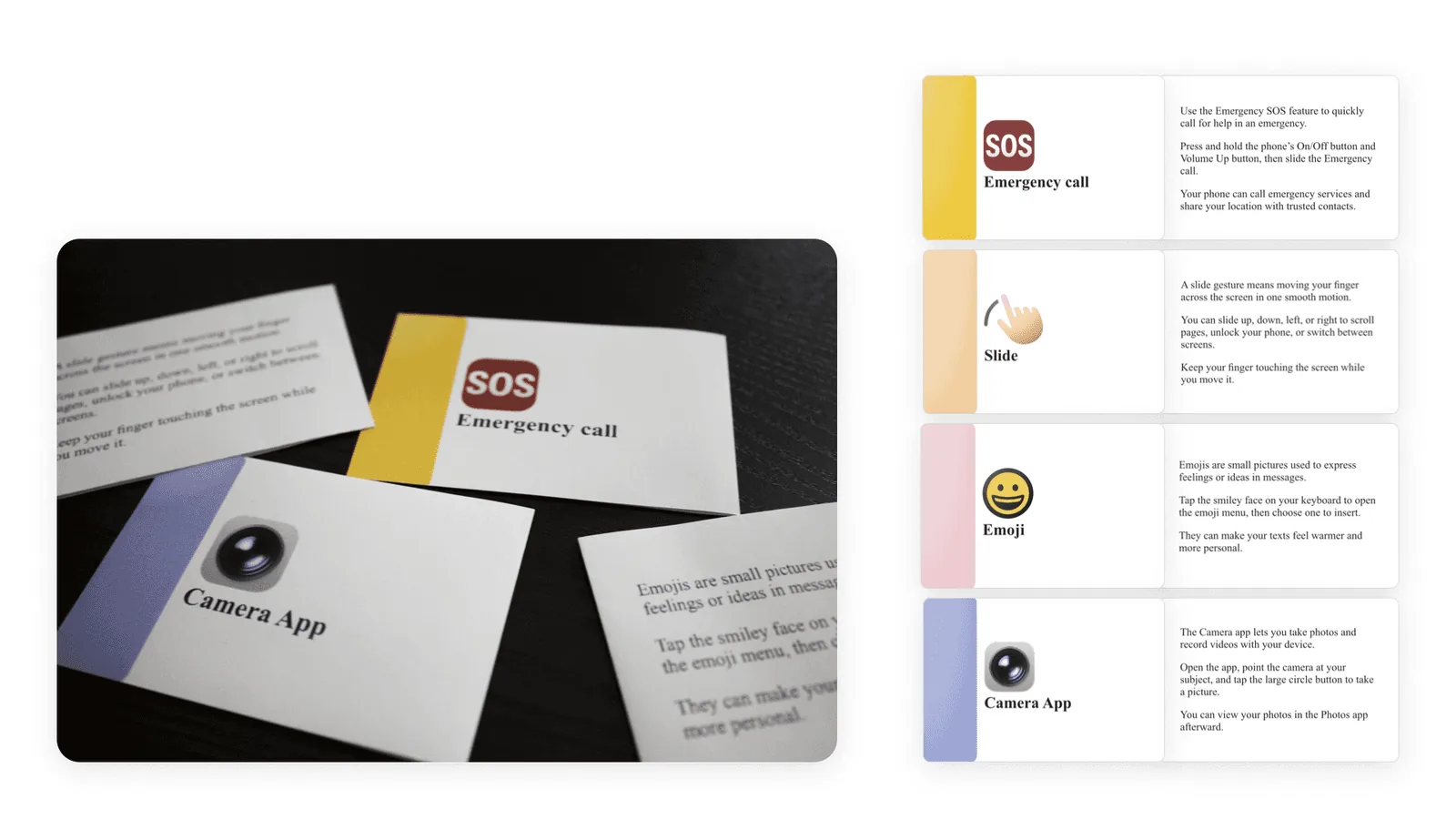
For fun, a set of printed flashcards lets the icons and gestures be practised in an easy, traditional way. They can also be a "quick search" later, when the user is looking for a small piece of information.
Limits & what I learned
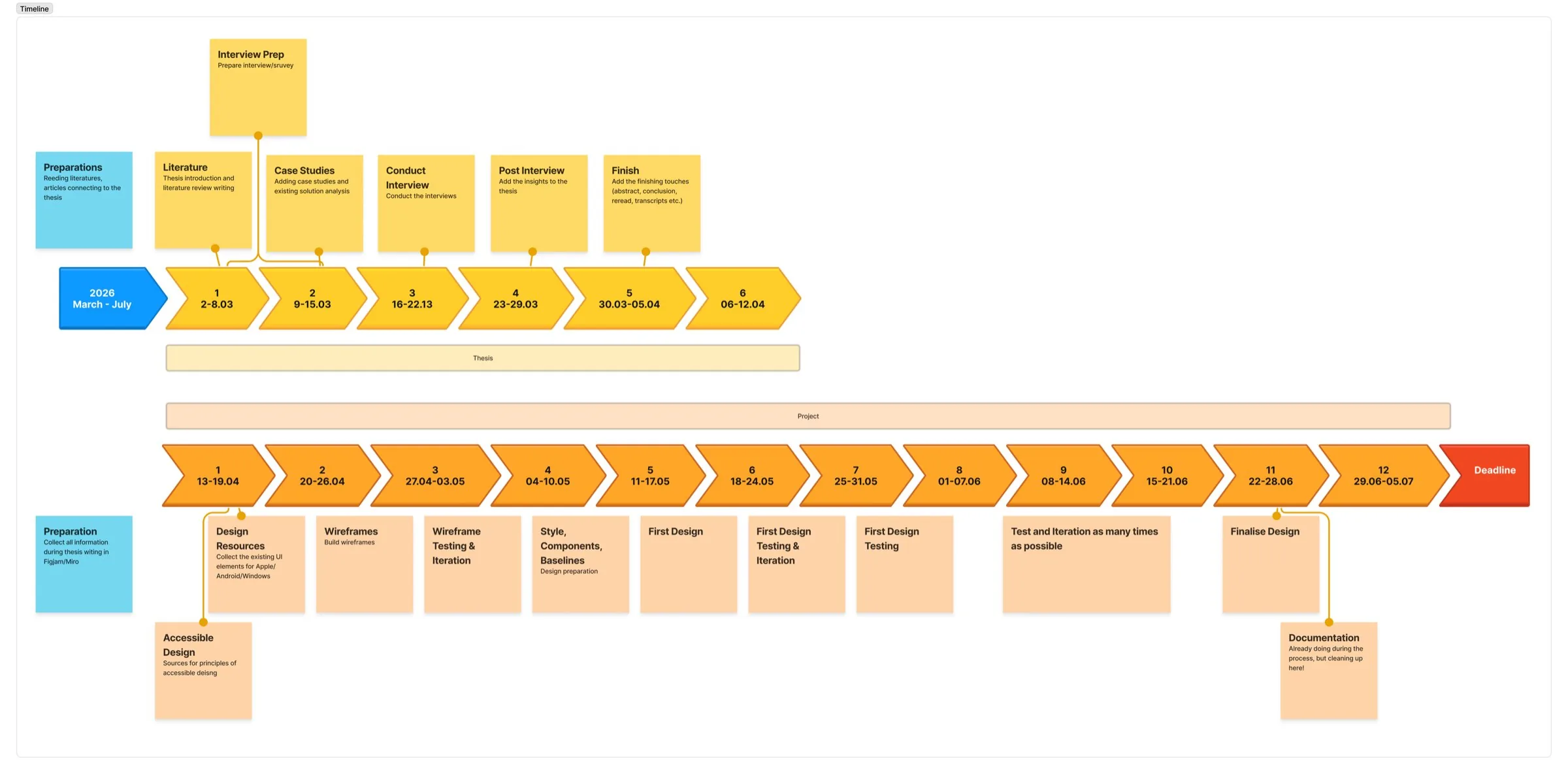
Not tested yet. I planned testing rounds (see the timeline below) but ran out of time, so the prototype hasn't been tested with users. The next step is a test in Hungarian or German with five people aged 65 or older: opening the app with NFC, a swipe lesson on paper and in the app, answering a call with the guide, and sending a photo on their own phone.
Small research sample. With three participants, the findings can't be generalised. All three were relatively healthy, lived independently with family around them and came from a higher socioeconomic background, so more isolated older adults still need to be heard.
Recreating real screens is hard. Rebuilding existing iPhone screens took more time than designing from scratch, and using them is a legal grey zone: fine for education, but a real product would need Apple's permission.
I believe Gentle Touch can complement in-class courses well: the most successful programmes in the research combined practice with immediate help from a real person.