PlayCircle: Connect, Host, and Play
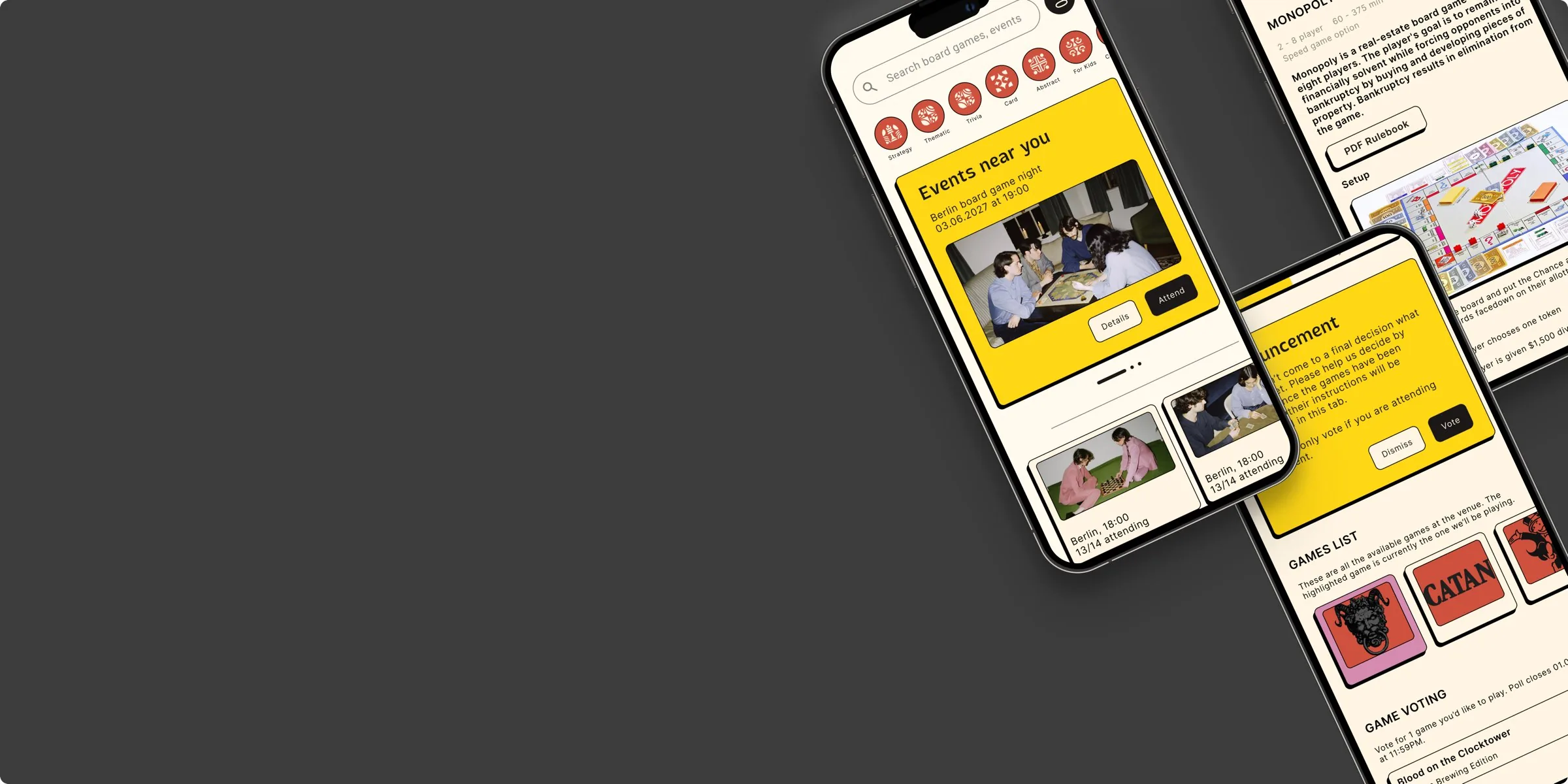
Where cards, dice and good company come together, around the table. A platform for organising and attending in-person board game events.
Problem
Board game fans struggle to find events, details and co-players, and beginners don't know where to start. We found no active, modern platform for in-person game events.
What we did
Desk research, a survey with 35 people, empathy maps, personas and journey maps, then wireframes, a preference test in Maze and a high-fidelity app for finding, hosting and joining events.
Outcome
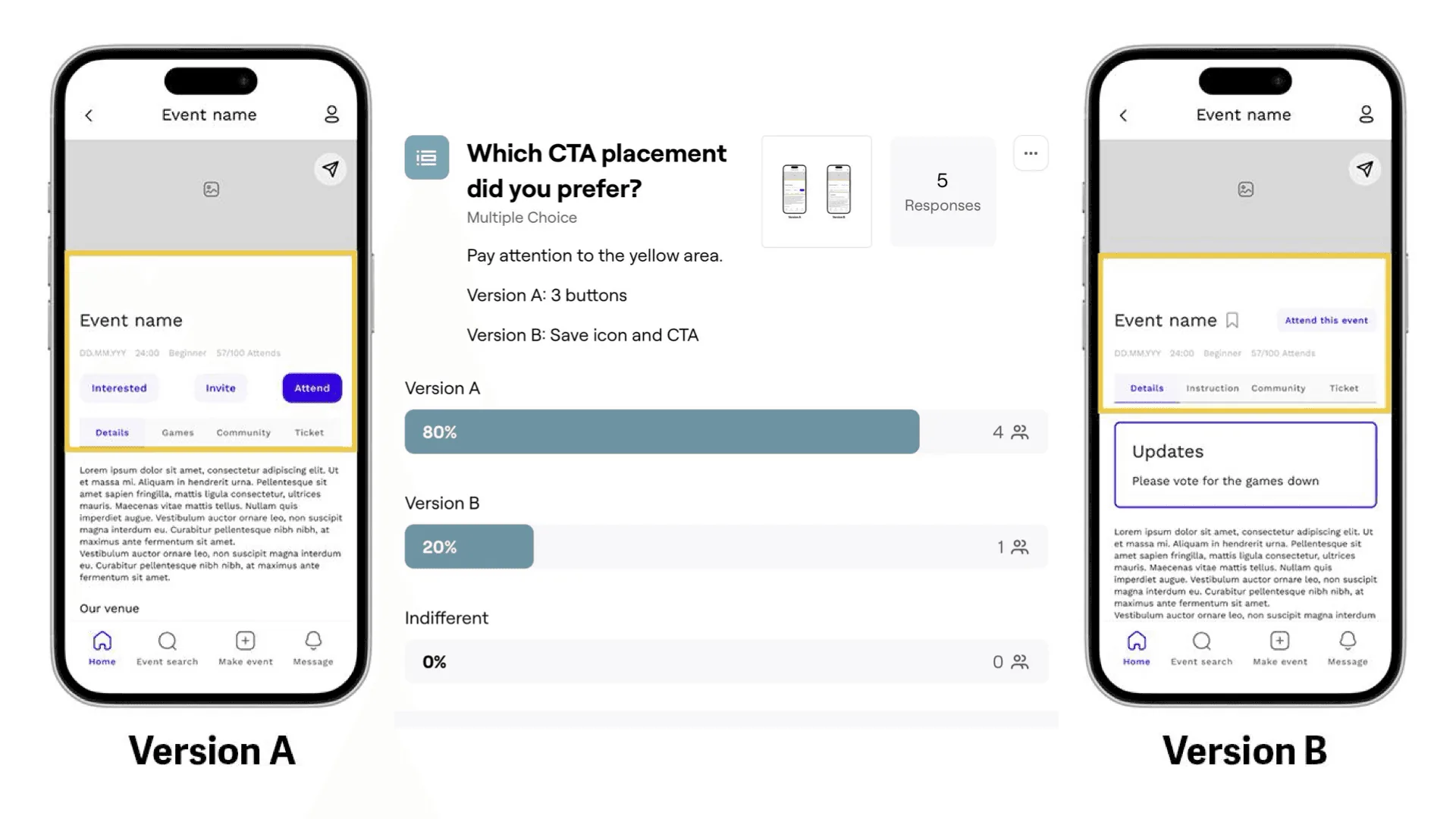
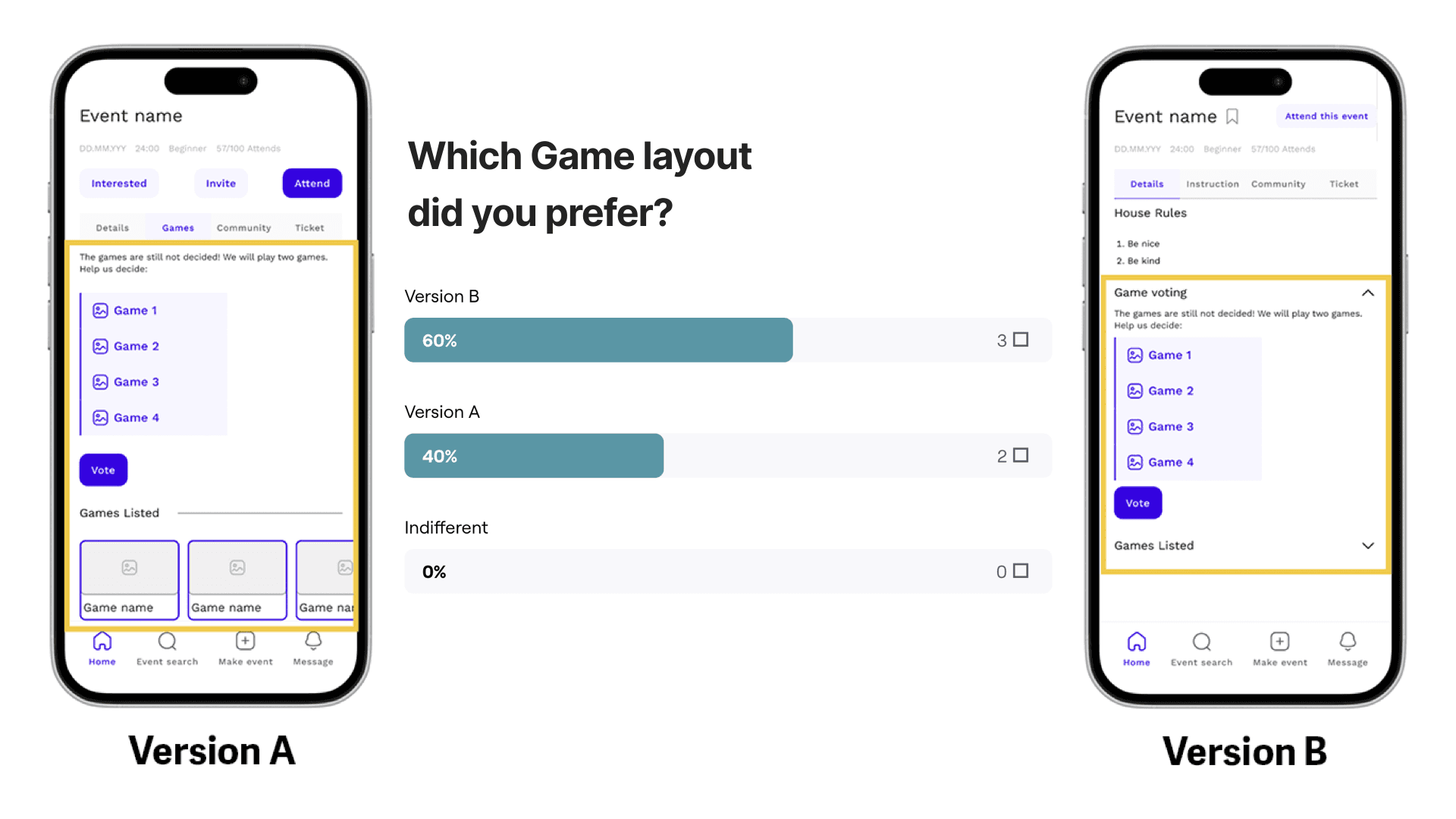
The test proved us wrong: we, our teacher and other students all preferred version B of the event page, but 4 of 5 testers chose version A, with three separate buttons.
Desk research
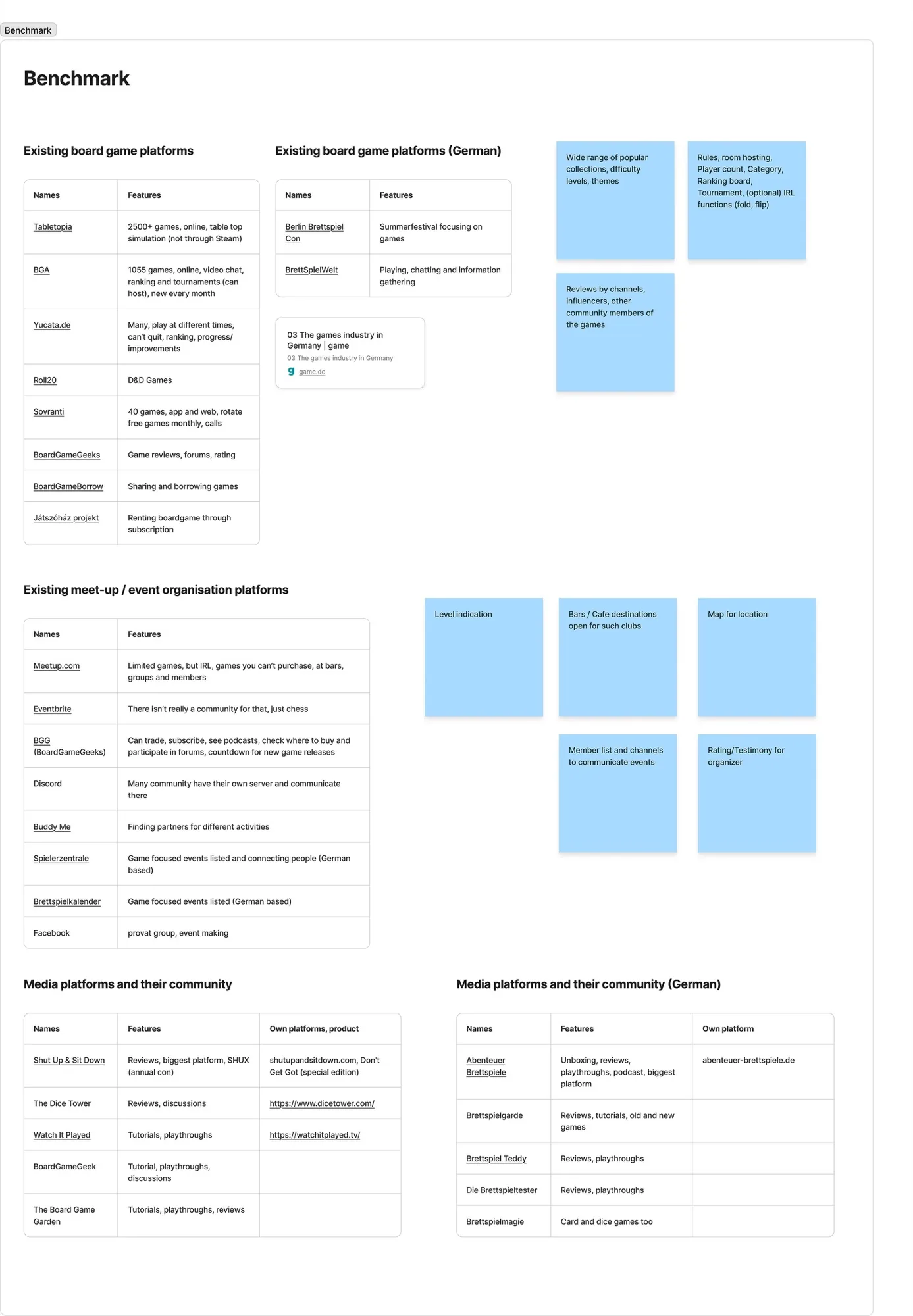
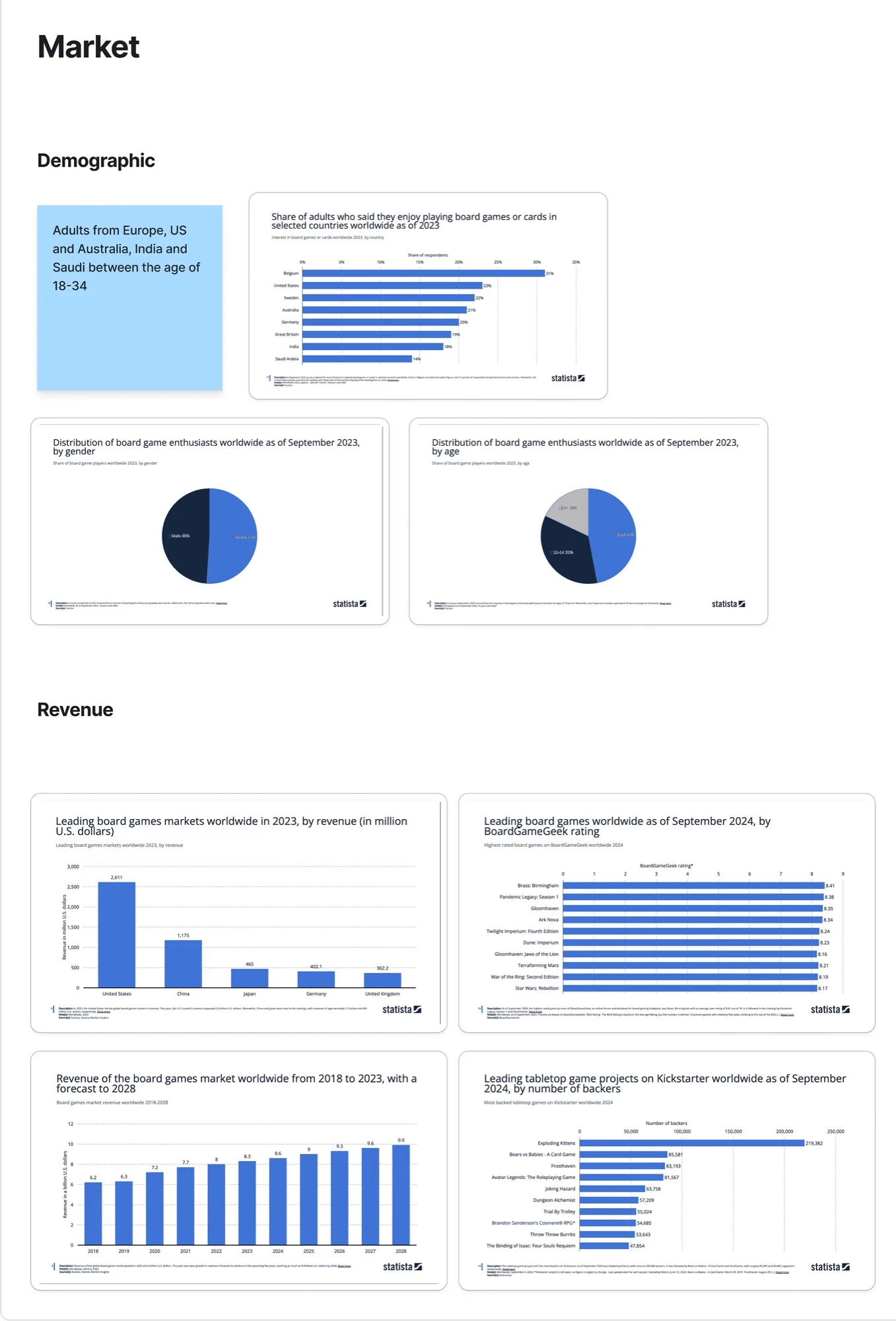
To start, we did desk research to see whether our platform has a big enough community, and which companies and solutions already exist with the same goal. We also examined demographic data and revenue statistics to better understand the board game market and its target audience.
We found many YouTube channels focusing on board games that have built a community, but no active, modern platform for events that users would want to use.
Survey
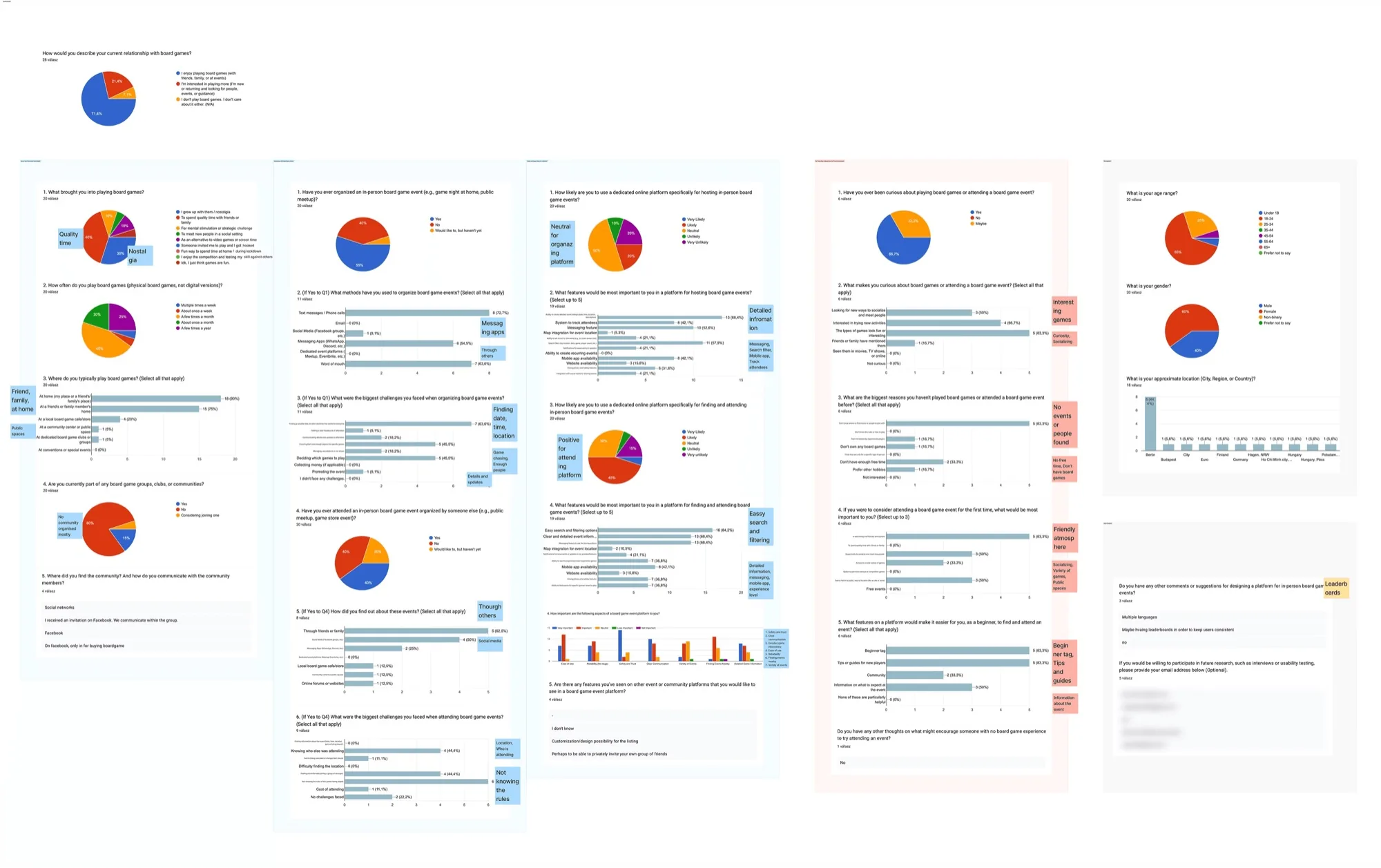
Next, we wanted to get to know our potential users' wants and needs through a survey, which 35 people answered. The collected data revealed valuable insights into their habits, motivations and common pain points.
- Active playersAbout them and their board game habits, their experiences with board game events, and their needs and expectations for a platform.
- Beginners or interestedWhat could make them get into this community, and what platform or features would help them do so.
Main takeaways
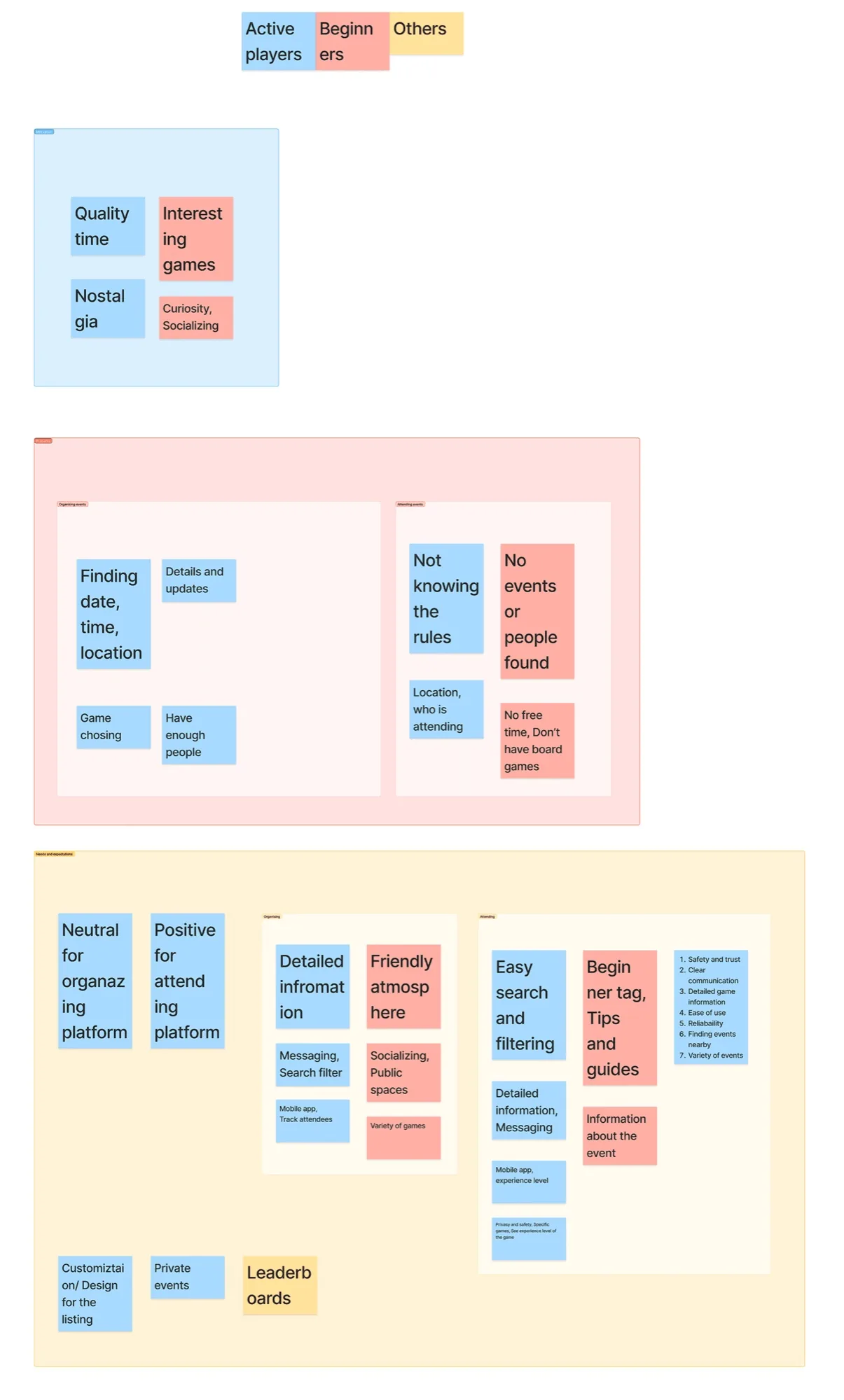
- DemographicAll ages (mostly 18–34), quite balanced gender.
- Primary motivationsQuality time, nostalgia, socialising.
- Main pain pointsFinding the date, time, location and details; finding events; choosing a game; not knowing the rules.
- NeedsA mobile app for attending events (not organising), detailed information and updates, messaging, filtering, the experience level of a game, and tips, guides and rules.
Empathy map
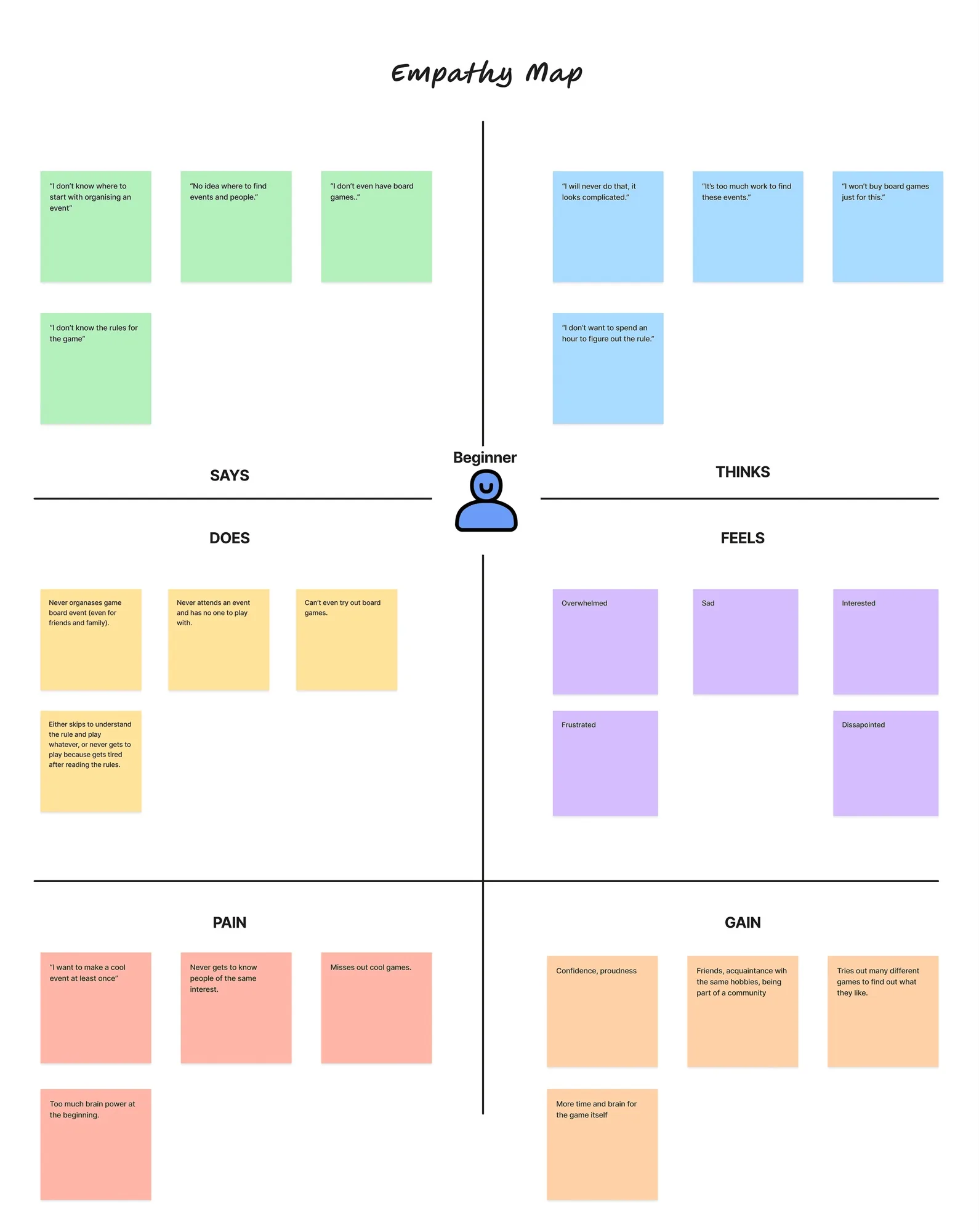
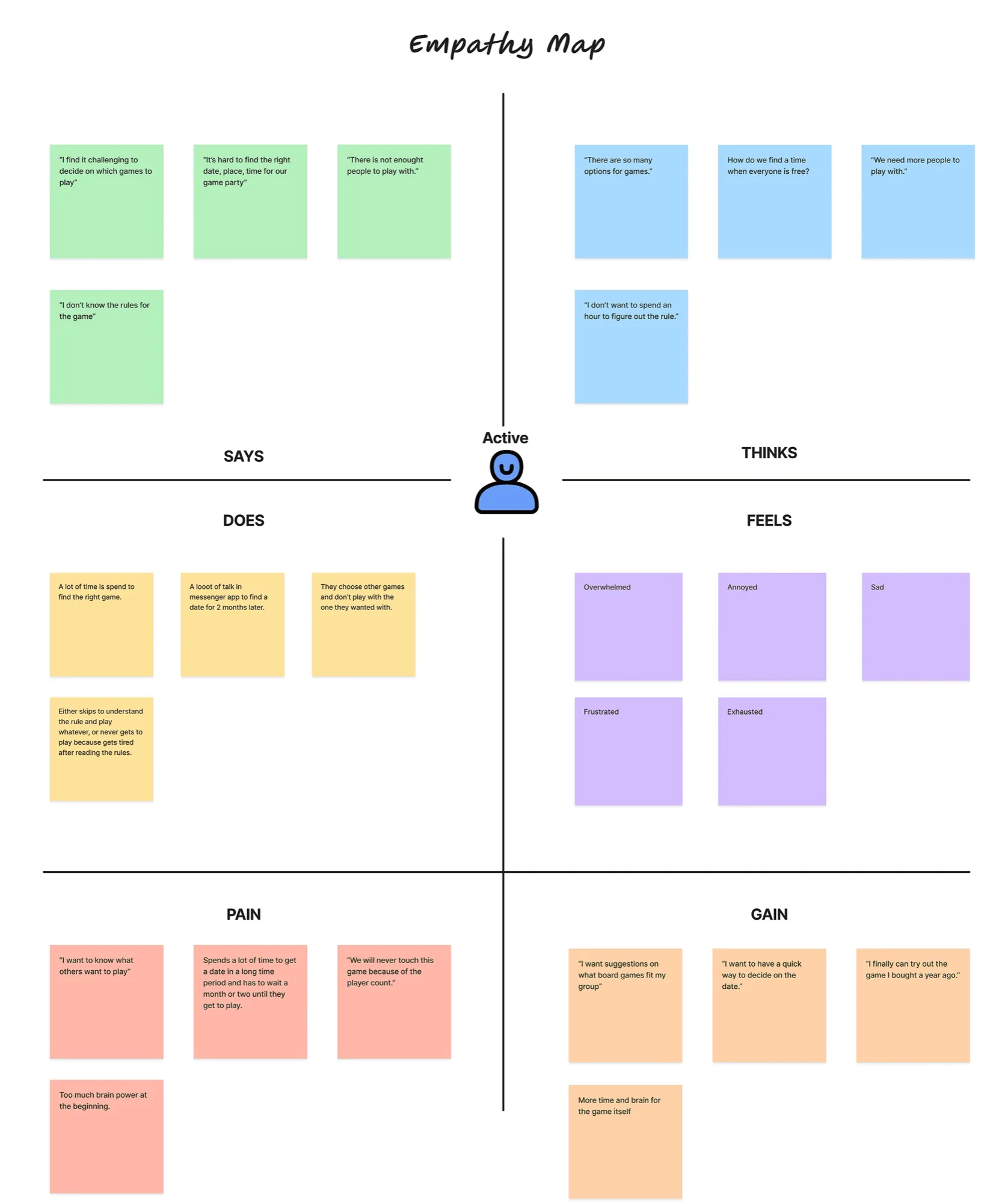
To gain deeper insight into the users' perspectives, we created empathy maps for both beginners and active board game enthusiasts. They visualise users' thoughts, feelings, actions and pain points, helping to identify their needs and challenges when playing board games and organising game events.
- User segmentationBeginners struggle with finding events, understanding rules and organising game nights. Active players find it hard to choose games and find reliable co-players.
- Emotional insightsBeginners feel overwhelmed and hesitant due to a lack of knowledge. Active players feel annoyed and exhausted by event coordination and decision fatigue.
- Pain pointsNo structured event information, difficulty making quick decisions about games and logistics, and finding like-minded players and managing group dynamics.
Personas
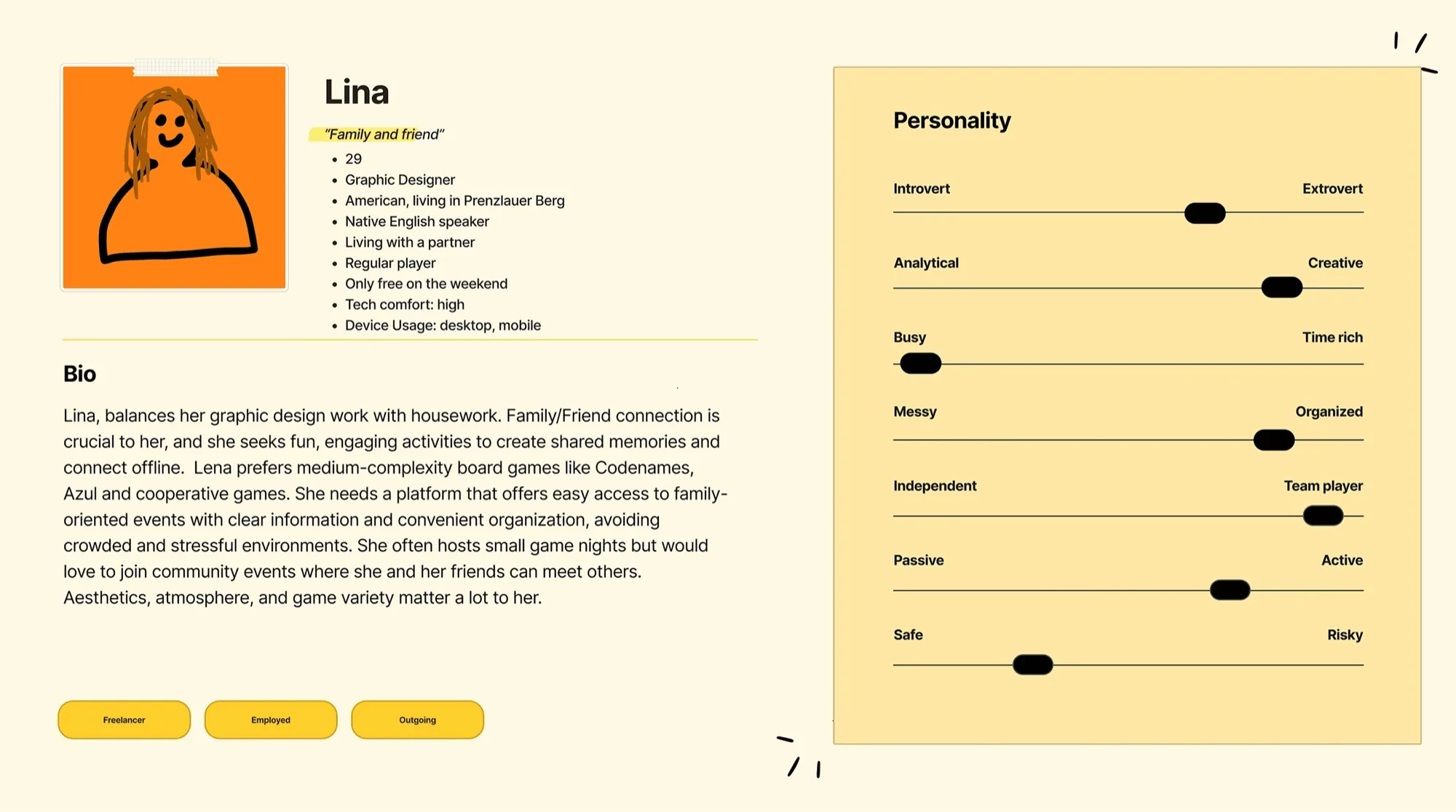
Based on the empathy maps and the survey, we built two main personas. They capture personality traits, interests, goals, pain points and motivations, guiding the platform's design and features.
- Lina, the active playerSpends quality time with friends and family playing games. Needs easy event organisation and inclusive game suggestions. Challenges: overcrowded environments, complex rules.
- Markus, the beginnerWants to play games for nostalgic and social reasons. Challenges: finding suitable games and calm settings.
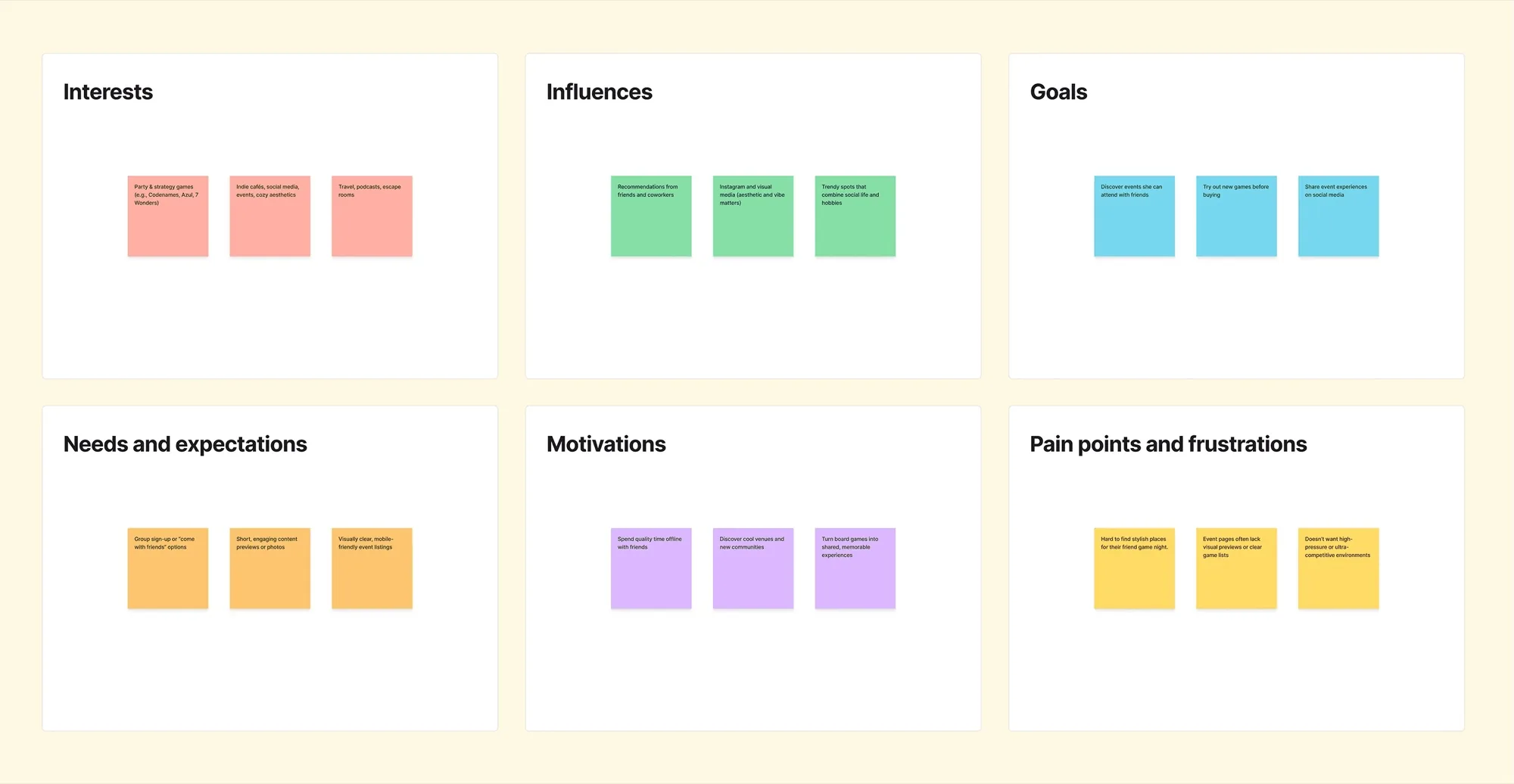
Lina
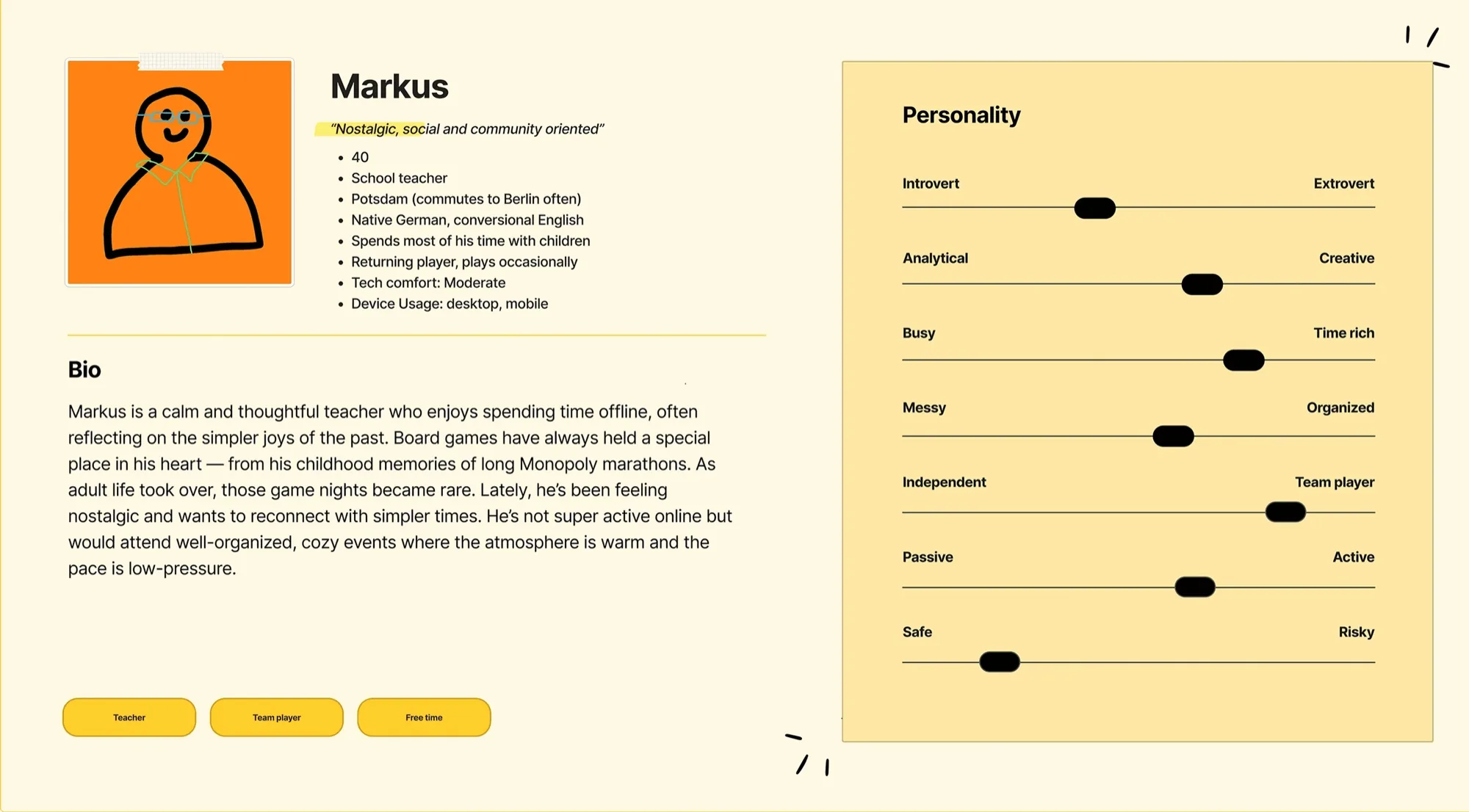
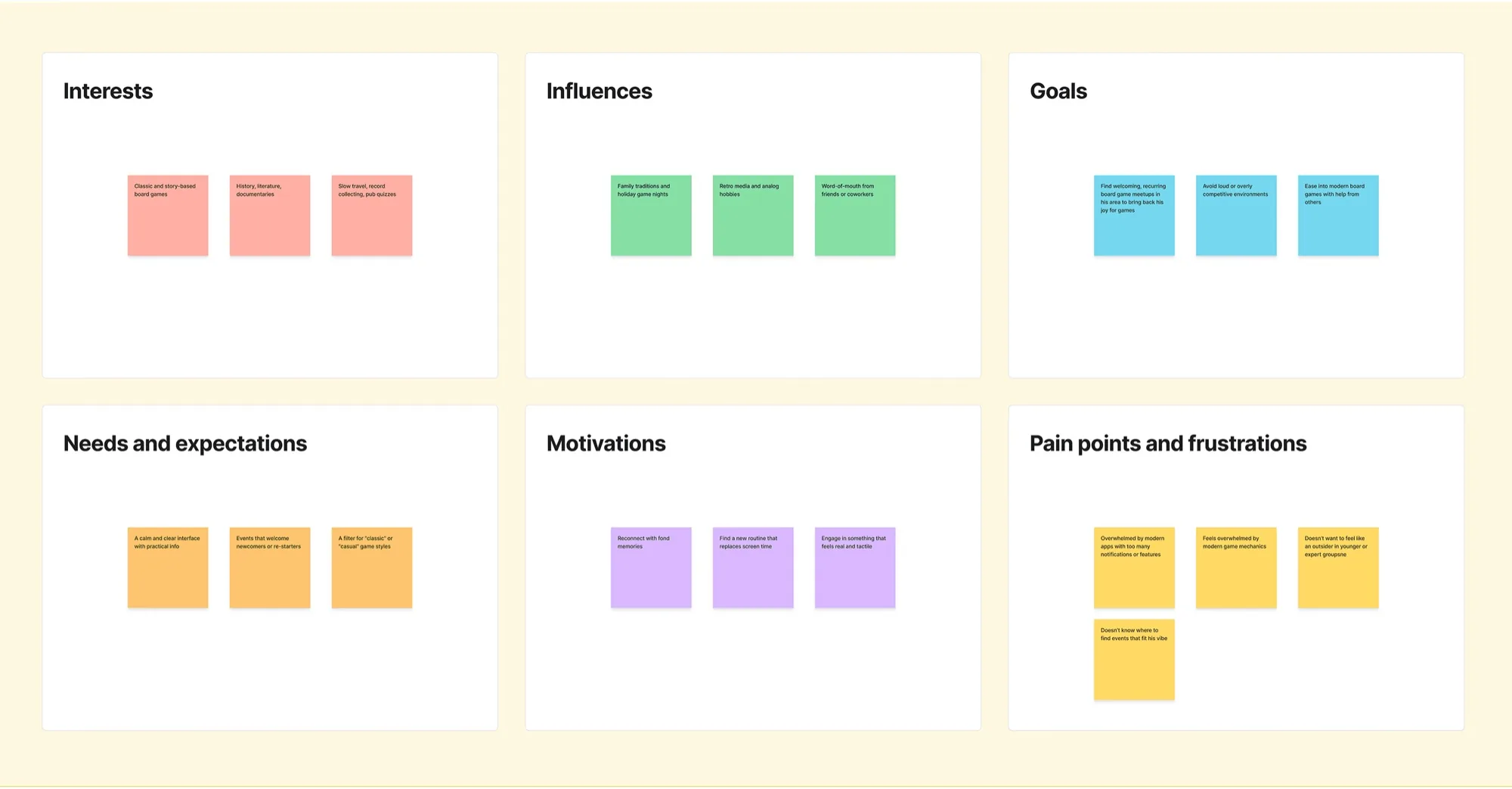
Markus
Journey map
The journey maps show the typical experience of the two personas as they interact with the platform, from awareness to loyalty, highlighting their goals, actions, feelings and possible improvements. These brought us closer to making the app itself.
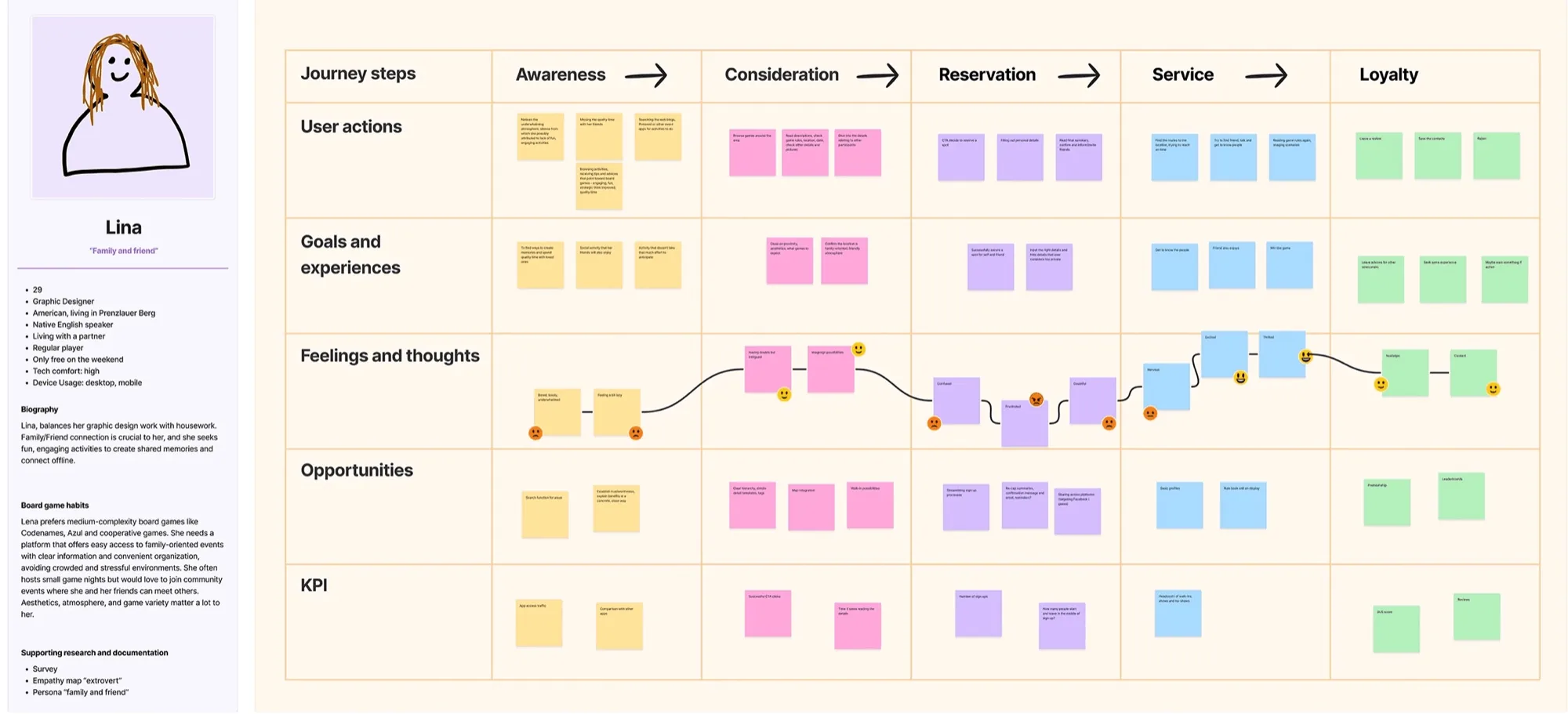
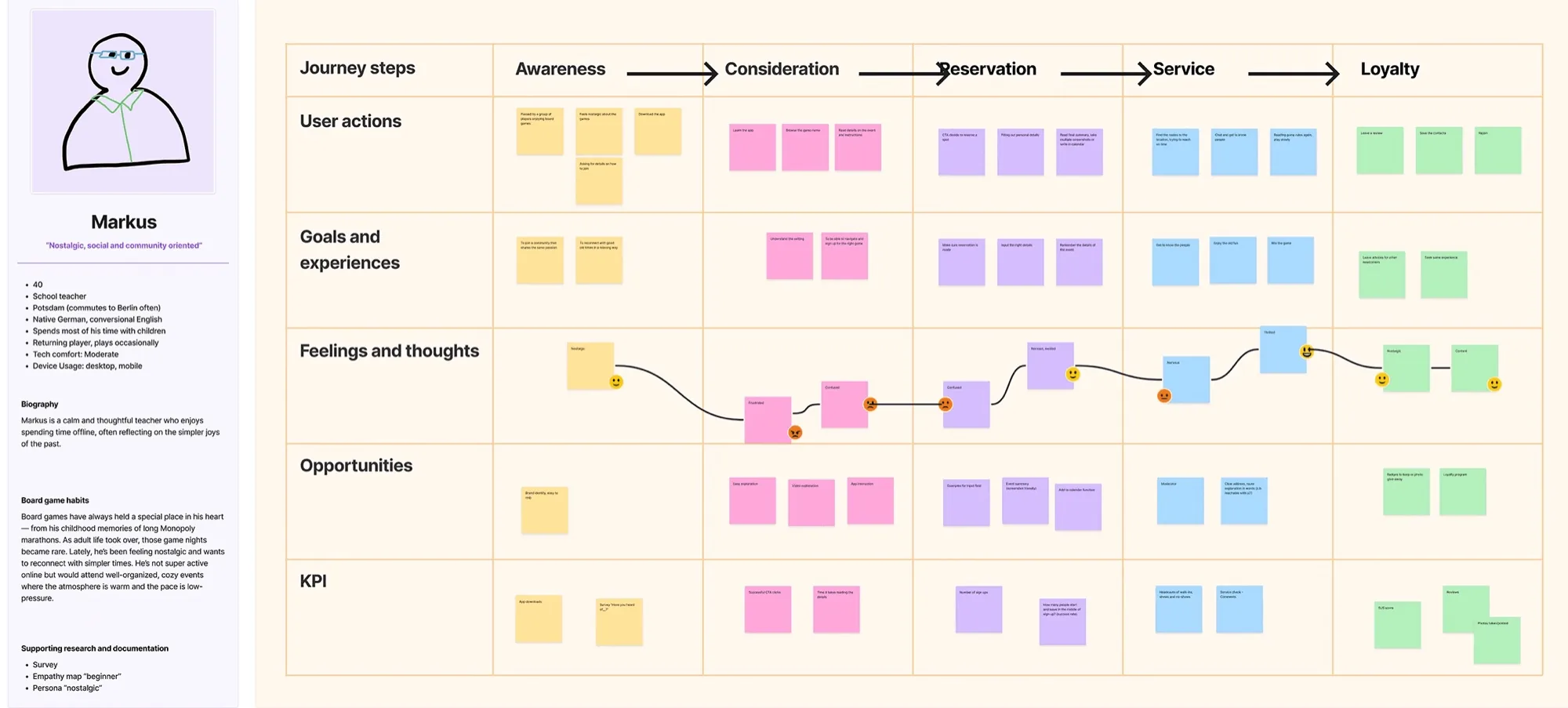
Journey maps for Lina and Markus
- Journey insightsBoth users move from awareness to loyalty through different paths, influenced by their social connections and how they like to organise events. Key opportunities: simpler event setup and game suggestions.
- KPIsEngagement with game suggestions, attendance at organised events, and how often people interact in the community.
Structure of the app
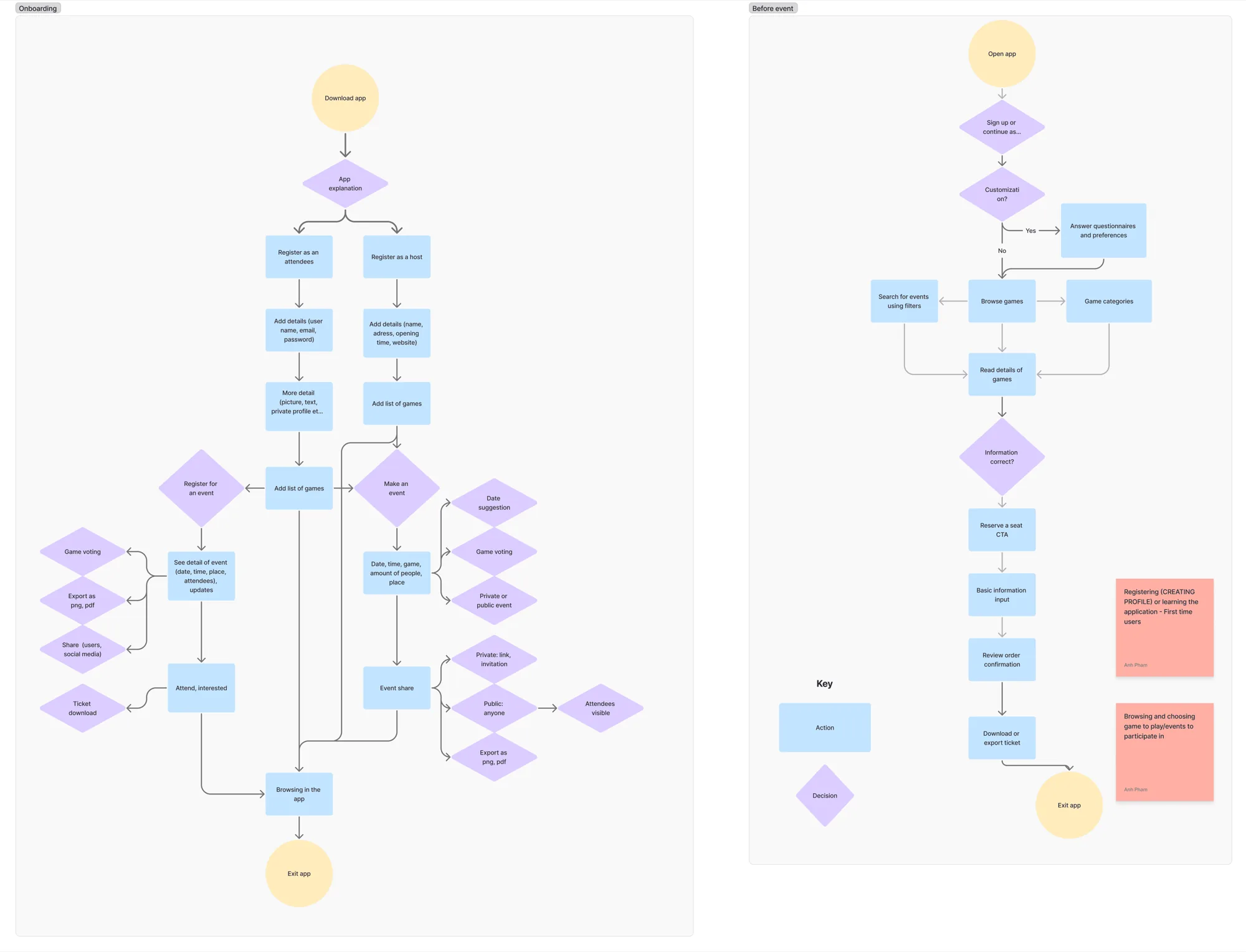
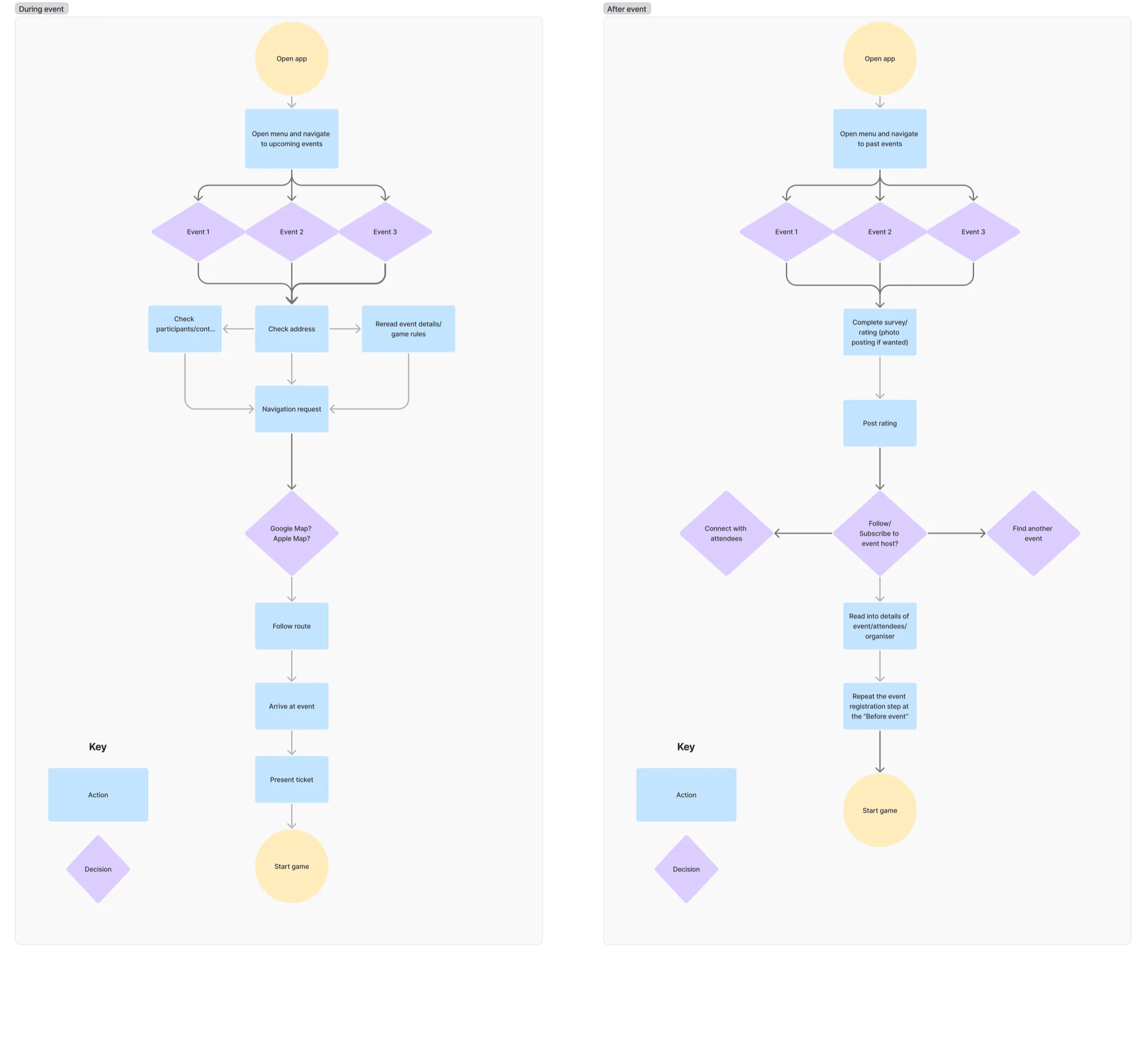
Before the visual design, we built a solid foundation through information architecture. We mapped out user flows and structure diagrams to make sure the hierarchy of information was logical. Defining the skeleton of the app early let us streamline the journey, so even complex tasks felt effortless.
We divided the app into four main flows:
- OnboardingGetting started with the app.
- Before the eventBrowse, create an event, register for an event.
- During the eventCheck information, see tickets and game rules.
- After the eventSimilar event suggestions, rating, start over.
Low-fidelity prototype
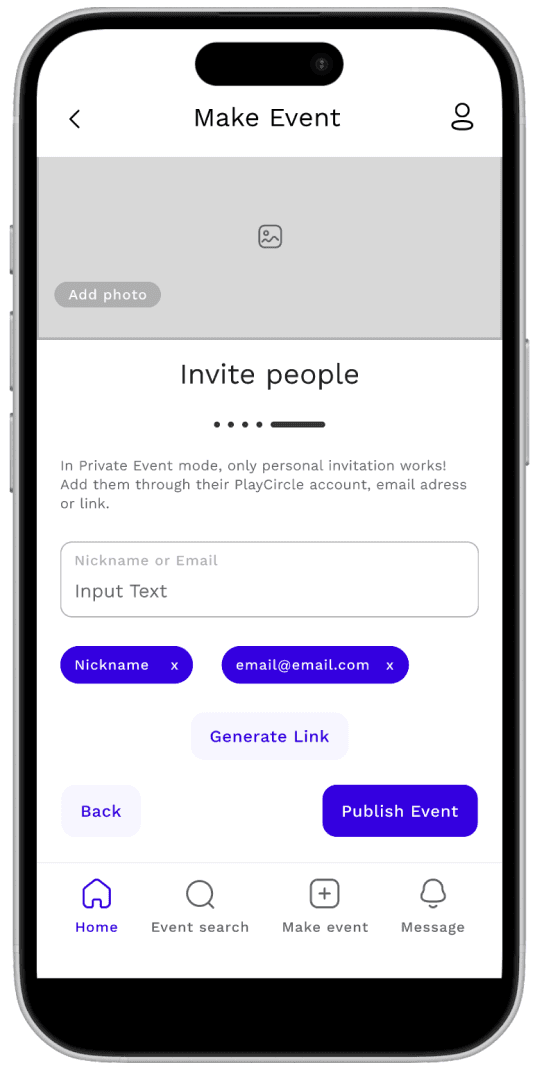
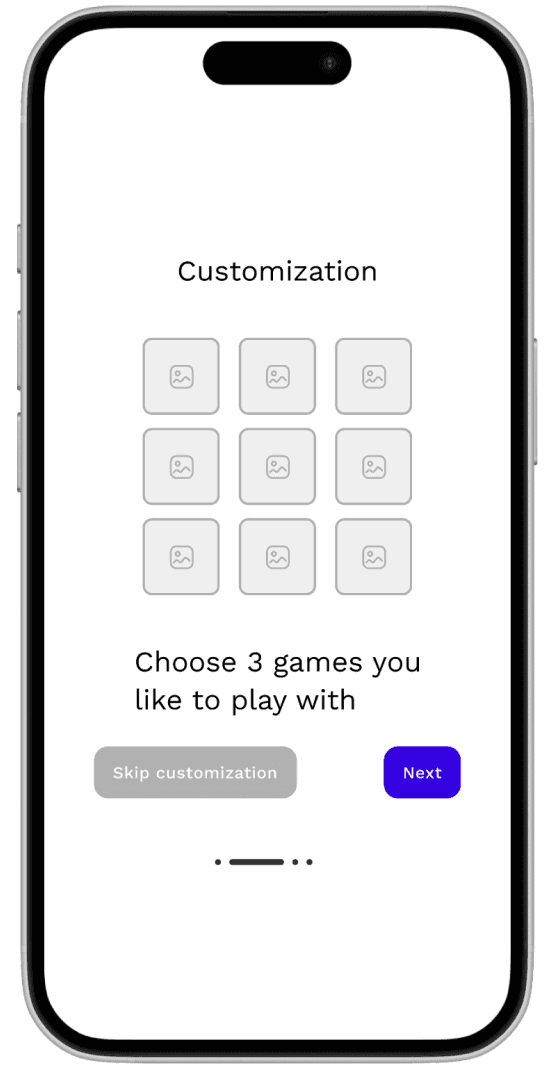
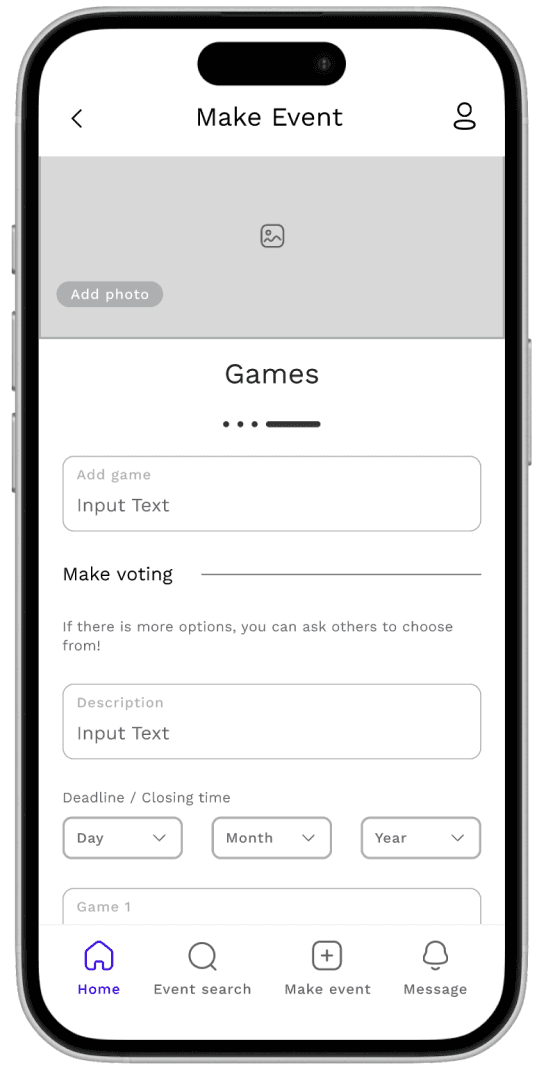
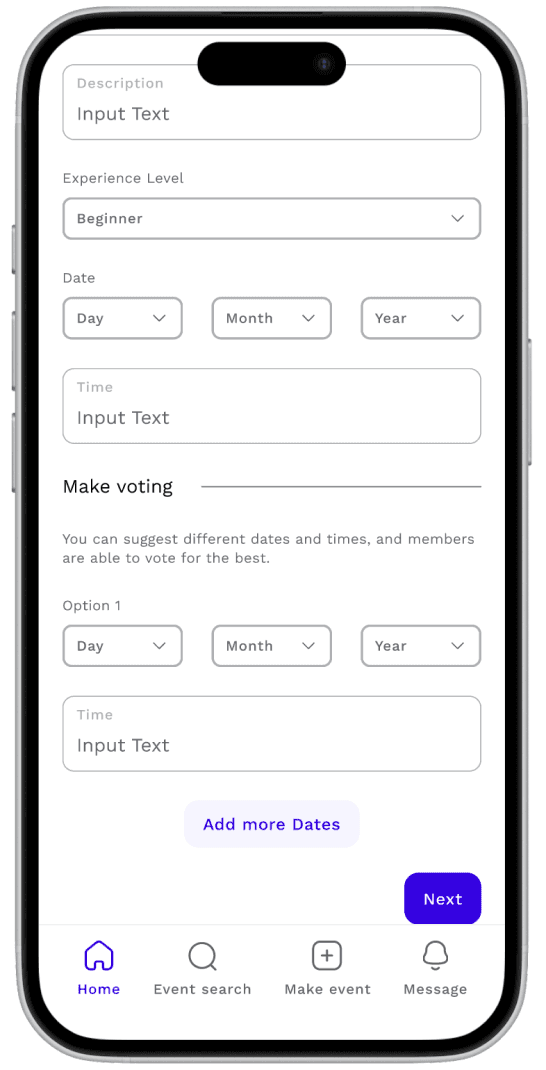
The design began with low-fidelity wireframes of the core functions. These focused on the essential tools for event hosts and the flow for attendees, making sure navigation was intuitive before adding visual complexity. Prioritising layout and function helped us define how users create events, search for games and manage their profiles.
Preference testing
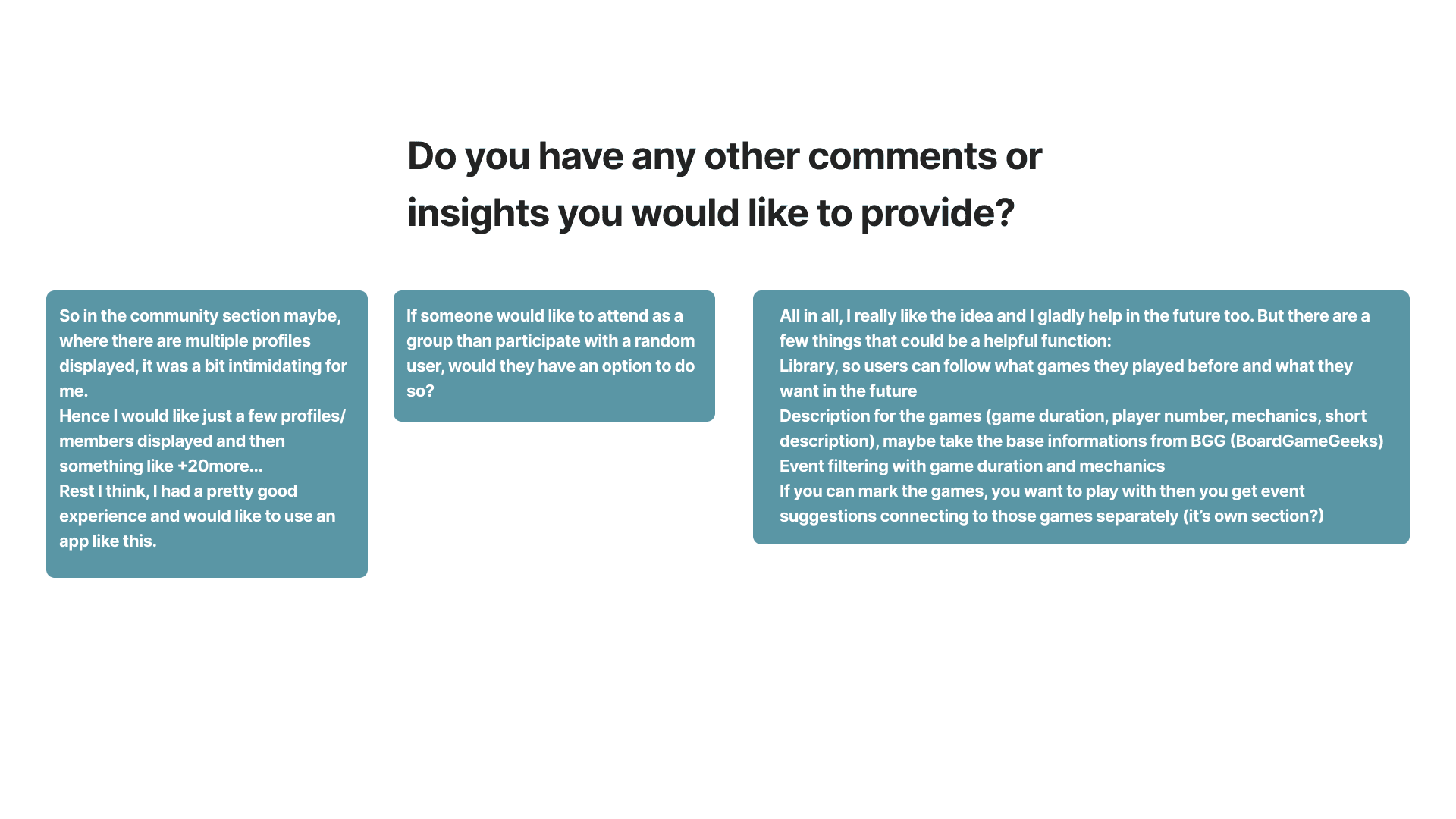
To check our first design decisions, we ran preference tests in Maze: testers saw two versions of a wireframe and chose the one they preferred. With 5 responses per question, it shows preferences rather than usability, but it was enough to challenge our own assumptions.
High-fidelity prototype
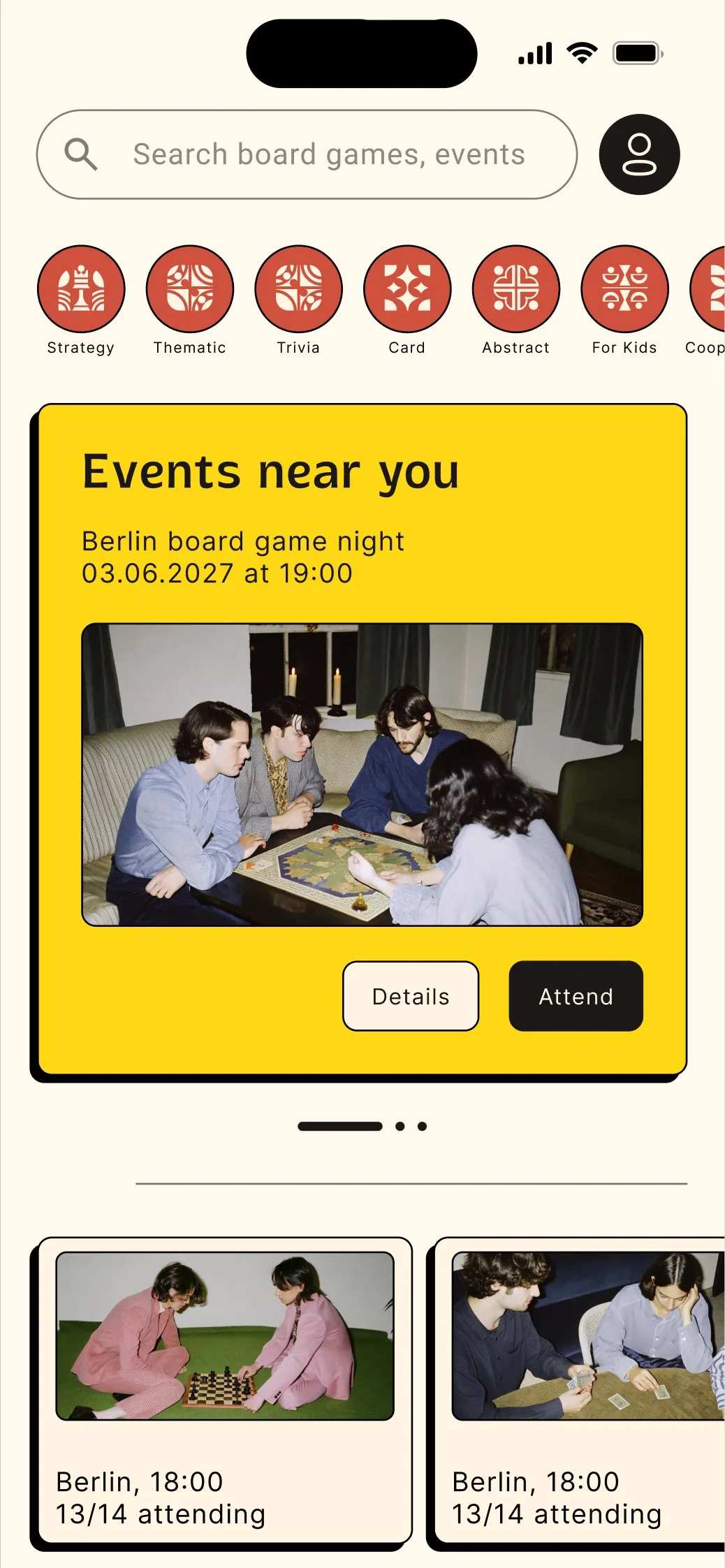
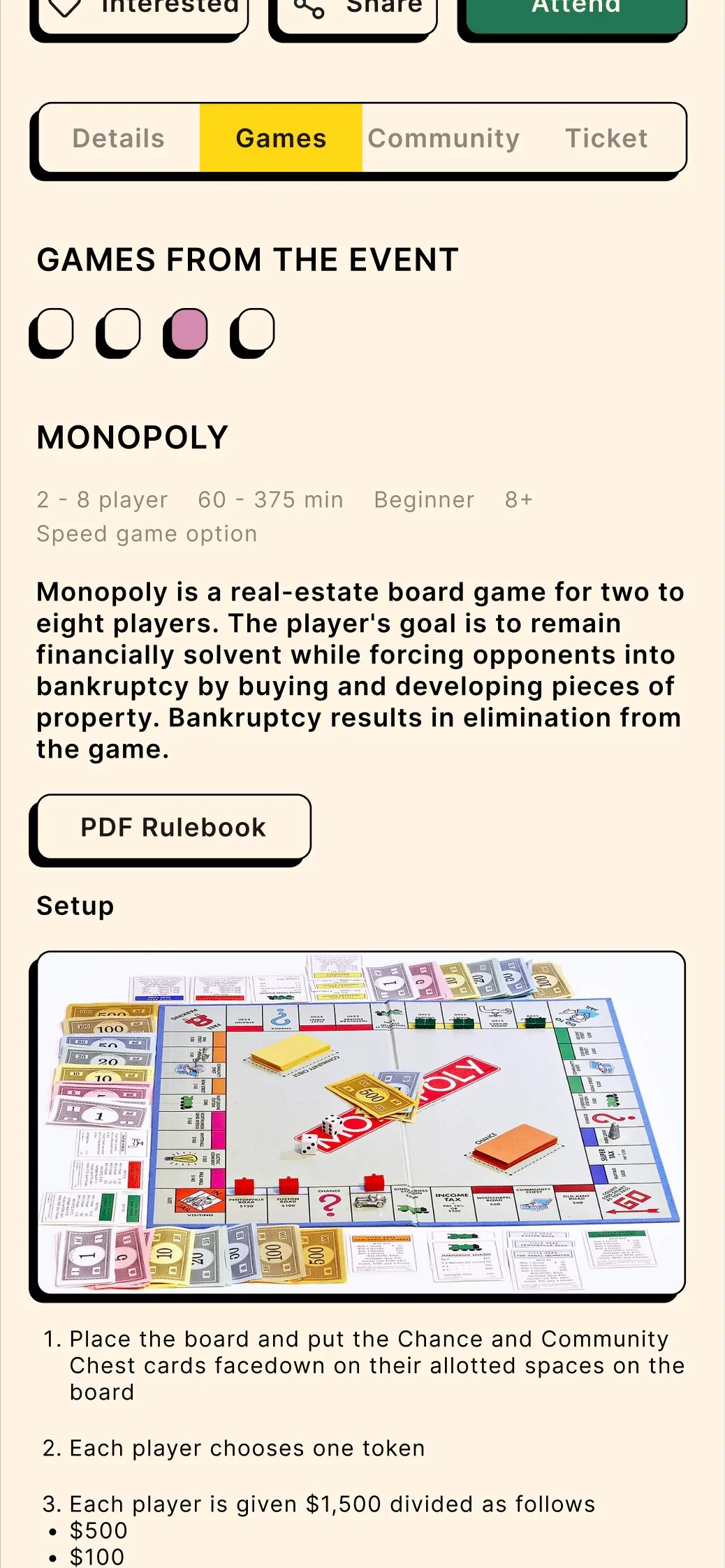
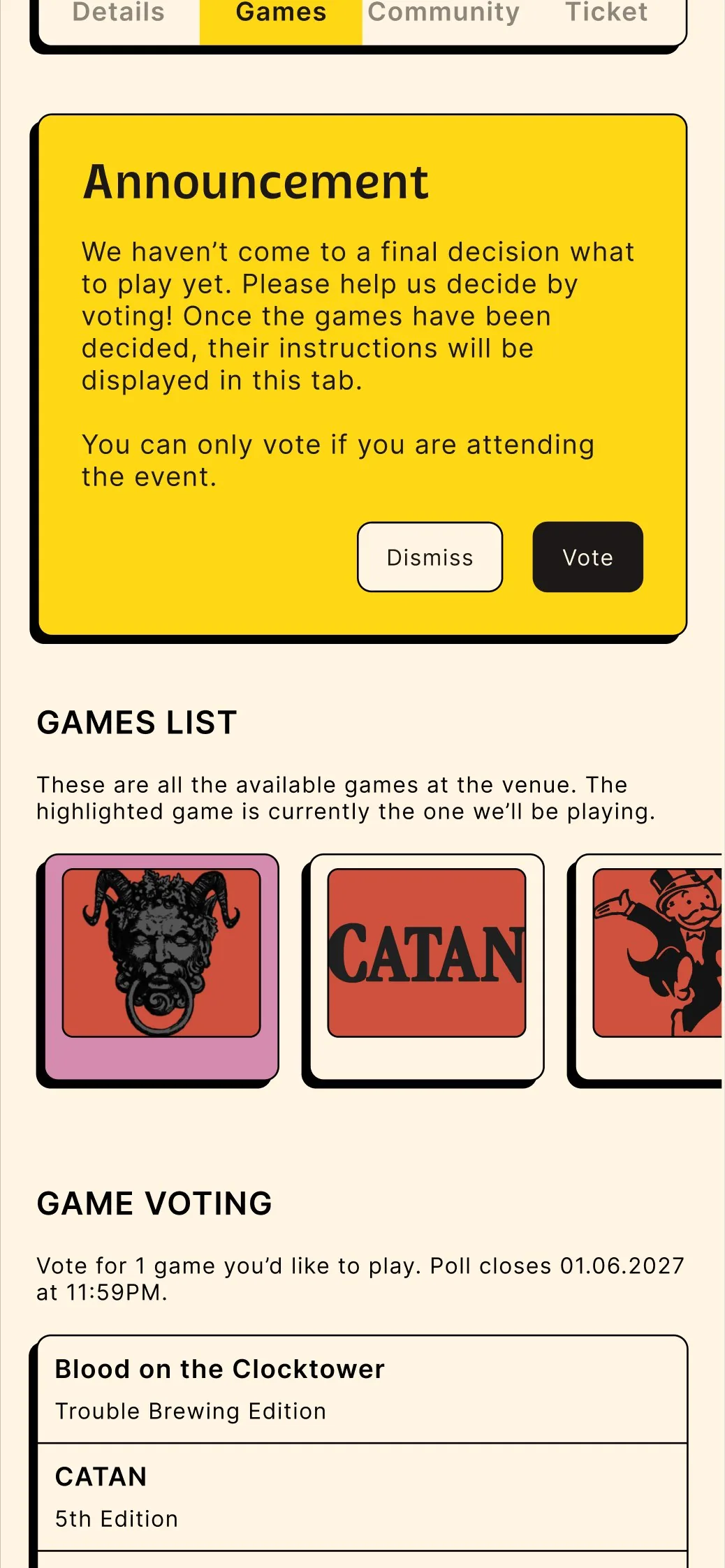
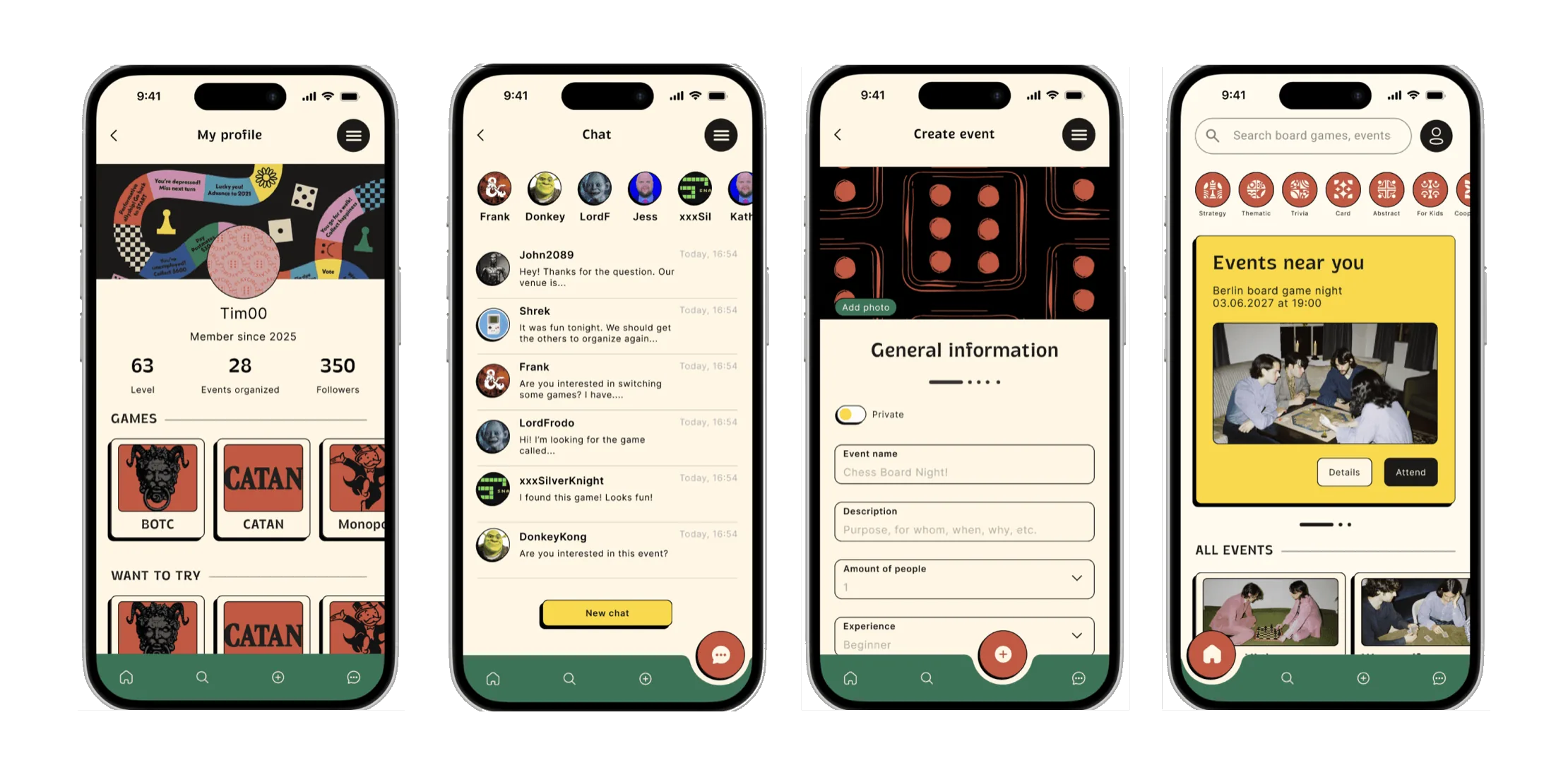
In the final phase, the tested wireframes became a high-fidelity prototype with polished visual design and interactive home, event creation, real-time chat and profile screens, a full representation of PlayCircle for the board gaming community.
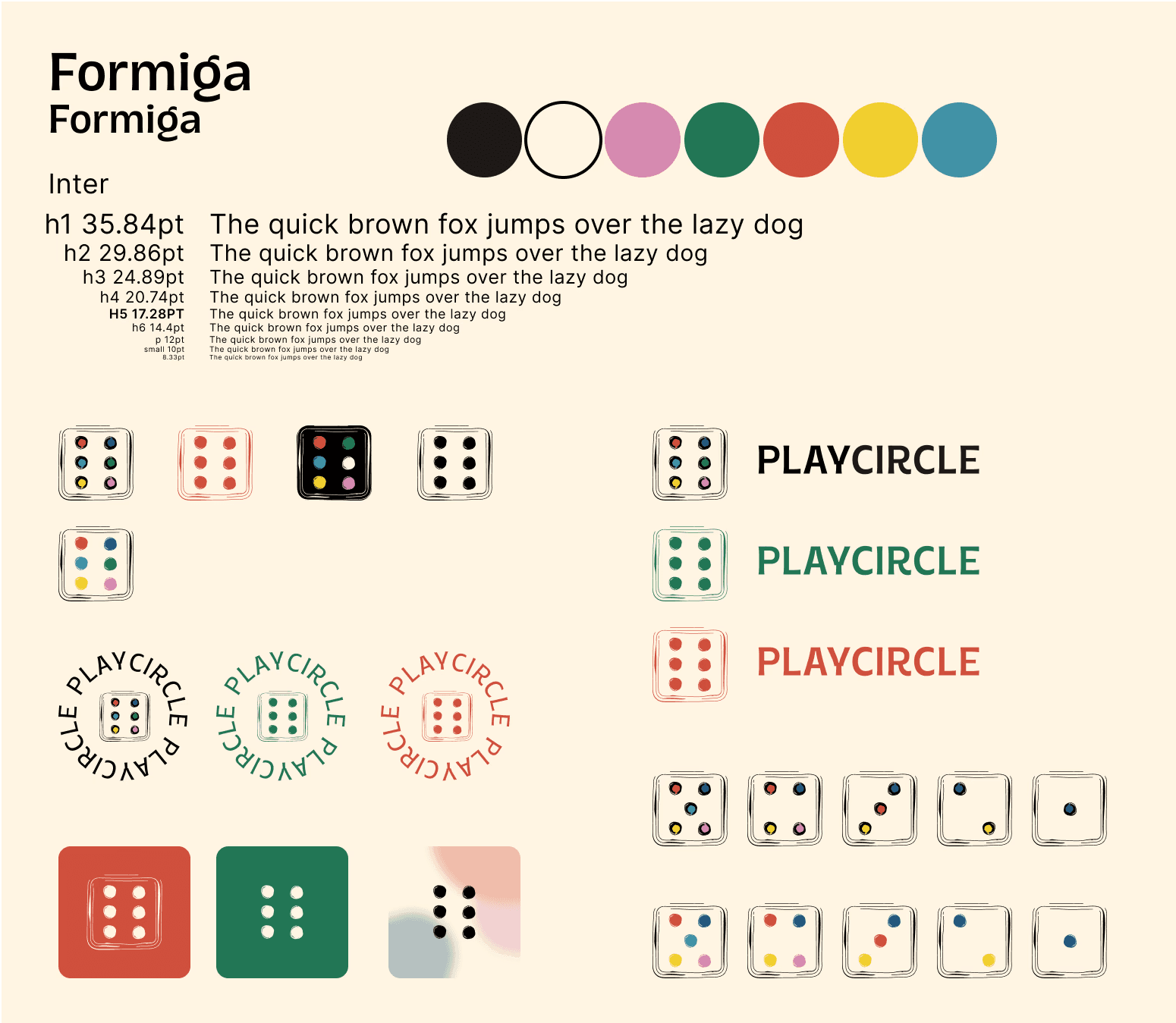
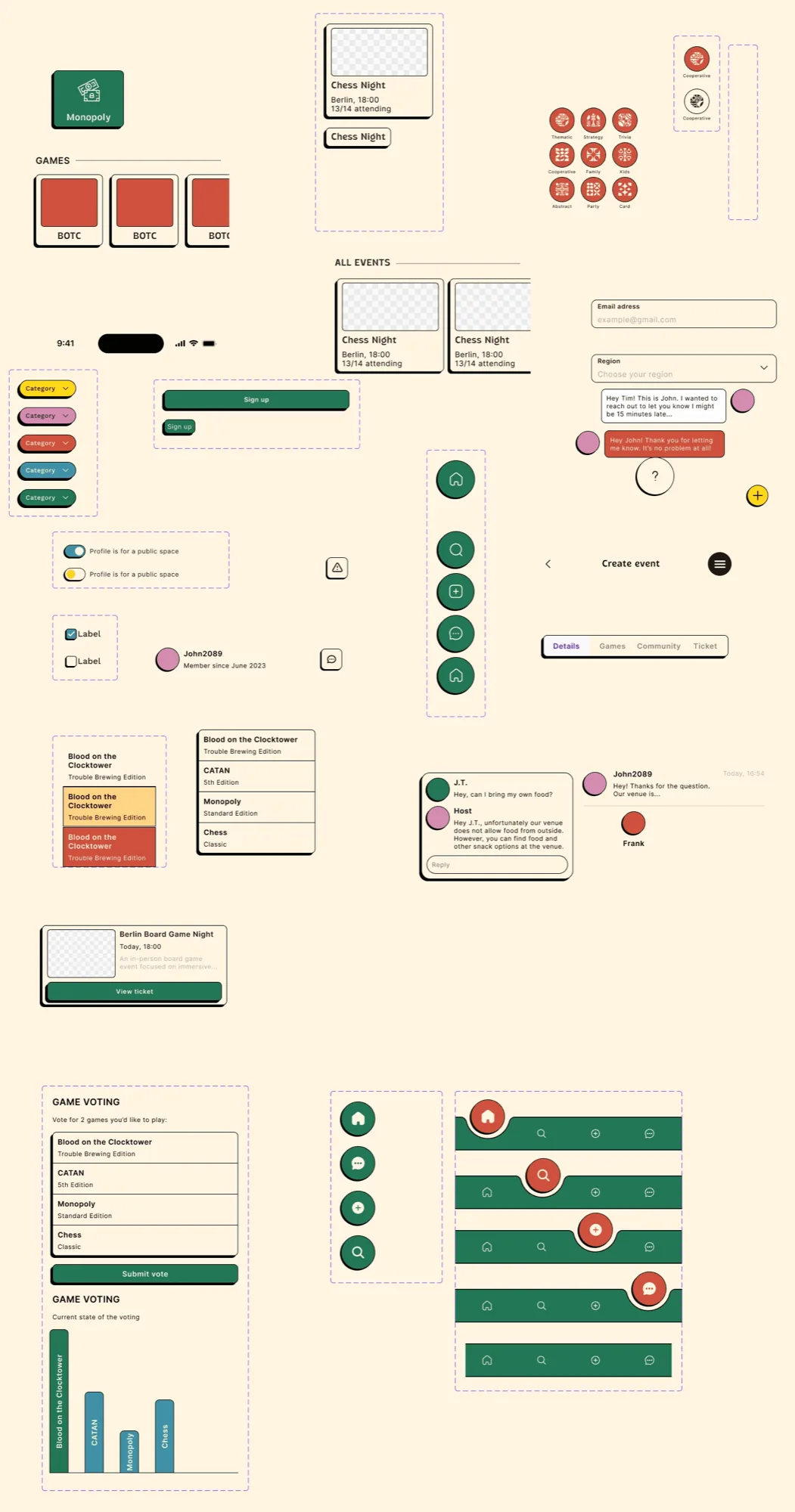
We set the branding and built the components before designing the screens.
Conclusion
PlayCircle was born from a simple idea: bridging the gap between our digital lives and the physical joy of sitting around a table with a board game. By focusing on real-world hurdles, like organising a group or finding a specific game, we created a space that's all about genuine human connection.
One of the most eye-opening parts of the journey was the A/B testing. It was a great reminder of how important it is to truly listen to the community. We were surprised to see where our own assumptions missed the mark, and it taught us that the best designs come from setting aside your own ideas and putting the user first.
On a personal note, this project is very close to my heart. As a huge fan of board games, I know exactly how hard it can be to find the right people and a welcoming community to play with.