ChefMate: Cook Smarter, Not Harder
Messy cooking, clean phone: a cooking assistant with step-by-step guidance and voice control, and a look at how it could work in AR.
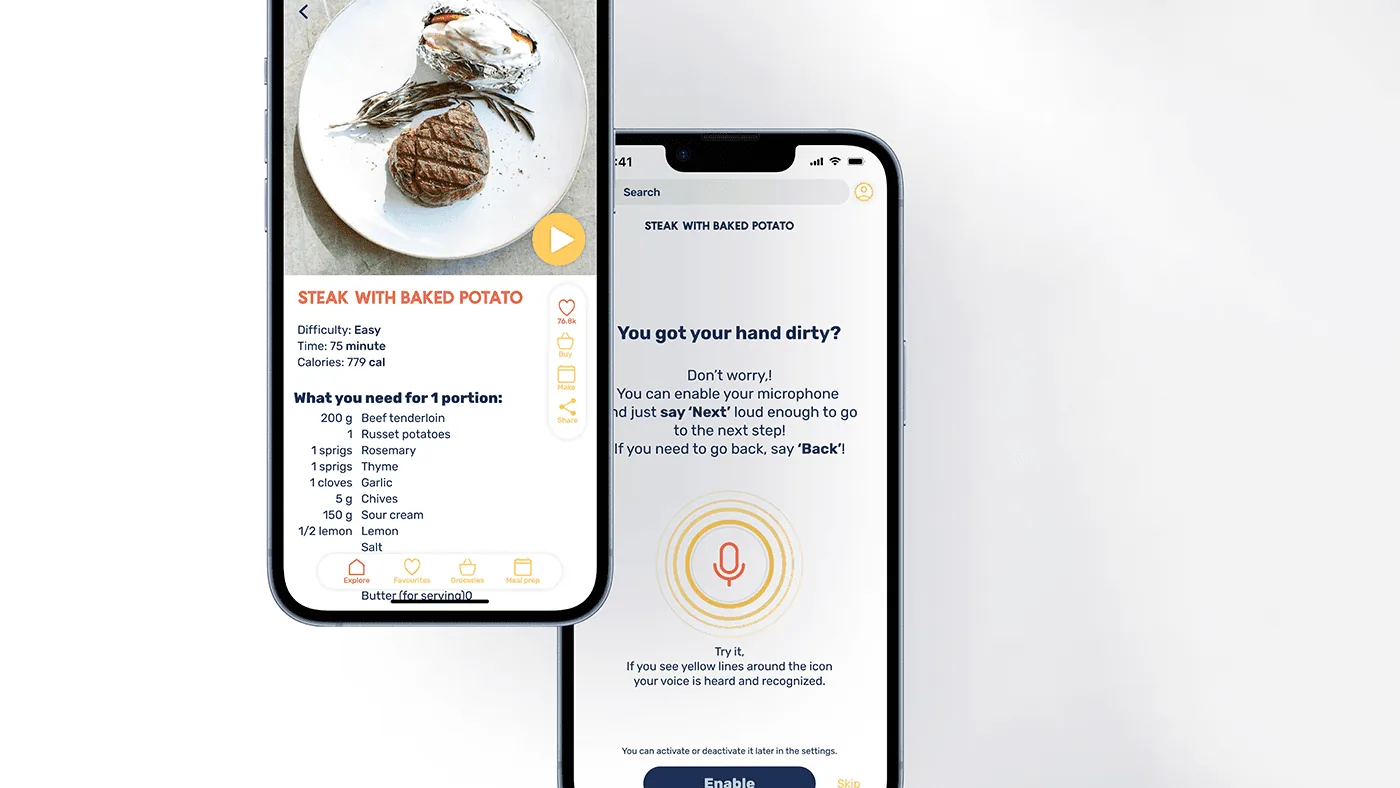
Problem
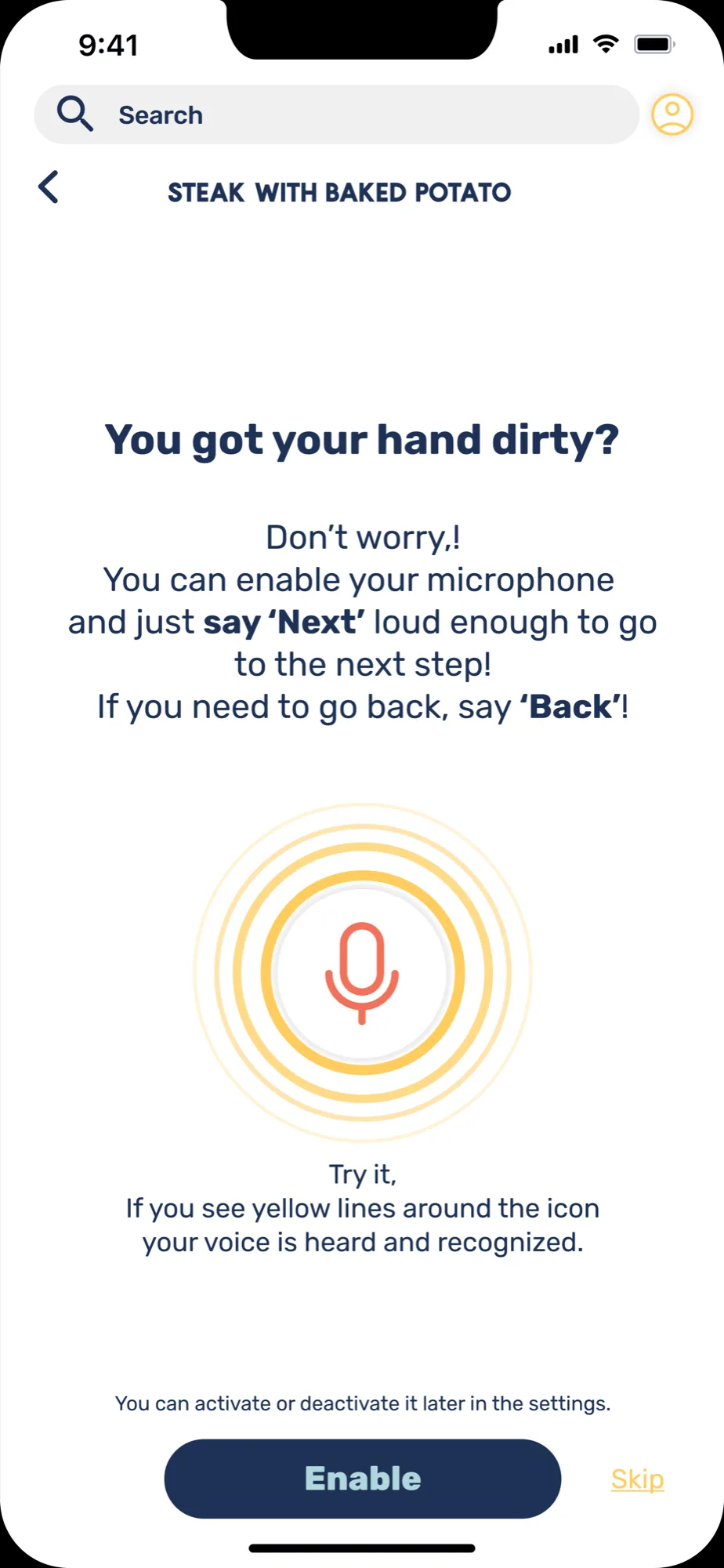
Following a recipe on a phone with messy hands means a dirty screen, and long recipe texts are hard to follow while cooking.
What I did
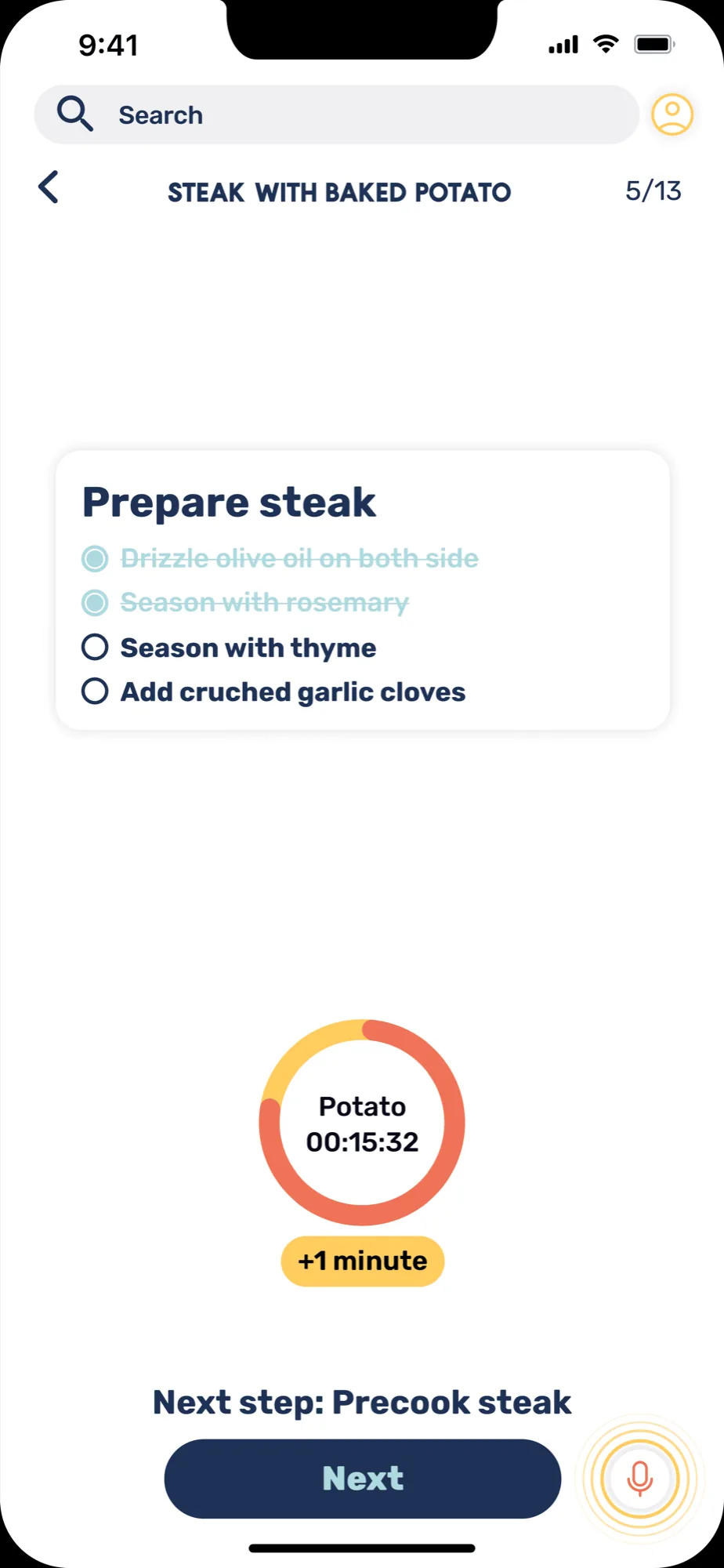
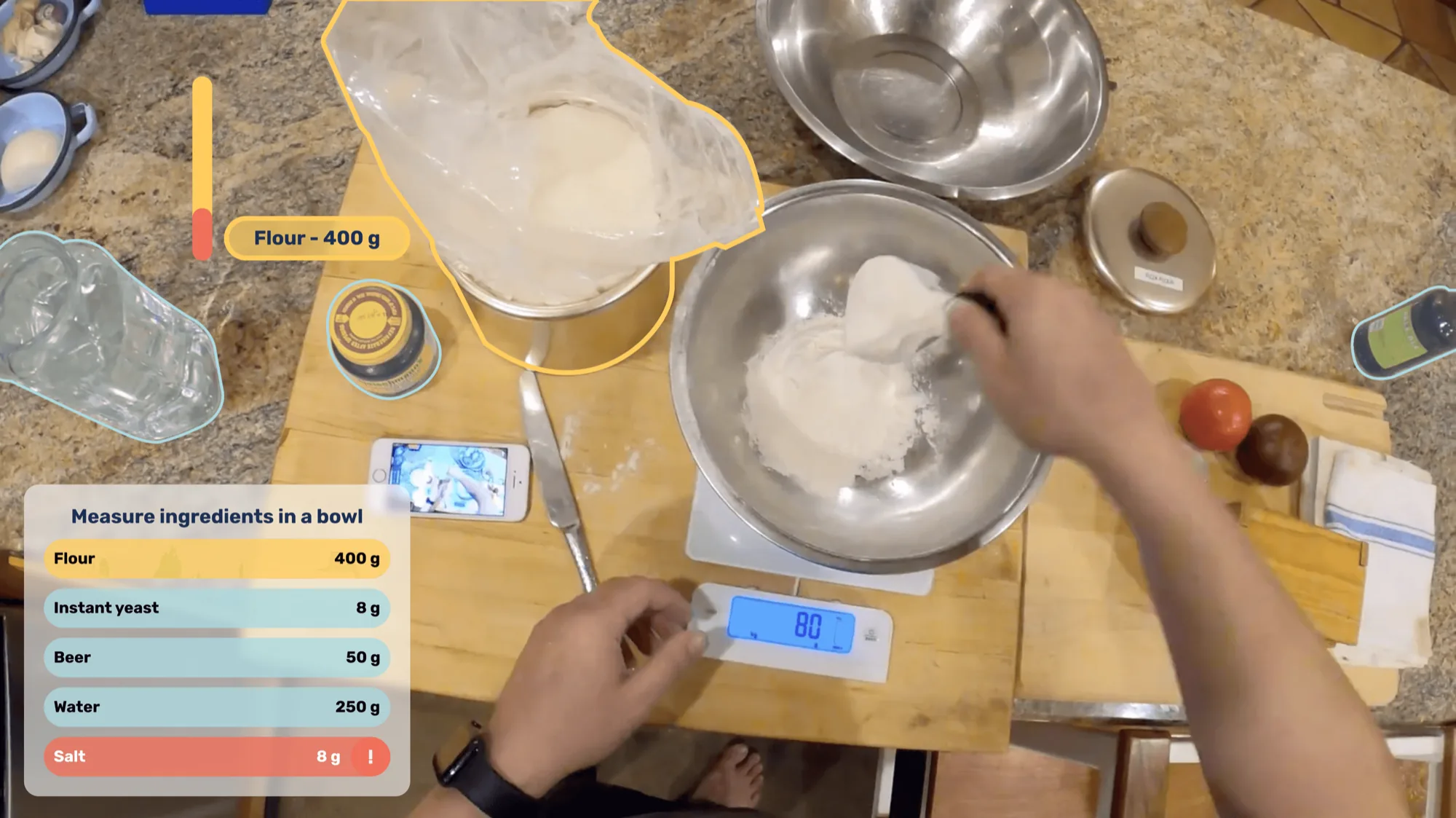
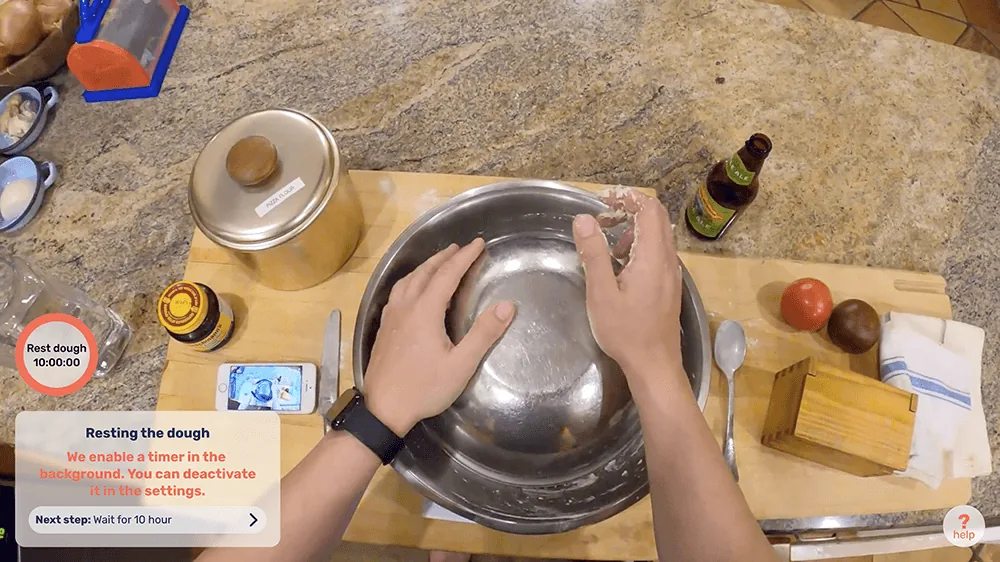
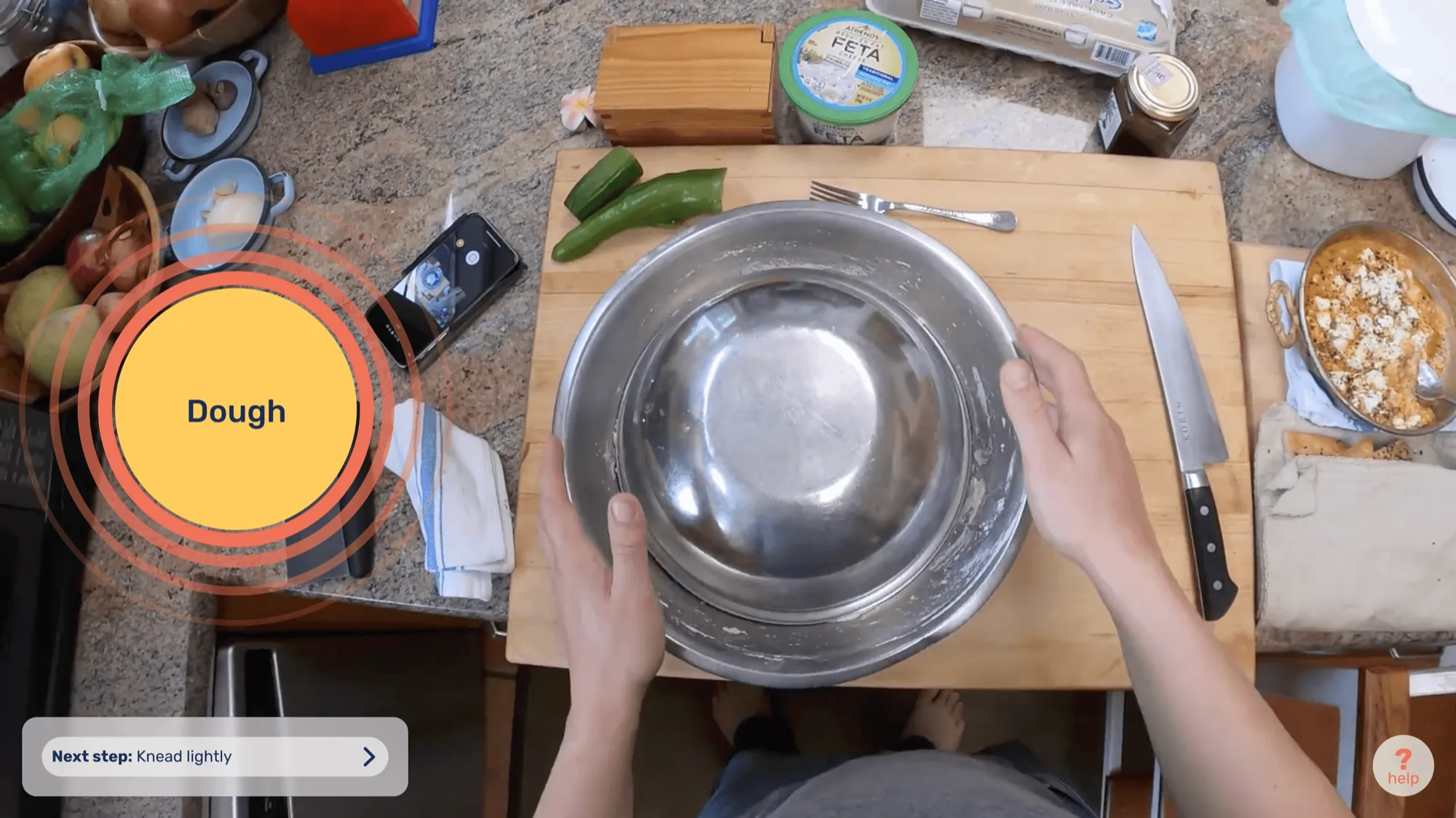
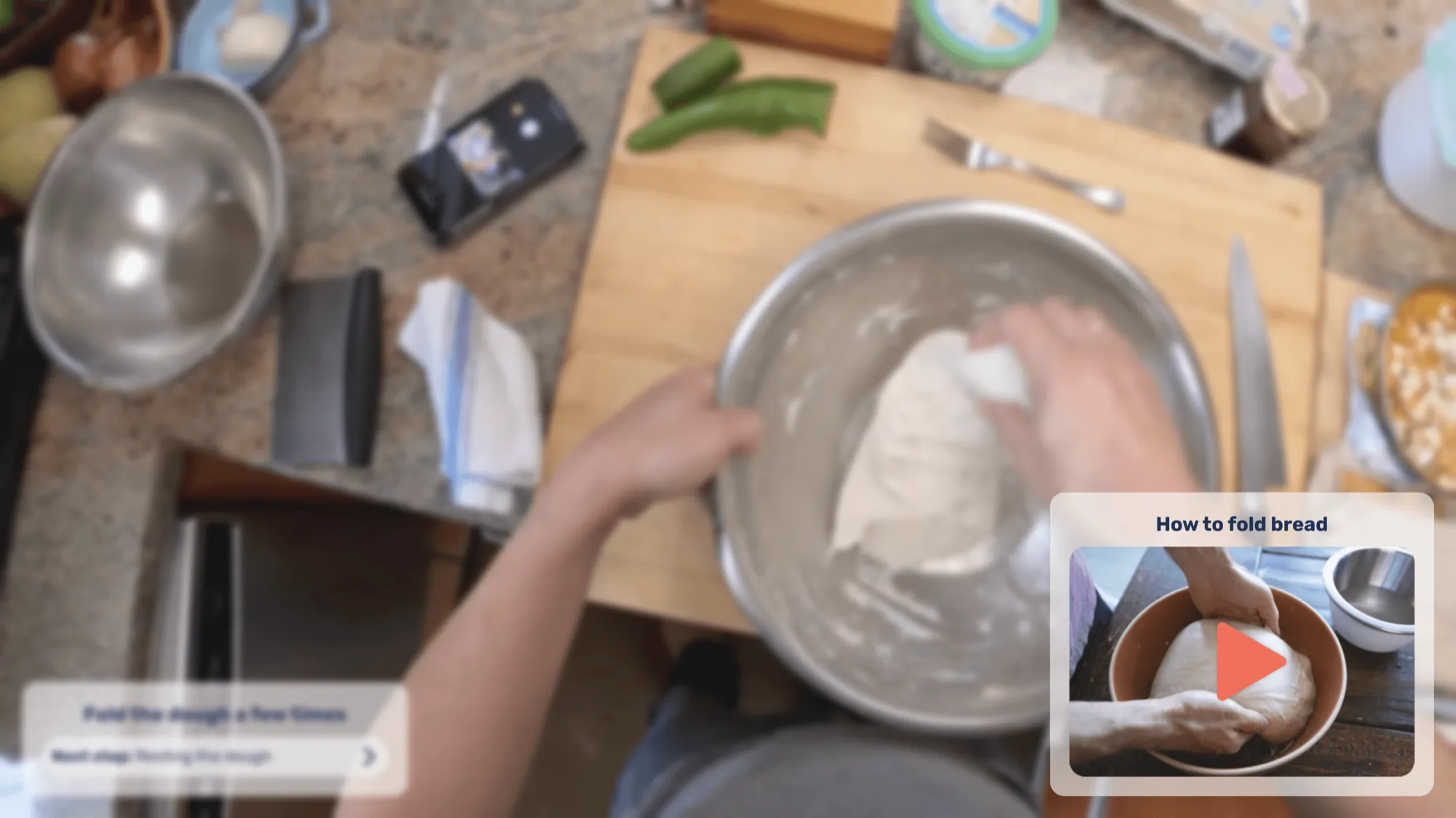
I reviewed three cooking apps, then designed an app with short steps, built-in timers and voice control, plus AR concept screens that show the same guidance next to the bowl, hands-free.
Outcome
Status: a clickable Figma prototype and AR concept images from my first year. It wasn't tested with users; the next step would be watching people cook with it.
Competitor analysis
With the cooking app in mind, I looked at other apps with the same profile to see what has been done, what works and what needs improvement.
-
 SuperCook
Strengths
- Ingredient-based search
- Shopping list
Weaknesses
- Sends you to other platforms for the recipe
- Long recipe texts
-
 Kitchen Stories
Strengths
- Simple UI
- Utensil and nutrition list
- Portion change
- Pictures and videos for a step-by-step guide
Weaknesses
- Long recipe texts
- Search only by dish name or browsing
-
 Chefkoch
Strengths
- Meal prep (behind a paywall)
- Nutrition list
- Portion change
- Video for a step-by-step guide
- Connected to Bing and Rewe
Weaknesses
- Long recipe texts
Pain points and feature ideas
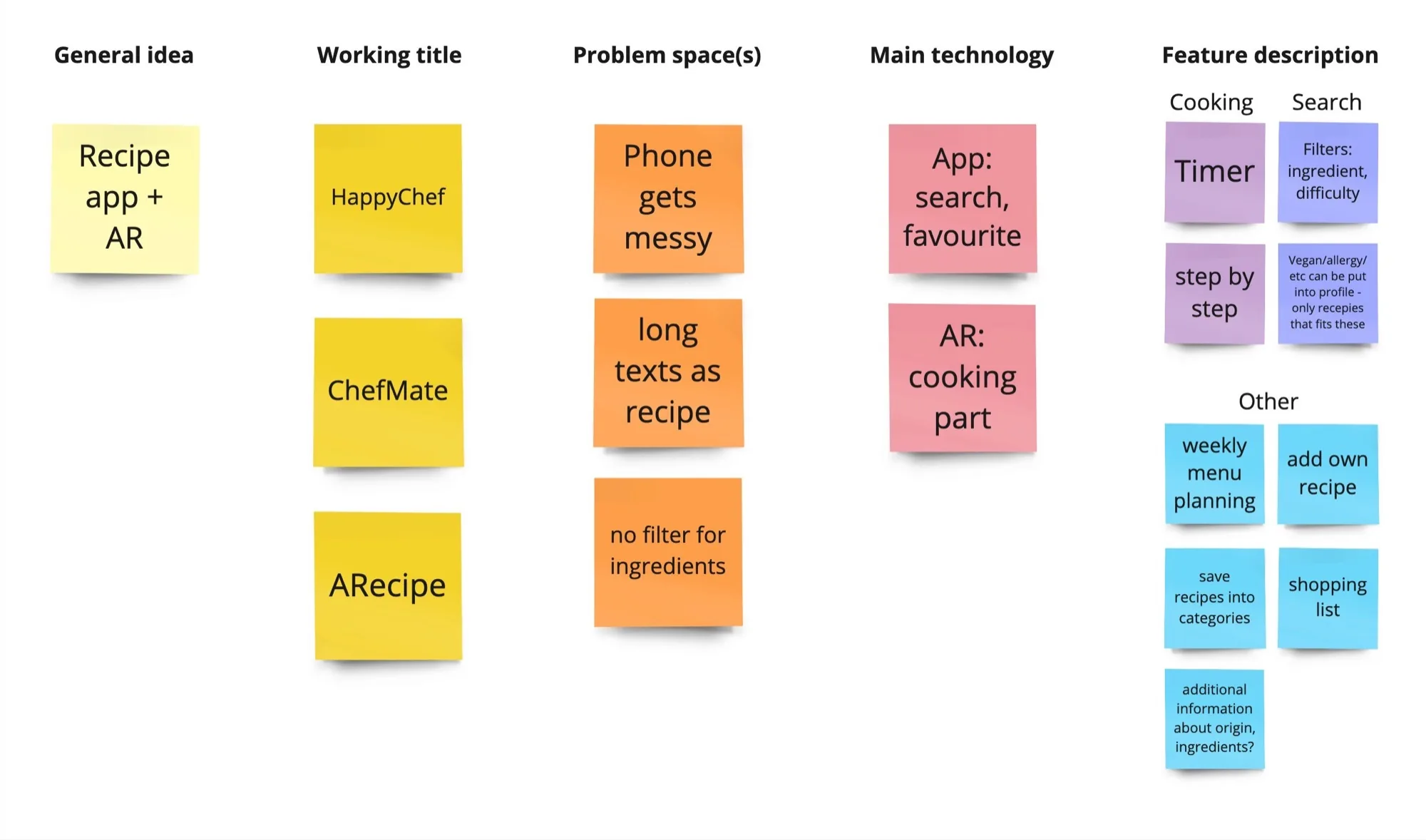
From the positive and negative features in the competitor apps, I put together the main pain points these apps leave unsolved, and a feature to answer each one.
- Dirty hands, dirty deviceSolution: voice control.
- Long, hard-to-follow paragraphsSolution: step-by-step recipes.
- Some ingredients at home, but what to cook?Solution: an ingredient filter in search.
Additional features:
- Diet stated in the profile (vegan, vegetarian, halal etc.)
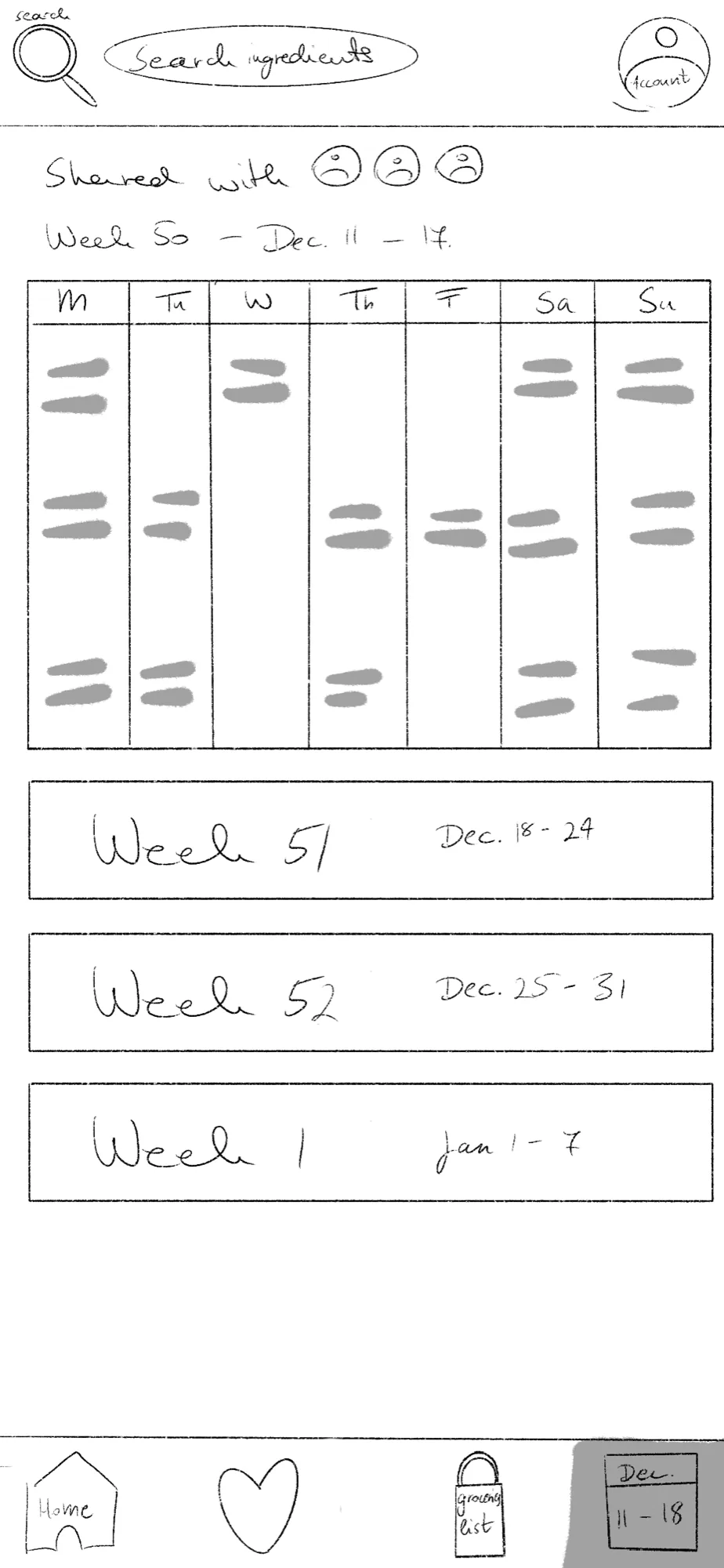
- Weekly menu planning
- Adding your own recipes
- Automatic shopping list
- Additional information about the dishes
Structure of the app
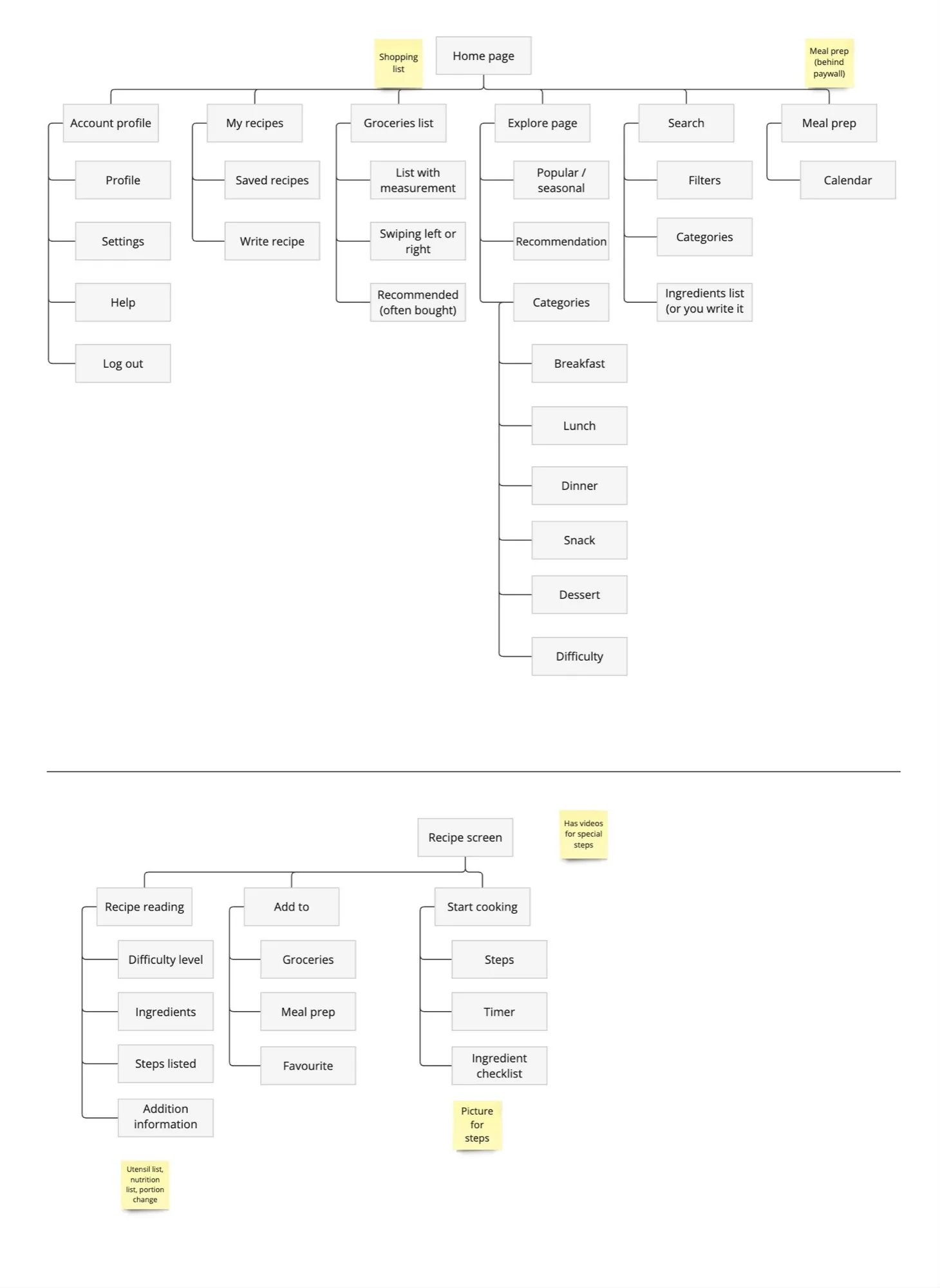
After collecting data, I made the structure of the app to see the exact flow, features and system I would use.
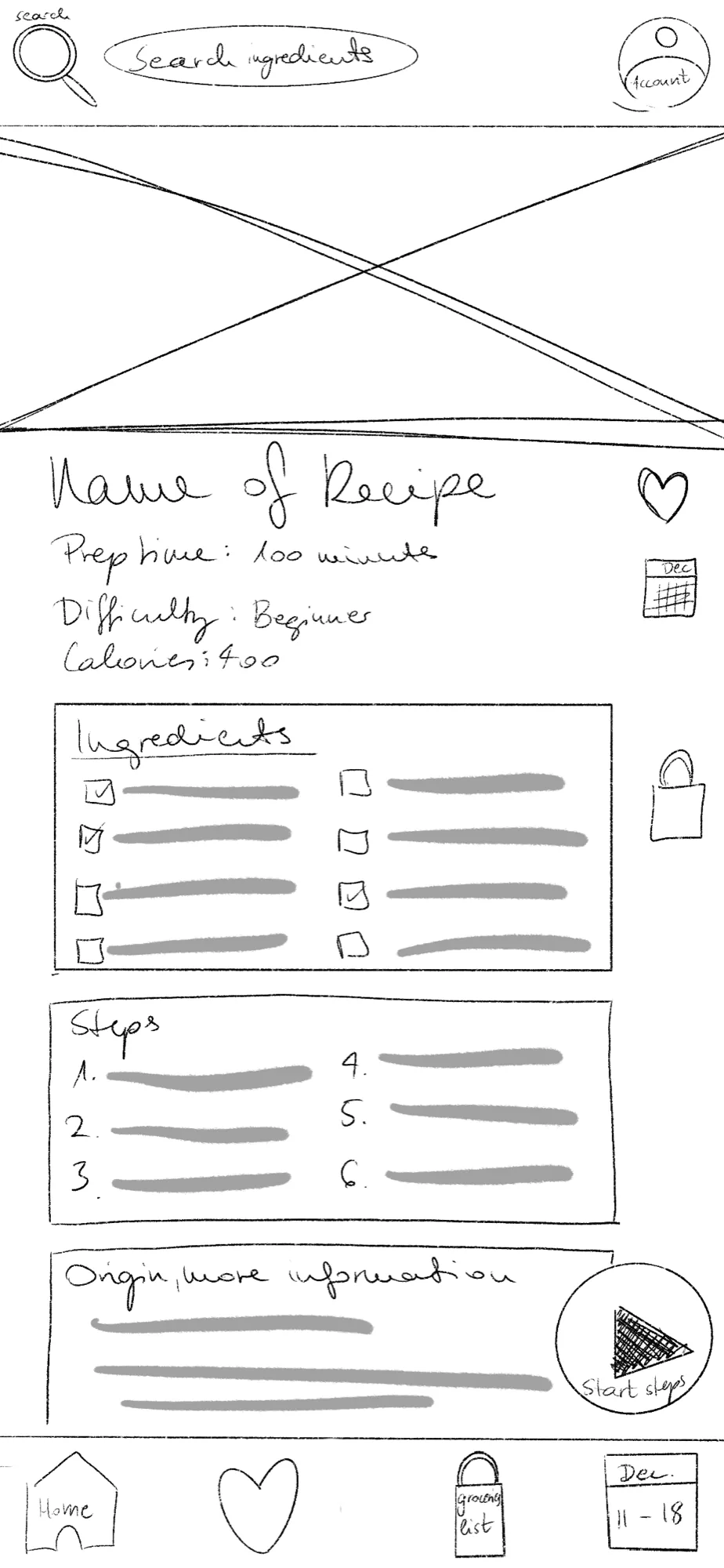
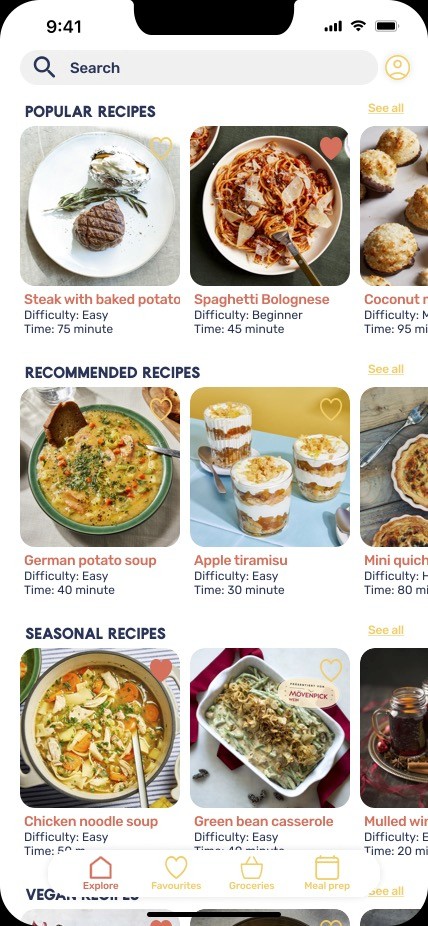
From the home page, the navigation bar opens up the explore page, the grocery list, my recipes and meal prep. These make searching and planning easier.
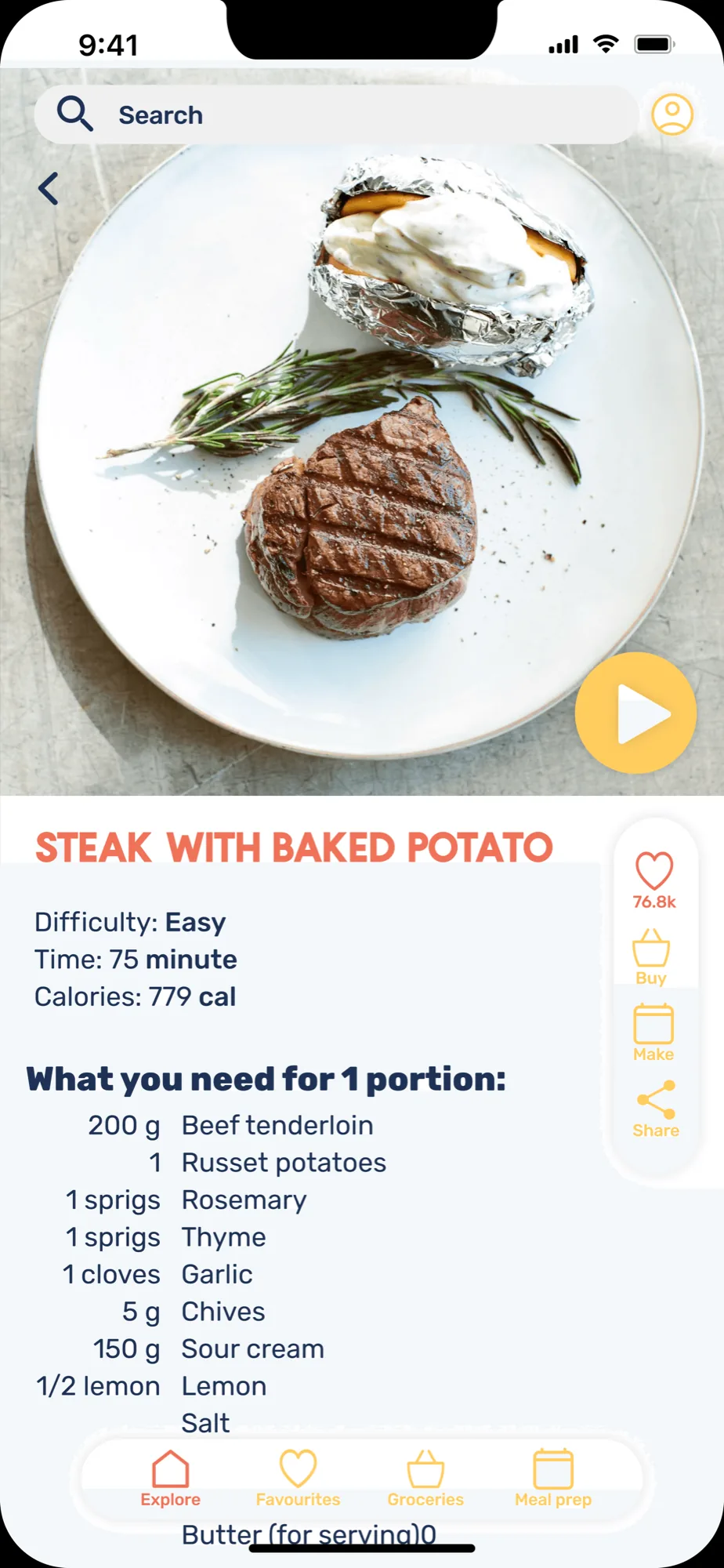
The recipe screen has three options:
- Recipe page: information about the dish.
- Add to: a grocery list, meal prep or favourites.
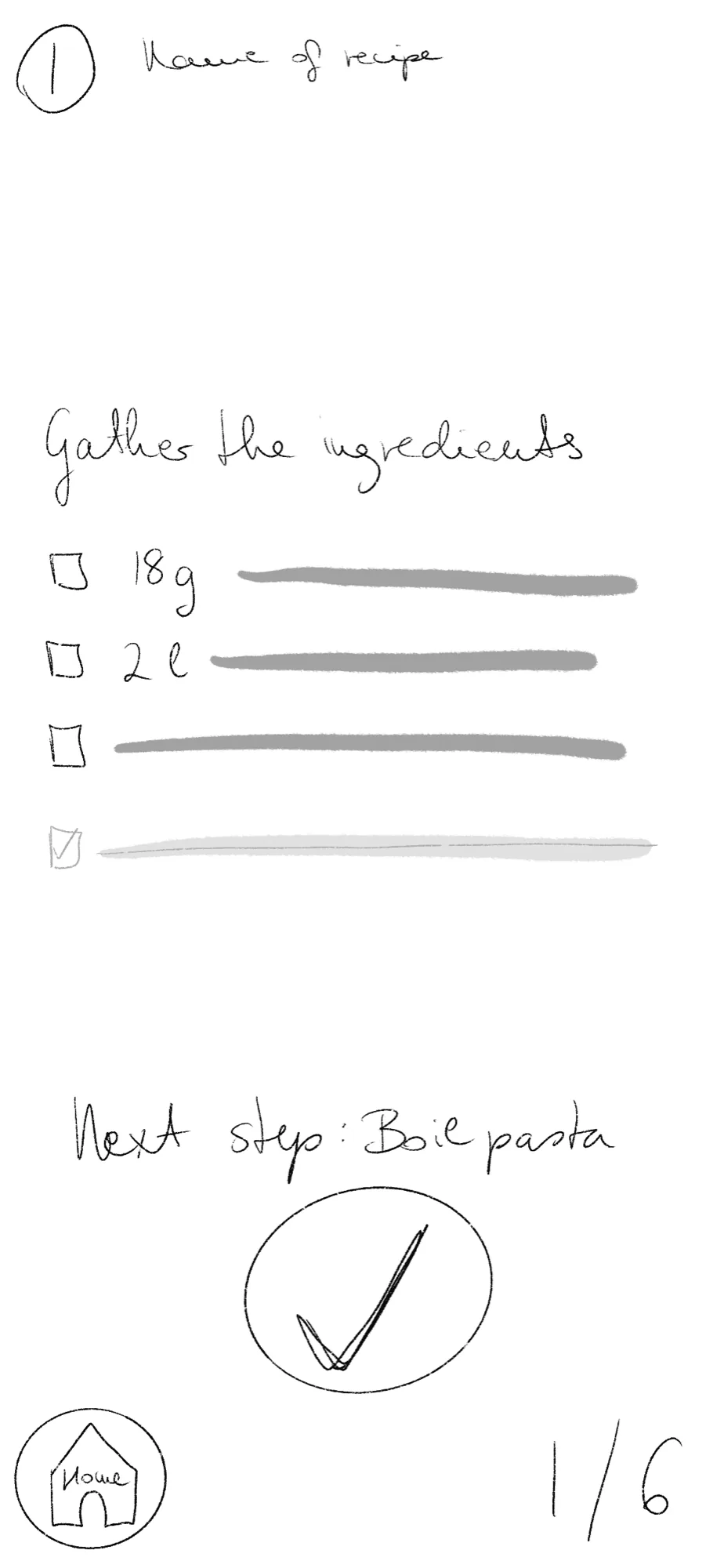
- Start cooking: step-by-step cooking with a timer where needed.
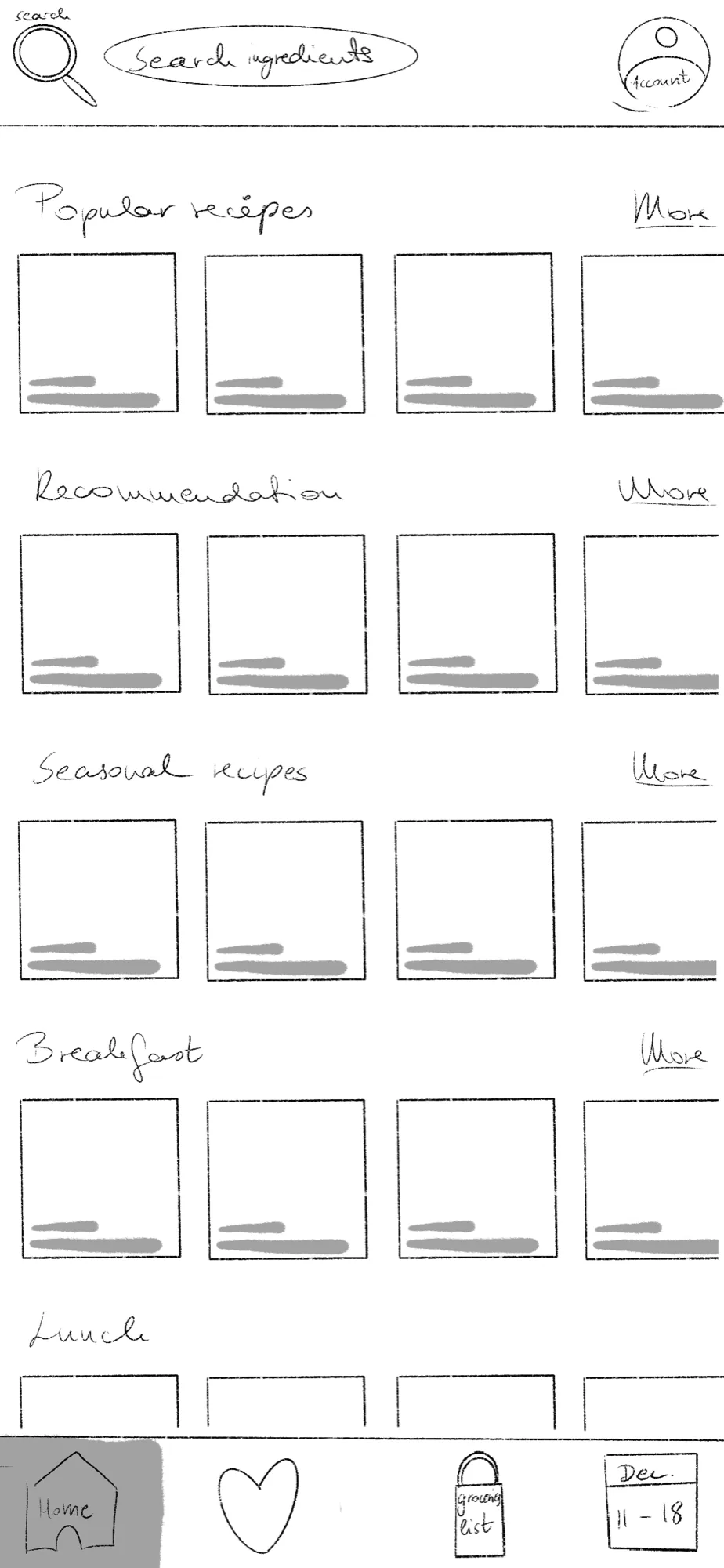
Wireframe sketches
The first sketches gave me an idea of the layout and elements, and let me see my ideas turn into visuals.
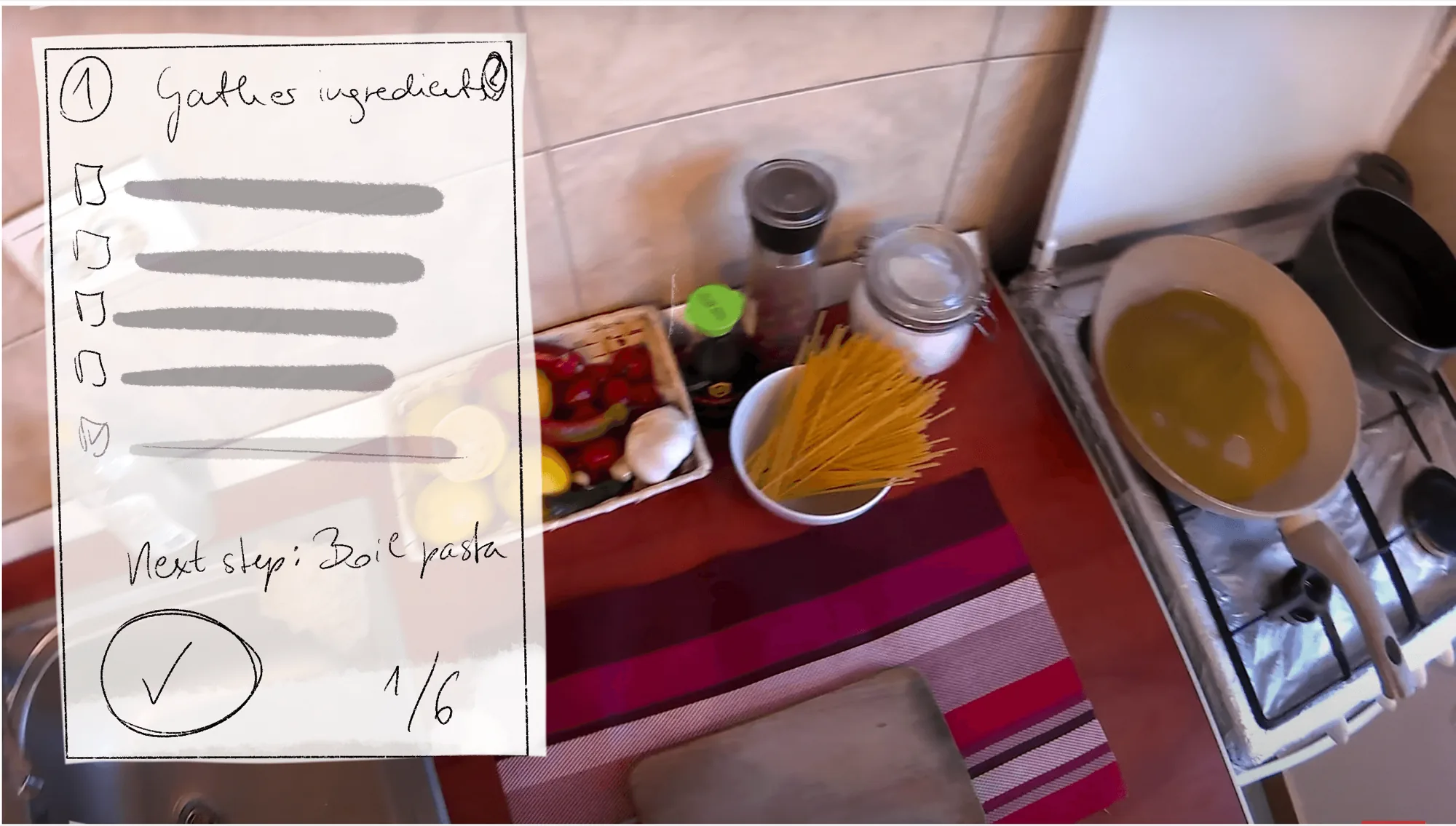
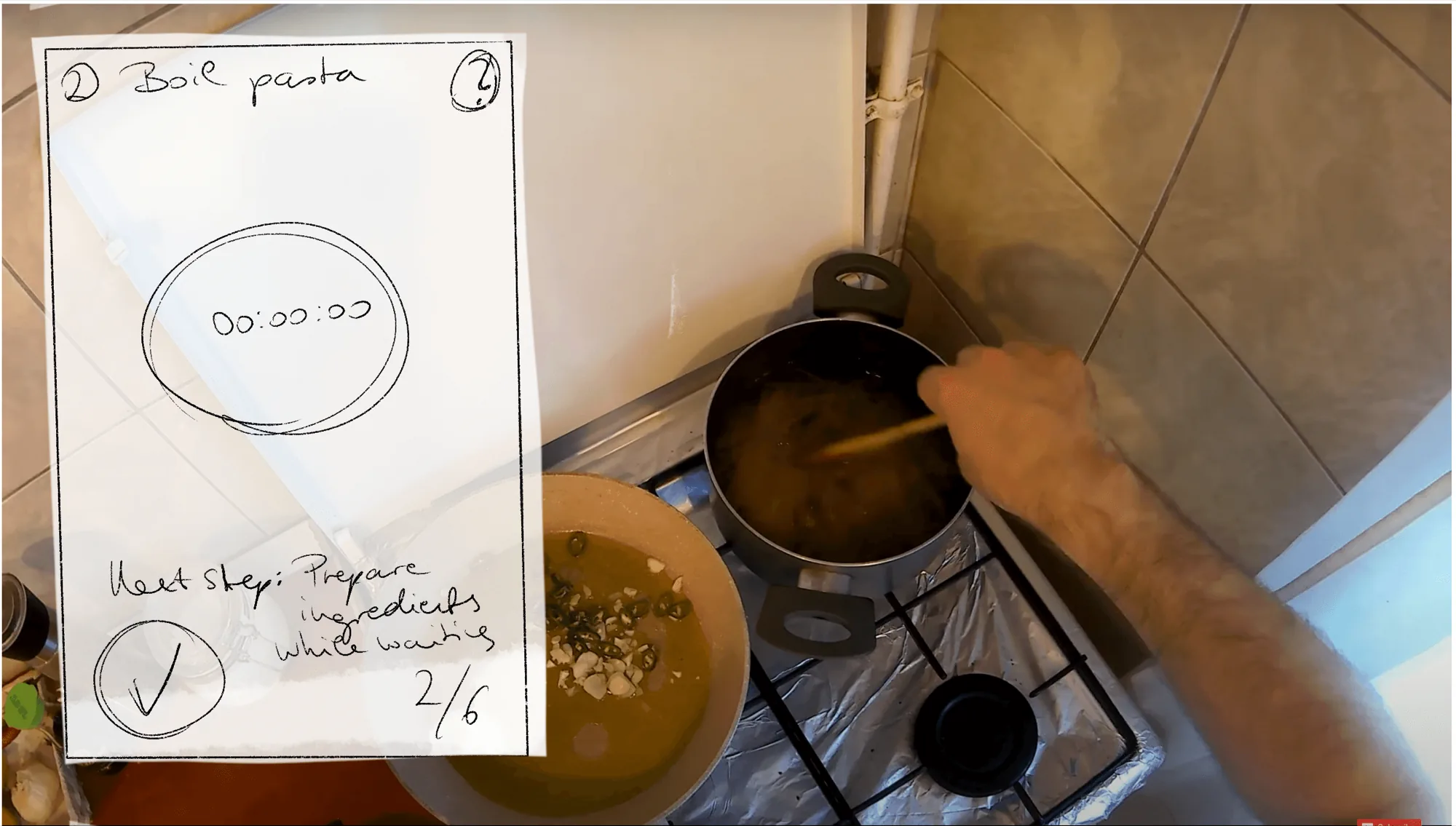
Sketching the cooking steps over real cooking scenes
Finished app
After the sketches and many iterations through the high-fidelity prototype, I had a clickable product in Figma focused on visual clarity.
What about the future?
I played with the idea of how things will be in the future, and came up with an AR extension that makes the whole experience even easier and cleaner.
Conclusion
It was a challenge to build something from scratch without a team, but it was fun, as I could explore Figma, its features and designs at my own pace.
The AR concept images were harder: while I see apps every day, I had never tried AR or VR. As a completely new experience it took more work, but in the end I got a nice outcome.